What is a LinkedIn outreach strategy?
A LinkedIn outreach strategy is the written plan behind your invitations and messages: who you contact, the reason you give each person, the steps and the waits between them, when you stop, and the numbers that tell you what to change. A message sequence is only one part of it. Without the rest, the same template goes to everyone and the reply rate cannot tell you why it is low.
Write each decision down before you start, in one line each:
| Decision |
What to write down |
Example |
| Who |
Your ideal customer, and who you never contact |
Heads of sales at B2B software companies of 50 to 500 people; no competitors, no customers |
| Why now |
The signals that put a person at the top of the list |
Their company posts an SDR job; they comment on a post about pipeline |
| What you say |
The first line for each signal, one problem, one question |
"Saw you're hiring two SDRs. Are you building the team from scratch?" |
| When you stop |
The steps, the waits between them, and what ends a sequence |
Invitation, a message the day after acceptance, two follow-ups; stop at the first reply |
| What you measure |
What counts as a qualified conversation, and one rate per stage |
A call with the person who runs sales development; accepted of invited, replied of connected |
| What software does |
The steps you automate and the ones you keep |
Software finds people and sends within daily limits; you approve leads and answer every reply |
The test of a good plan: someone else on your team could run it for a week and contact the same people for the same reasons.
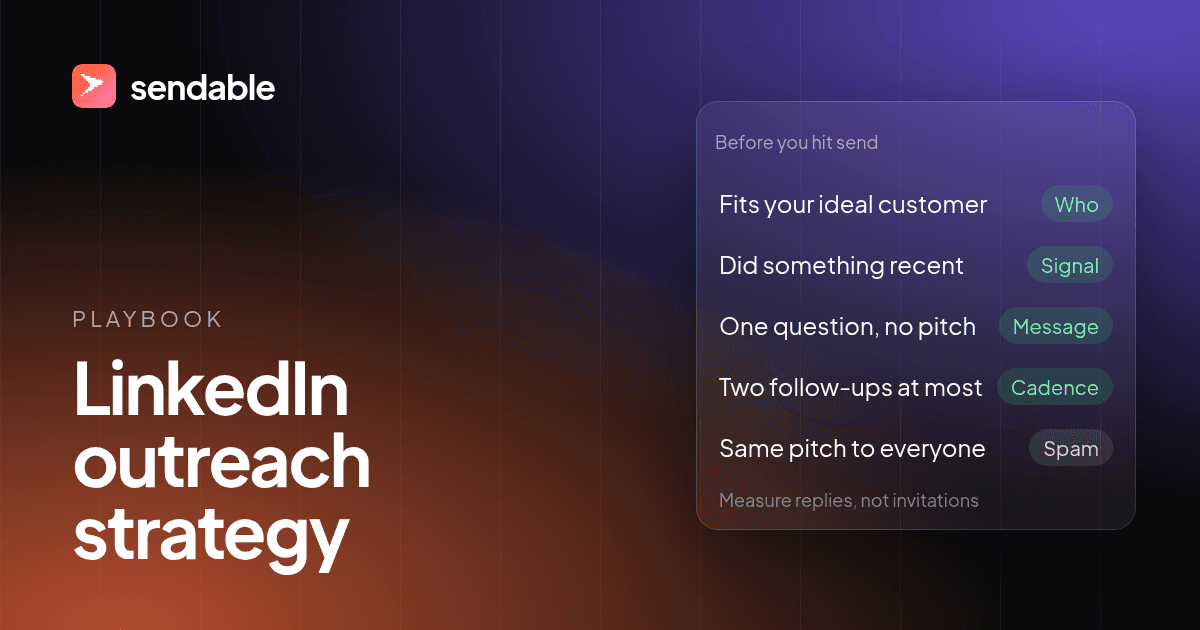
Contact people who pass two checks: they fit the customer you serve (role, seniority, company size, sector, location), and they did something recently that gives you a reason to write. Fit says whether the person could buy. Intent says why the conversation could be timely. A job title alone is half of the answer.
Picture two heads of sales with the same title. One works at a company that fits your offer and just posted a job for two SDRs. The other matches the title and has shown nothing related. The first one gets your message this week; the second goes on a list you watch. Our guide on how to find leads on LinkedIn covers the search side: Boolean search, Sales Navigator filters and company pages.
LinkedIn's own data points the same way. Announcing its Premium All-in-One plan on February 12, 2026, LinkedIn said that "based on early data, subscribers are seeing up to 60% increase in reply rates from daily prospect suggestions" matched to their target criteria. It is LinkedIn measuring its own paid feature, with no method published, so read it as a direction rather than a benchmark.
Two rules keep the list clean:
- Write the exclusions down. Competitors, current customers, students, interns and freelancers, and anyone already in a conversation with your team.
- Check the signal before you trust it. Read the post, the job ad or the profile update. A signal is a reason to look at the person, not proof that they want to buy, and an inaccurate reference makes a message feel less personal, not more.
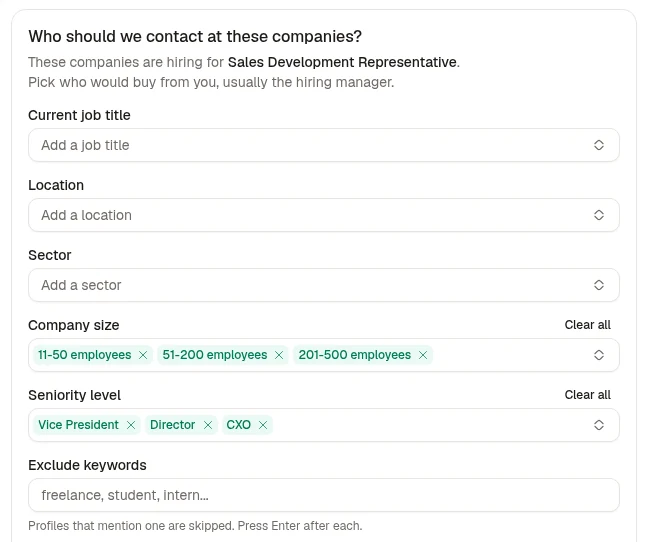
In Sendable, a Job postings signal finds people at companies hiring for a role you choose, then keeps only the ones who match the ideal customer you describe: here, vice presidents, directors and C-level people at companies of 11 to 500 employees, the managers who would own the new hires rather than the recruiters.
Which signals give you a reason to write now?
A signal is something a person or their company did on LinkedIn that relates to the problem you solve: a comment on a post about it, a new job, a job post in the team you serve, a visit to your profile. Each one gives you an honest first line, and each one goes stale, so write while it is recent.
Timing is the reason to bother. LinkedIn's B2B Institute puts it as the 95-5 rule: "95% of your potential buyers aren't ready to buy today". And contacting the other 95% with a generic pitch has a cost: in Gartner's survey of 632 B2B buyers, published June 25, 2025, 73% said they actively avoid suppliers who engage in irrelevant outreach.
| Signal |
What it suggests |
A first line that uses it |
Write within |
| Commented on a post about your problem |
Interest in the topic, sometimes the pain itself |
"Your comment on Léa's post about onboarding checklists made a good point." |
A few days |
| Started a new job |
A new role, often new priorities and budget |
"Congrats on the new role at Northwind. What's first on the list?" |
The first weeks |
| Company hiring for the role you serve |
The company is investing in that area |
"Saw Northwind is hiring two SDRs. Are you building the team from scratch?" |
While the job is open |
| Viewed your profile |
They looked you up |
"Thanks for stopping by my profile. Anything I can help with?" |
A few days |
| Attended a LinkedIn event on your topic |
Interest in the subject |
"You were at the RevOps roundtable on Tuesday. What did you take away?" |
The same week |
The full list, with how long each signal stays useful, is in our guide on how to identify buying signals.
What should your LinkedIn profile show before you reach out?
Your profile should tell a stranger in five seconds who you help and why you might write to them, because many people open it before they accept. Use a real photo, a headline that names the people you serve and the problem you solve, and an About section that says the same in plain words. A few recent posts or comments on your topic show there is a person behind the invitation.
It also matters to LinkedIn's sorting. LinkedIn's help page on invitations says invitations are sorted "using a combination of signals, including authenticity signals", into a Focused view for "members our systems have higher confidence in" and an Other view, and that "LinkedIn may not send notifications for invitations that appear in the Other view". LinkedIn does not list those signals; a complete, real profile and invitations people accept are the parts you control.
Two habits help before the first invitation:
- Engage first, lightly. React to or comment on one of the person's recent posts a day or two before you invite them, when you have something to say about it.
- Keep pending invitations low. Withdraw the ones nobody accepts after a week or two (more on that in the sequence below).
Should you add a note to your connection request?
Add a note when you have a specific reason to give, and keep it under LinkedIn's 200-character limit; send the request without one when you don't. The trade-off is measured: across 11.5 million connection requests sent in 2025, the Belkins study reports that requests with a personalized note were accepted 25.3% of the time against 27.6% without one, but got replies 8.2% of the time against 5.3%. A note costs a few acceptances and buys replies.
Three rules from LinkedIn's help page on personalizing invitations shape the choice:
- 200 characters per note. Enough for the signal and one sentence, not for a pitch.
- Three personalized notes a month on a free account. Older LinkedIn pages still say five; plan for three. Premium members can add a note to every request. On a free account, keep the notes for the people with the strongest signal.
- A note can be answered without accepting. "If the recipient responds to your message, they can reply without accepting your invitation." Count those replies too, or your note will look worse than it is.
Our guide to the LinkedIn connection request message has templates for each kind of reason, within the 200 characters.
What should your first LinkedIn message say?
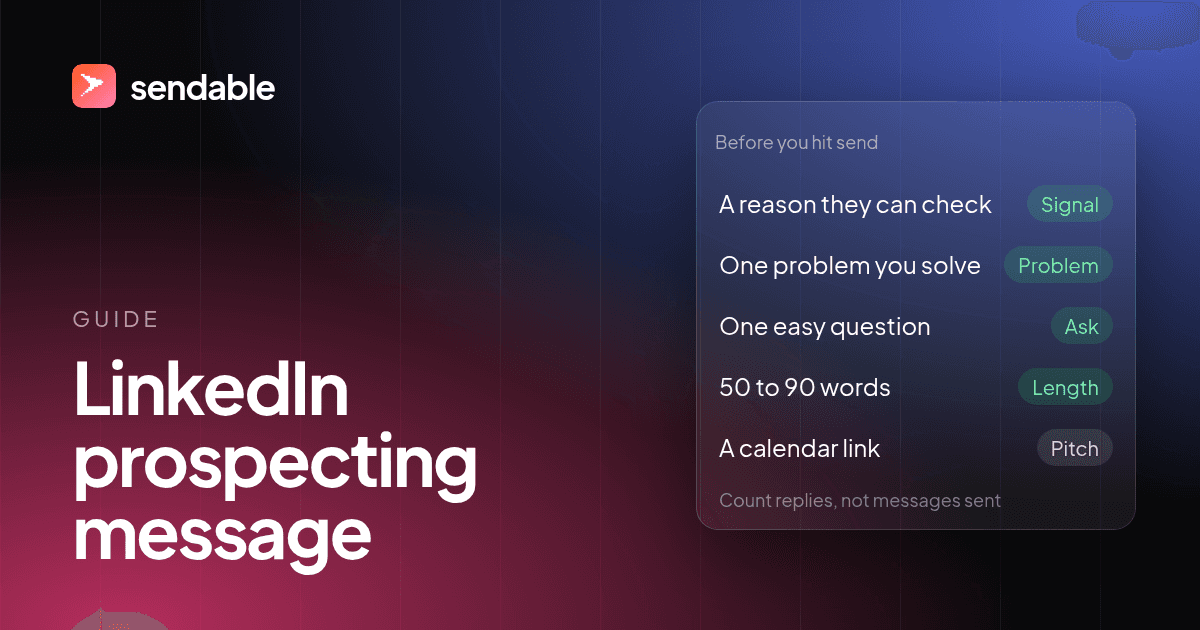
Say one accurate thing you noticed, connect it to one problem you solve, and end on one question that is easy to answer. No list of features, no meeting link, no compliments stacked before the point: the first message has one job, which is to start a conversation.
A message built that way, after a job post signal:
Hi Dana, I noticed Northwind is hiring two implementation specialists. When a team grows that fast, onboarding is usually where the time goes: new hires wait on access, checklists and someone free to train them. We work with operations leaders on exactly that. Is shortening onboarding a priority for you this quarter?
The observation makes it specific to Dana, the middle sentences show you understand the problem behind the hire, and the question invites a reply without assuming what Dana needs.
Short does not mean bare. In Visibility Wins' benchmark of 109 LinkedIn campaigns run for 55 technology clients from January to July 2026, openers of 41 to 90 words got replies 18.1% of the time, against 3.2% for openers of 40 words or fewer, and openers with a question replied twice as often as the campaigns they ran in. Aim for three or four sentences, not one.
| Instead of |
Write |
Why |
| "Hi {{firstName}}, I'd love to connect" |
The signal, in one sentence |
Says how you know them and why now |
| A paragraph about your product |
One problem you solve, in their words |
They decide whether it is theirs |
| "Do you have 30 minutes on Thursday?" |
"Is that a priority this quarter?" |
A yes or no is easier to give than a meeting |
| "I saw you liked a post, so you need X" |
What they actually said or did |
Reading intent into a like reads as surveillance |
Personalization is not a first name and a company name in a template. The detail that matters explains why this person and why now, and it has to be true: check it before you send.
How many follow-ups should you send, and when?
Plan two follow-ups a few days apart, each adding something the previous message did not, and stop at the first reply, decline or request to stop. Follow-ups carry a large share of the replies: Belkins found replies "split evenly between first-touch and follow-up replies" in its connection campaigns, and Visibility Wins found that stopping after the first follow-up gives up a third of replies, with the second follow-up the step that replied best per message sent (9.7%).
A sequence that works for most B2B offers:
| When |
Step |
What it does |
| Day 0 |
Visit the profile, or react to a recent post |
Puts your name in front of them before you ask for anything |
| Day 1 |
Send the invitation, with or without a note |
Asks for the connection, nothing else |
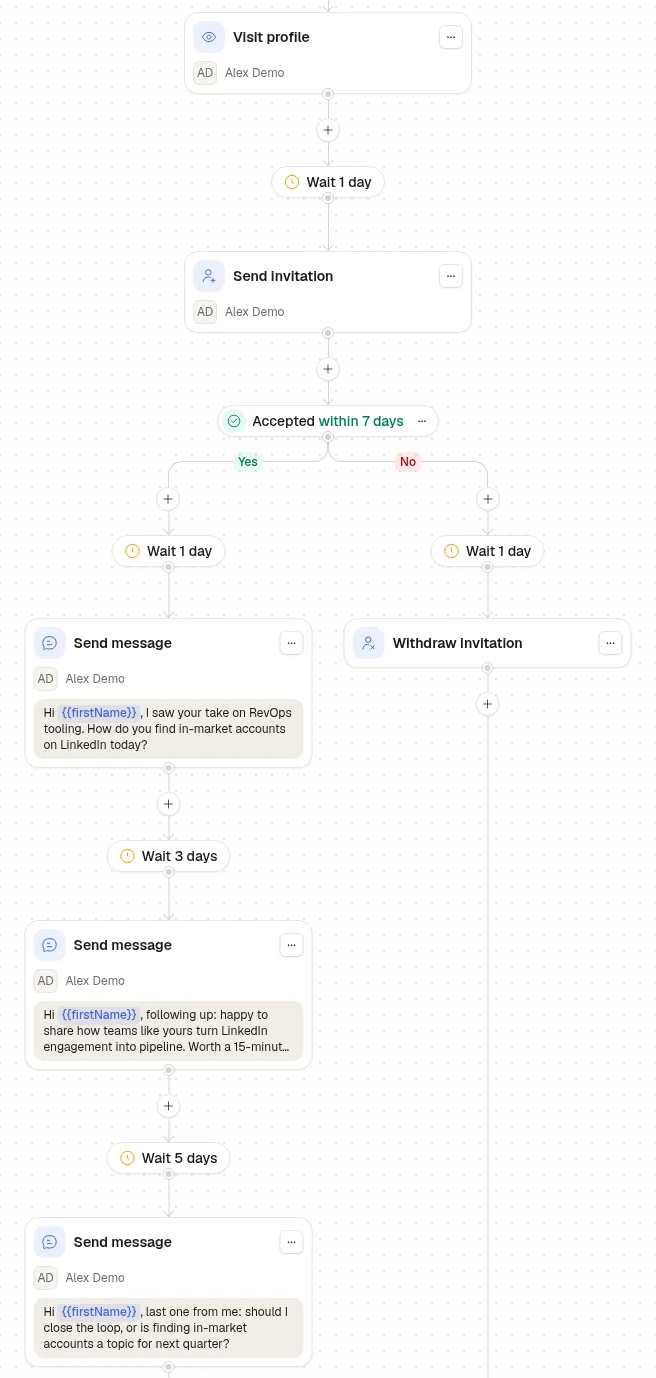
| The day after acceptance |
First message |
The signal, the problem, one question |
| 3 to 4 days later |
Follow-up 1 |
A new angle: a short example, a number, a simpler question |
| 5 to 7 days later |
Follow-up 2 |
A last, easy way out: "Should I close the loop on this?" |
| Not accepted after 7 to 14 days |
Withdraw the invitation |
Keeps your pending invitations low |
Withdraw what nobody accepts instead of letting invitations pile up. LinkedIn's page on types of restrictions lists "Many of your invitations have been ignored, left pending, or marked as spam by the recipients" among the reasons for a restriction, and after a withdrawal "you won't be able to resend an invite to the same recipient for up to three weeks", so withdraw once and move on. The day of the week matters less than people think: in the Belkins data, the best and worst days are less than one percentage point apart.
When someone replies, the sequence stops and a person takes over. In Sendable, a campaign is this kind of sequence: each step runs from your LinkedIn account, a condition branches on whether the invitation was accepted within the days you set, and a reply stops that lead's sequence. Our guide to automating LinkedIn messages covers which of these steps to hand to software.
Which metrics show whether your LinkedIn outreach works?
Count each stage on its own denominator: invitations accepted of invitations sent, replies of people connected, qualified conversations of replies, meetings of people connected. Each ratio points to a different fix. A single "reply rate" without its denominator tells you nothing: the same campaign of ours can be quoted at 59.8% (of people messaged) or 33.3% (of invitations sent).
Here are three sets of results, read on the same denominators: Belkins' 14,077 contacts of 2025, Visibility Wins' 117,838 invitations of 2026, and one campaign of ours.
| Stage, and what you divide by |
Belkins, 2025 |
Visibility Wins, 2026 |
Our campaign, 2026 |
When it is low, change |
| Accepted, of invitations sent |
18.7% |
31.3% |
92 of 156: 59% |
The targeting, profile or note |
| Replied, of people connected |
17.6% |
21.7% |
52 of 92: 56.5% |
The first message |
| Next step agreed, of people connected |
1.3% (meetings) |
3.68% (meeting, email or event signup) |
Not published |
The offer or the call to action |
Read our column with care: it is one two-week campaign, from May 31 to June 13, 2026, aimed at people who had just posted a lead magnet on LinkedIn ("comment and I'll send you the guide"). People who post lead magnets are active on LinkedIn and trying to get leads there, which is exactly the problem Sendable solves. The column shows the gap a precise signal can make, not a target for your list. Both studies come from agencies that sell LinkedIn outreach.
What the benchmarks mean for a month of work, at 400 invitations (about 20 a working day):
| At the rates of |
Connections |
Replies |
Next steps |
| Belkins |
75 |
13 |
About 1 meeting |
| Visibility Wins |
125 |
27 |
About 4 or 5 leads |
That arithmetic is why targeting comes first. Doubling the acceptance rate doubles every number below it; sending twice as many invitations doubles them too, but also doubles the invitations nobody accepts.
Change one thing at a time, and give each change enough people to judge it: a difference of two replies on 30 invitations is noise.
What should you automate, and what should stay human?
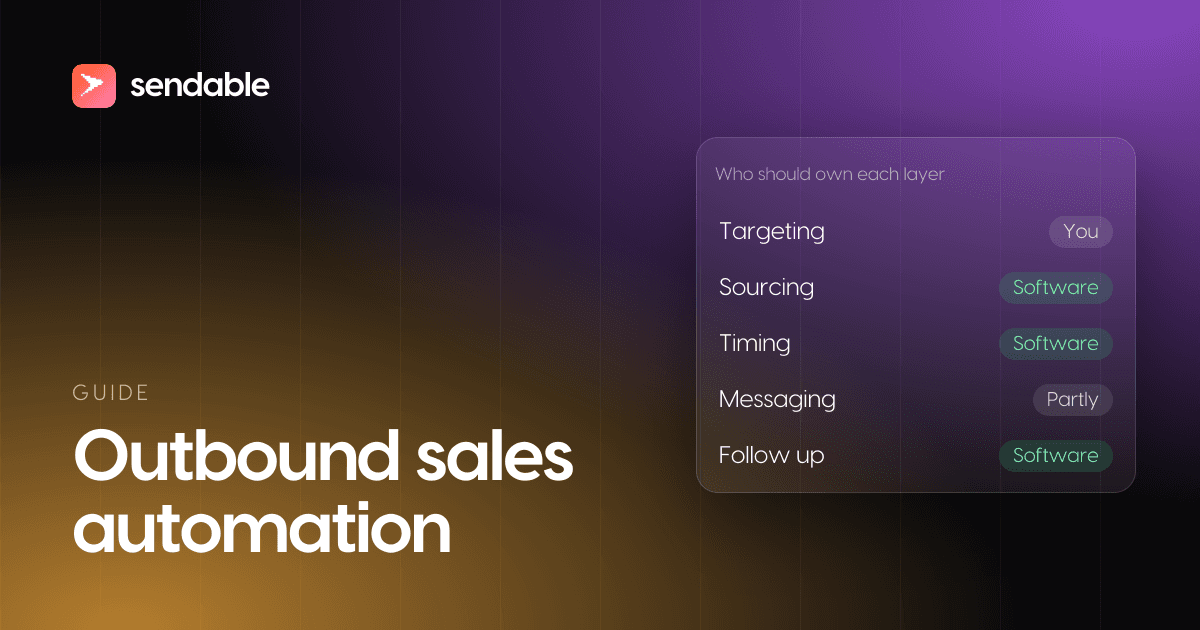
Automate the repetitive steps (finding people who match, sending each step on time, stopping on reply, counting the results) and keep the judgment calls human: who goes on the list, whether a signal is relevant, and every reply. The line matters because LinkedIn's rules leave no room: section 8.2 of its User Agreement lists among the things members agree not to do "Use bots or other unauthorized automated methods to access the Services, add or download contacts, send or redirect messages". LinkedIn can restrict an account that does it, and no tool can promise it won't.
| Task |
Automate? |
Why |
| Finding people who show a signal |
Yes |
Watching posts, jobs and profiles every day by hand takes hours |
| Checking each person against your criteria |
With a review |
Software sorts; you approve the first leads until it sorts like you |
| Writing the line about the signal |
Partly |
Variables fill in the facts; you write the sentence around them |
| Sending each step on time |
Yes, within limits |
The risk sits in volume and pace, so keep both low |
| Stopping when someone replies |
Yes |
A follow-up after a reply is the worst message you can send |
| Answering replies |
No |
The conversation is the point of the whole sequence |
LinkedIn publishes no daily or weekly number of invitations. Its help page on invitation limits says only that "all LinkedIn members, including those with Basic and Premium accounts, are subject to these limits" and that a restriction "typically lasts one week". The 100 a week you read elsewhere is a vendor's estimate.
Sendable's are estimates too, and you can see and change them: invitations and conversations start at 30 a day per account on LinkedIn Premium or Sales Navigator and 20 without, and profile visits are capped at 30. Actions are spread over the working hours you choose, and when LinkedIn answers that an account has hit a rate limit, Sendable pauses every action on that account. These limits lower the risk; they do not remove it. Our page on whether LinkedIn automation is safe goes through what LinkedIn says and what it doesn't.
How do you run LinkedIn outreach week to week?
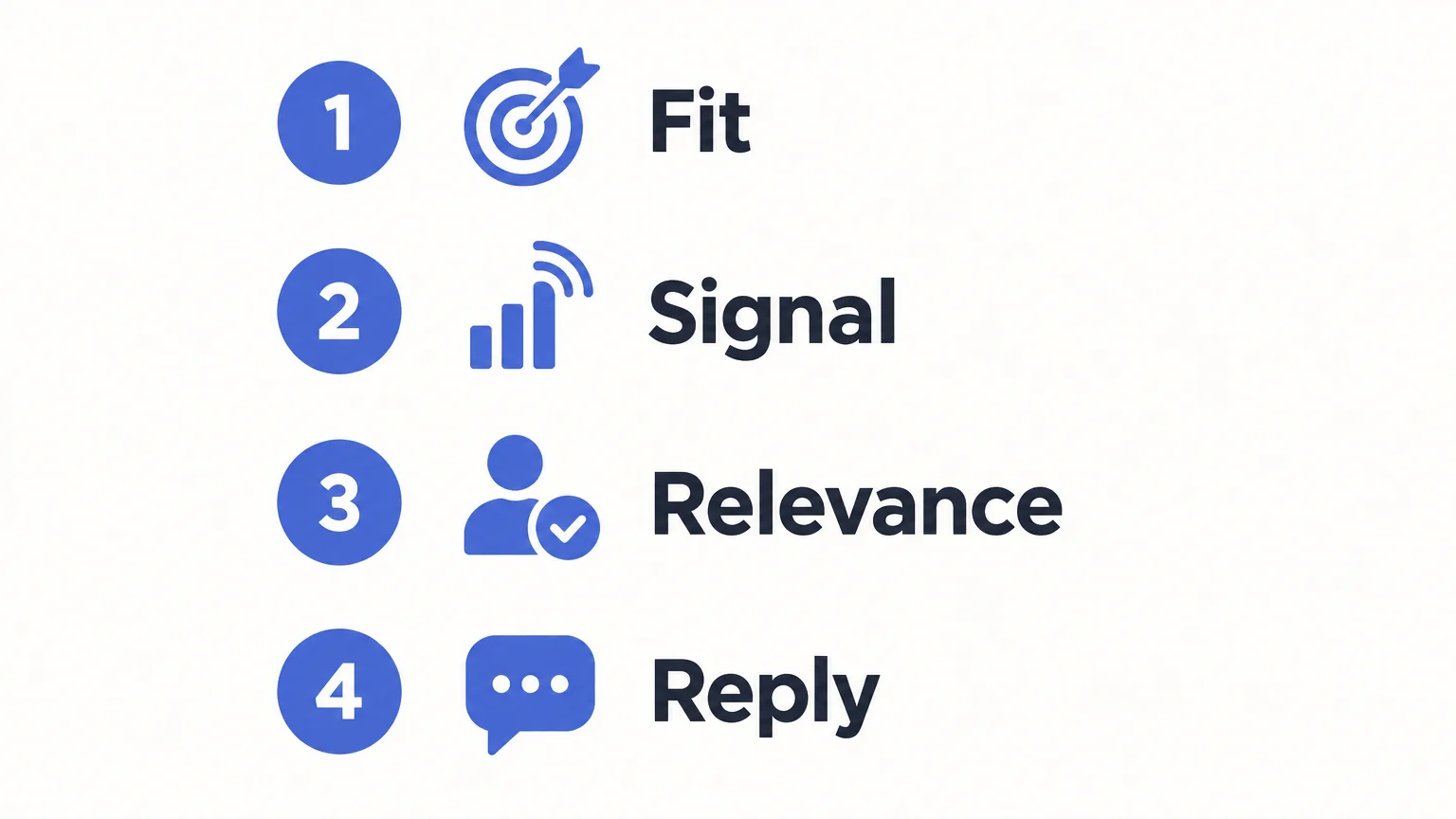
Run it as a weekly routine, with four checks on every person before anything is sent: does the person fit, is the signal real and recent, is the message relevant to that signal, and is someone ready to answer the reply? If one check fails, the person waits.
A week that keeps the strategy honest:
- Monday: review the new leads. Approve or reject each one against your criteria, and note why you rejected the ones you did.
- Every day: answer replies the same day. A reply is the point of the sequence; a day's delay costs more than a weaker message.
- Thursday: read the numbers by stage. Compare acceptance, replies and next steps with last week, per signal and per message variant.
- Friday: change one thing. The note, the first line, the signal or the ideal customer, whichever stage dropped.
If several people prospect for the same company, keep one shared inbox and one list of leads, so no prospect gets two messages from your team. Sendable's LinkedIn shared inbox gathers the conversations of every connected account in one place.
How does Sendable run a LinkedIn outreach strategy?
Sendable takes over the who, why-now and when decisions, and leaves what you say and the replies to you. You pick a signal, among 15: people engaging with the posts of creators, company pages or keywords you choose, people who posted on LinkedIn in the last 30 days, people at companies hiring for a role, people who started a new job in the last 90 days, attendees of LinkedIn events, your profile viewers, the followers of a company page you manage, or your own list of profiles.
Each person a signal finds is checked against the ideal customer you wrote, and AI lead qualification writes one sentence on the criterion that decided each verdict; each match costs one credit, and people it rejects cost nothing. Matches go to your review or straight into a campaign: the sequence you wrote, sent from your LinkedIn account within the limits above, with up to 10 variants per message to test, stopping when the person replies. Replies from every account land in one inbox.
The 7-day trial needs a card, charges nothing before it ends, and includes one LinkedIn account, 20 credits and 3 active signals. Pro then costs $69 per LinkedIn account a month before VAT, with 500 credits a month for each account.
If you would rather hand the whole strategy over, our Done for you plan has our team build the lead lists and run the outreach, with 700 connection requests a month, a follow-up call twice a month and a weekly results report, for $1,500 a month. What to check before delegating, to us or anyone else, is in our guide on choosing a LinkedIn outreach agency.
Build a LinkedIn outreach strategy you can measure
A LinkedIn outreach strategy comes down to the right person, a true reason to write now, and a short sequence that stops on time. Write the six decisions down, contact people who fit and did something you can name, open with that signal and one question, follow up twice, and read every stage on its own denominator before you change anything. If you want LinkedIn watched for those signals every day, with each person checked against your ideal customer before the first step, see Sendable's pricing.
Sources
- Belkins, LinkedIn outreach study, updated June 29, 2026: acceptance, reply and meeting rates for 2025, requests with and without a note, replies from follow-ups, days of the week.
- Visibility Wins, LinkedIn outreach benchmark, published August 27, 2026: 109 campaigns from January to July 2026, opener length, questions, follow-ups.
- Gartner, press release of June 25, 2025: 73% of 632 B2B buyers avoid suppliers who engage in irrelevant outreach.
- LinkedIn B2B Institute, The 95-5 rule: the share of buyers not ready to buy today.
- LinkedIn Newsroom, Premium All-in-One, February 12, 2026: reply rates from prospect suggestions matched to target criteria.
- LinkedIn Help, Personalize invitations to connect: the 200-character note, three notes a month on a free account, replies without accepting.
- LinkedIn Help, Invitations on LinkedIn: the Focused and Other views.
- LinkedIn Help, Invitation limit reached and Types of restrictions: limits for every member, ignored and pending invitations, the three-week wait after a withdrawal.
- LinkedIn, User Agreement, section 8.2: the rule on bots and automated messaging.
FAQ
How many messages should a LinkedIn outreach sequence include?
Three after the connection is accepted: a first message and two follow-ups a few days apart. Visibility Wins found that stopping after the first follow-up gives up a third of replies. Stop earlier at any reply, decline or request to stop.
How long should you wait before following up on LinkedIn?
Send the first message the day after the invitation is accepted, the first follow-up three or four days later, and the second five to seven days after that. If the invitation is still pending after one to two weeks, withdraw it rather than following up.
How many connection requests can you send per day on LinkedIn?
LinkedIn does not publish a number: it says every member, free or Premium, is subject to invitation limits, and that a restriction typically lasts one week. Start low, around 20 a day, and raise slowly while people keep accepting. Sendable starts accounts at 20 a day, or 30 with Premium or Sales Navigator.
What is a good acceptance rate for LinkedIn connection requests?
It depends on who you invite. Belkins measured 18.7% across 14,077 contacts in 2025 and Visibility Wins 31.3% across 109 technology campaigns in 2026, while our campaign aimed at people who had just posted a lead magnet reached 59%. Compare your own rate week to week and per signal rather than against a single figure.
Can you do LinkedIn outreach with a free account?
Yes. A free account can send invitations, add a personalized note to three of them a month, and message anyone who accepts. InMail, which reaches people you are not connected to, needs a Premium plan, and Sales Navigator adds search filters and lead alerts.
Is it safe to automate LinkedIn outreach?
It carries a risk: LinkedIn's User Agreement does not allow bots or unauthorized automated methods that add contacts or send messages, and LinkedIn can restrict an account that uses them. Keep daily volumes low, spread actions over working hours, stop on reply, and answer every reply yourself.