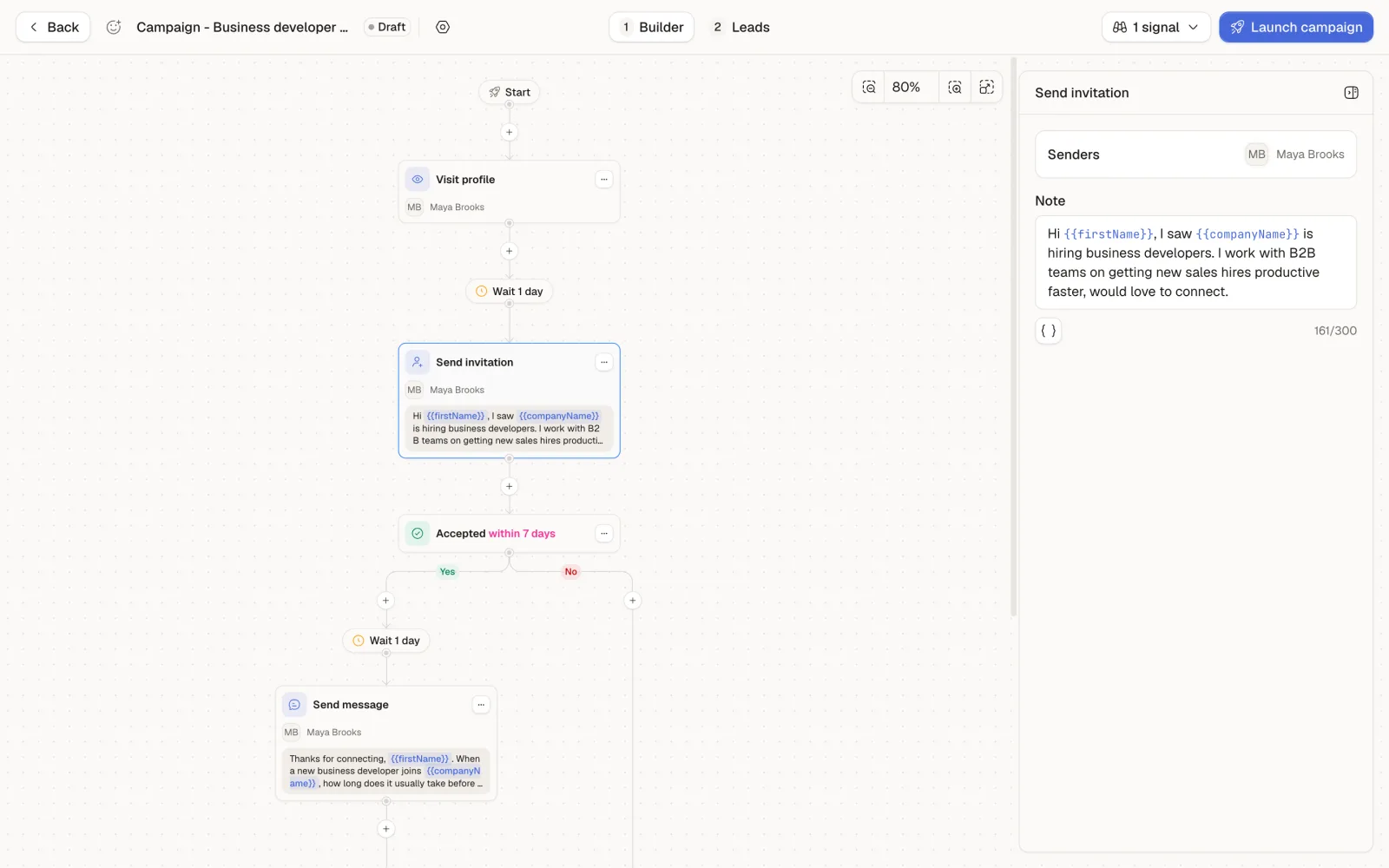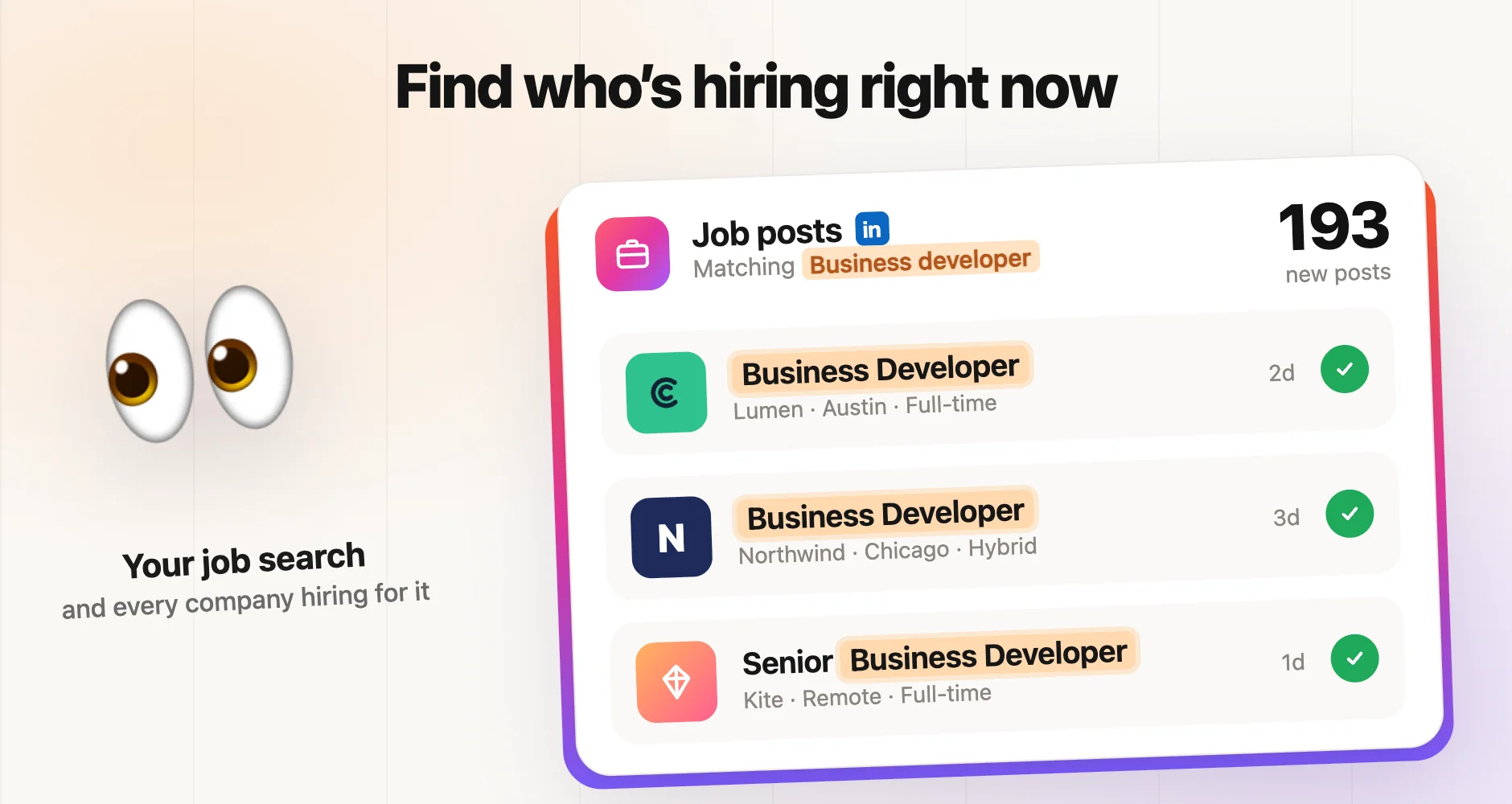
A LinkedIn job post tracker watches LinkedIn for companies that are hiring for a given role, then gives you the people who make decisions at those companies. The second half is the part that matters. A job post is a company telling the world, in public and with a budget attached, that it has a problem to solve right now. The person who published it is not always your buyer. The CEO, the head of HR or the sales director behind the hire often is.
I run a LinkedIn prospecting agency, and hiring is the signal I trust most when a client sells to teams that are growing. Below: what a job post tracker actually does, how to run one by hand for free, and a full tutorial in Sendable using "Business developer" as the job search, from the search to the first message.
What a LinkedIn job post tracker does
Tools sold as "job posting trackers" fall into two families, and they solve different problems.
| Job alerts | Hiring signal prospecting | |
|---|---|---|
| What you get | A feed of job postings that match a search | A list of decision-makers at the companies behind those postings |
| Built for | Job seekers, recruiters, market watch | Outbound prospecting |
| What you do next | Apply, or read the market | Qualify the people, then contact them |
Job alerts answer "who is hiring for this role?". Hiring signal prospecting answers "who should I talk to at each company that is hiring?". For outbound, the second question is the one that fills a pipeline, because a job post is not a lead: it is a company, and you sell to people. When I say LinkedIn job post tracker in this article, I mean the full chain: find the postings, identify the hiring companies, find the right people there, keep the ones who fit, start a conversation.
Why a company that is hiring is a warm account
A job post has four properties that a cold list does not have.
- It is public on purpose. The company wants people to see it. Mentioning it in a message is normal, not intrusive.
- It comes with a budget. A company does not post a job it cannot pay for. Money is moving in the area the role covers.
- It is dated. You see the posting days after it went live, while the hire is still open and the team is still deciding how to set it up.
- It names a problem. A company hiring its first business developer is building outbound. A company hiring five is scaling it. Both need things around that hire: tools, training, data, an agency.
It also has limits. Large companies post the same roles all year, some postings stay open for months without anyone being hired, and recruiting agencies publish jobs on behalf of clients they do not name. That is why the people you contact matter as much as the postings you track, and why I treat hiring as one input among the buying signals I use every month, not as a magic list.
How to track job postings on LinkedIn by hand
You can run a basic job post tracker with nothing but LinkedIn Jobs.
- Search LinkedIn Jobs for the role, for example
Business developer, and set the location. - Filter on Date posted (past 24 hours or past week) and sort by most recent.
- Turn on a job alert for the search, so LinkedIn emails you new postings.
- For each posting, open the company page, go to People, and look for the CEO, the head of HR or the leader of the team that is hiring.
- Open each profile, check it against your ideal customer, and copy the good ones into a spreadsheet.
- Repeat every few days, and skip the companies you already have.
This works for a handful of postings a week. It breaks fast after that: one search can return hundreds of postings, the same company posts the same role in several cities, finding the right person means several clicks per company, and LinkedIn does not give you any of it as a file. The repetition is the cost, so it is the part worth automating.
Step by step: build a LinkedIn job post tracker in Sendable
For this tutorial, picture Rampline, a sales onboarding platform that helps B2B companies get new business developers productive faster. Its buyers are the people who own a new sales hire: founders and CEOs at small companies, HR and talent leaders, and sales directors. The goal: every day, find the companies posting business developer jobs in the United States, find those decision-makers at each one, and invite them to connect with a message about the hire.
The screenshots come from a demo workspace: Rampline and every person in it are fictional.
Step 1: Create a signal and pick Job postings
In Sendable, a signal is a search that runs on its own and feeds a list of leads. Open Signals and click Create. In the catalog, filter on Job and choose Job postings: "People at companies hiring for the roles you search".
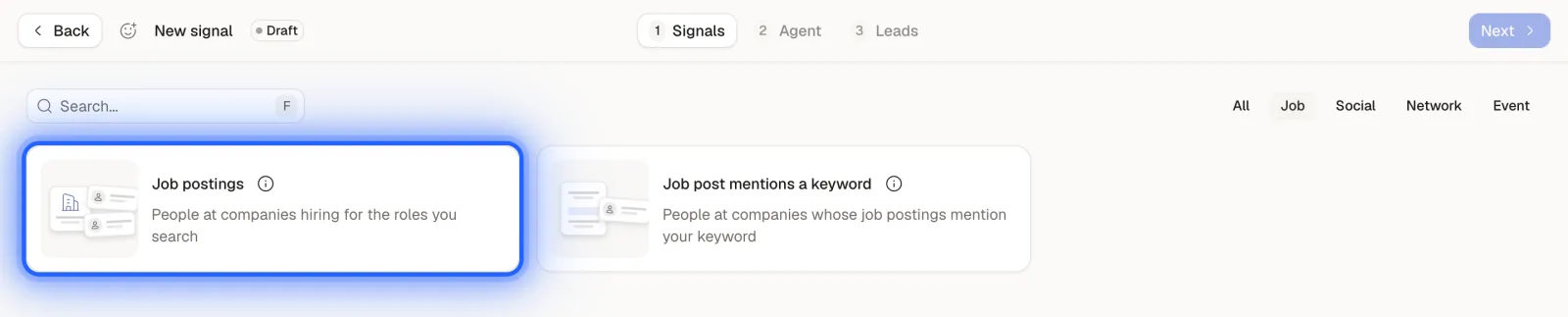
The other card, Job post mentions a keyword, searches the text of job descriptions instead of job titles. It is the right choice when the signal is a tool or a skill named in the posting ("Salesforce", "SOC 2"), not the role itself.
Step 2: Write the job search
The configuration window asks for two things.
- Job posting search: the role you want to track, as a job seeker would type it. Here:
Business developer. - Job location: the countries to include or exclude. Leave it empty to search everywhere. Here: United States.
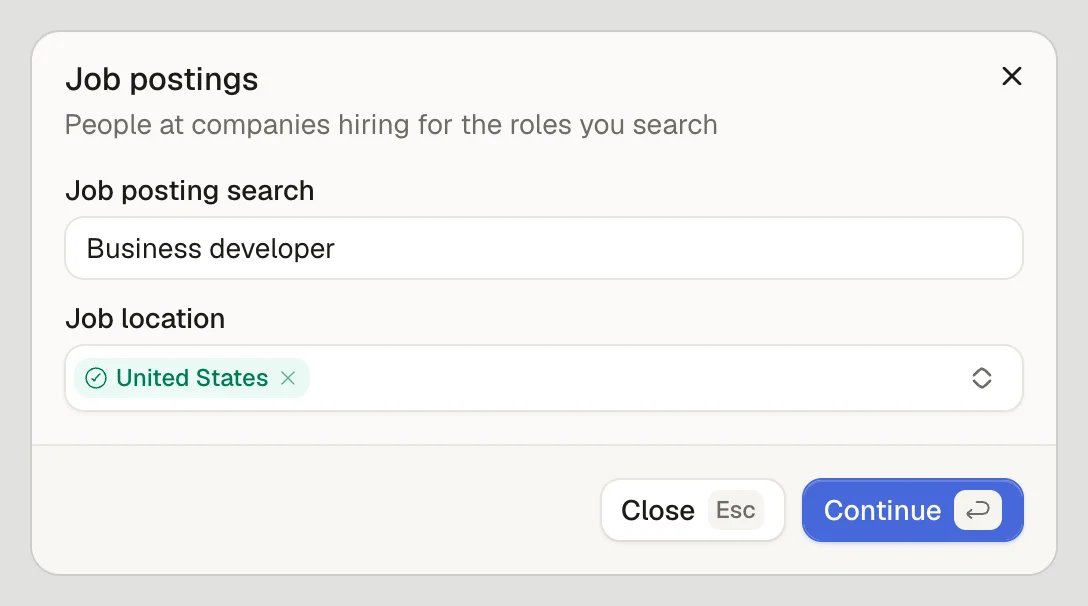
Three practical notes. The first run starts with up to 1,000 matching job postings from the past 14 days, then the signal checks for new postings every day. Each hiring company is handled once, so a company that posts the same role in ten cities still counts as one account. And this signal does not need a LinkedIn account to search: your account is only used later, by the campaign that contacts the leads.
Step 3: Choose who to find at each company
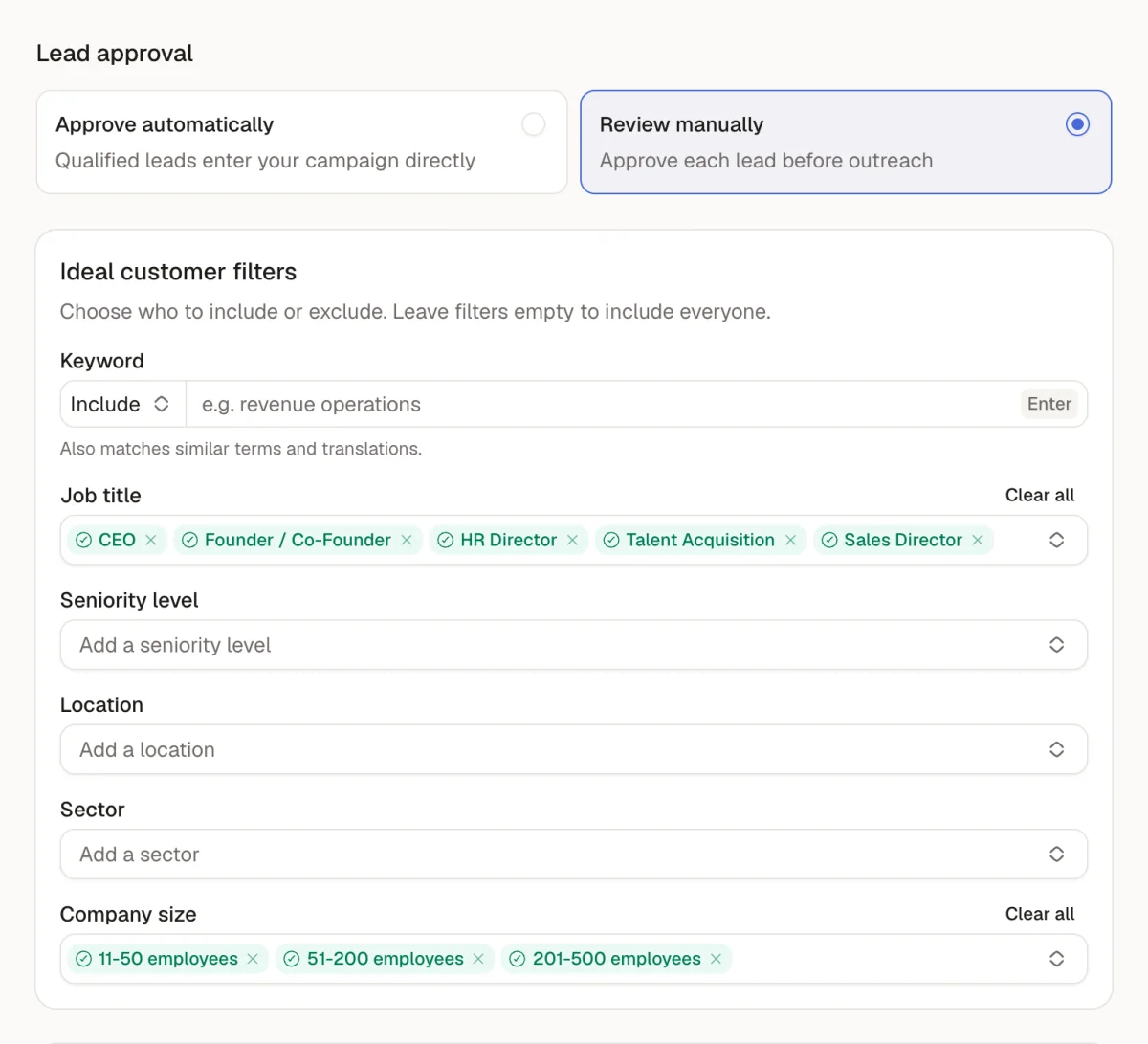
The Agent tab is where you say who you want at each hiring company. For a job posting signal, the Job title filter is required: it tells the agent which people to look for, up to 3 per company. Every profile found is then compared with all your filters and marked as a match or not, with a written reason.
For Rampline: job titles CEO, Founder / Co-Founder, HR Director, Talent Acquisition and Sales Director, and company sizes 11-50, 51-200 and 201-500 employees. Leave a filter empty to include everyone on that criterion.
Step 4: Choose approval and exclusions
Still on the Agent tab, pick how matched leads move forward:
- Approve automatically: qualified leads enter your campaign directly.
- Review manually: you approve each lead before outreach.
For the first week of any new job search, I review manually. It is the fastest way to see whether the search brings the companies you want or a flood of staffing agencies, and to fix the filters before anyone gets a message.
Below, the Exclude section removes people already in another active agent, people you already contacted, people already in your inbox, and your first degree connections. Turn on the first three at least: a job post tracker that re-contacts your existing conversations does more harm than good.
Step 5: Launch the agent
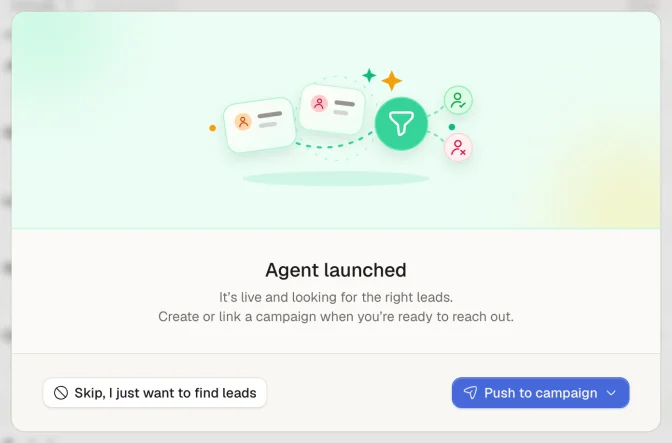
Click Launch Agent. The app confirms that the agent is live and offers two paths: keep collecting leads on their own, or connect a campaign now.
Step 6: Review the leads it finds
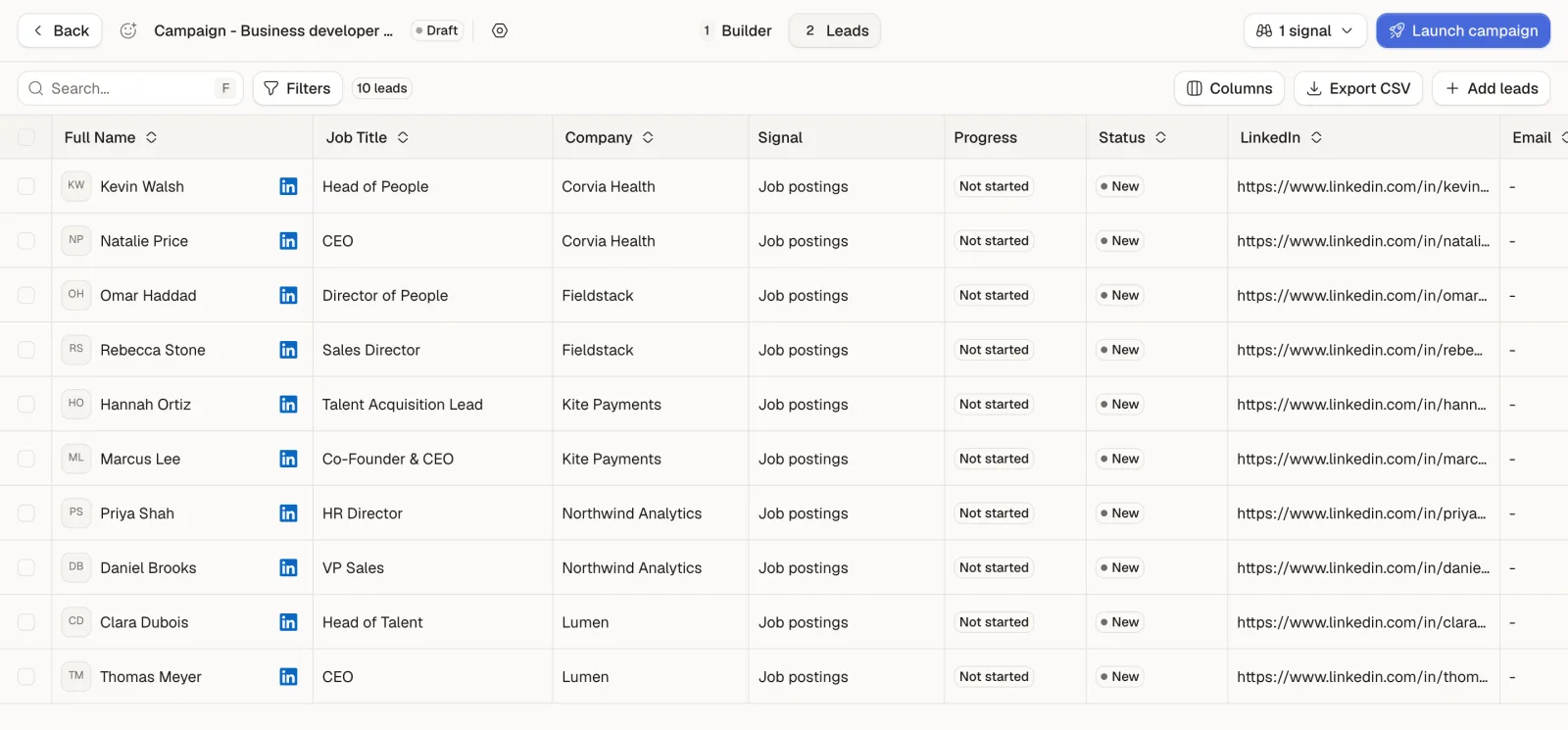
The Leads tab fills up as job postings are read and people are found at each hiring company. Each row shows the person, their job and company, a Matched or Not matched status, and the qualification details explaining the decision. The panel on the right shows the activity (the job search, then each hiring company being read, with a link to its posting) and the running totals: collected, to qualify, matched and not matched.
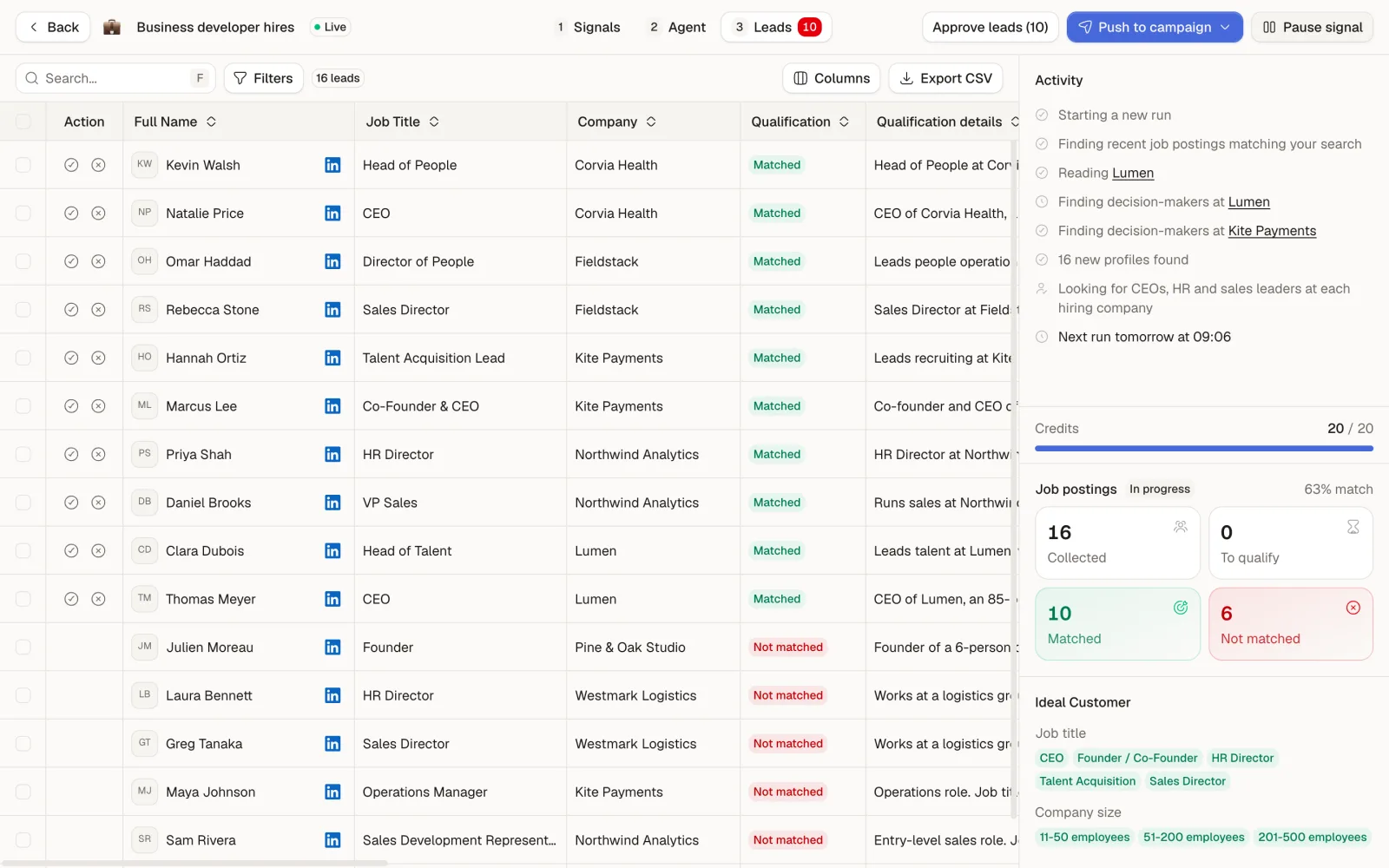
In the demo, the agent found 16 people at 7 companies hiring business developers. Ten matched: the CEO and the head of talent at Lumen, the VP Sales and the HR director at Northwind Analytics, and so on, two per company. The six rejects are the noise you would expect: an account executive and a sales development representative (the people doing the job, not deciding on it), an operations manager, two directors at a logistics group of 8,000 employees, and the founder of a 6-person studio. That filtering step is what turns a list of job posts into a list of conversations.
Matching is what uses credits: one matched lead costs one credit. Approve the leads you want with the check icon on each row, or all at once with Approve leads.