What is a LinkedIn prospecting message?
A LinkedIn prospecting message is the first direct message you send a potential buyer to start a sales conversation, usually right after they accept your connection request, sometimes as an InMail to someone you are not connected to. It is not the connection note, which has its own 200-character limit and job (our guide to the LinkedIn connection request message covers it), and it is not a pitch: its only goal is a reply.
Where you write decides how long it can be and what it costs. Here is what LinkedIn's Help Center said on November 24, 2026:
| Where you write |
Who can receive it |
Length |
Cost |
| Connection request note |
Anyone you invite |
200 characters |
Three personalized notes a month on a free account, unlimited on Premium |
| Message to a connection |
Your 1st-degree connections |
No limit published in the Help Center |
Free |
| InMail |
Anyone, connected or not |
Subject 200 characters; body 1,900 on Sales Navigator and Recruiter, 2,000 on Premium |
Credits: 5 a month on Premium Career, 15 on Premium Business, 30 on Premium All-in-One, 50 on Sales Navigator |
| Open Profile message |
Premium members who turned on Open Profile |
Not published |
Free, without InMail credits; a limited number a month on a free account |
LinkedIn gives an InMail credit back for each InMail answered within 90 days, so the InMails that get answers don't use up your monthly allowance. For most B2B prospecting, though, the cheapest path is the one in this guide: an invitation with or without a short note, then a message once the person accepts.
What should a LinkedIn prospecting message say?
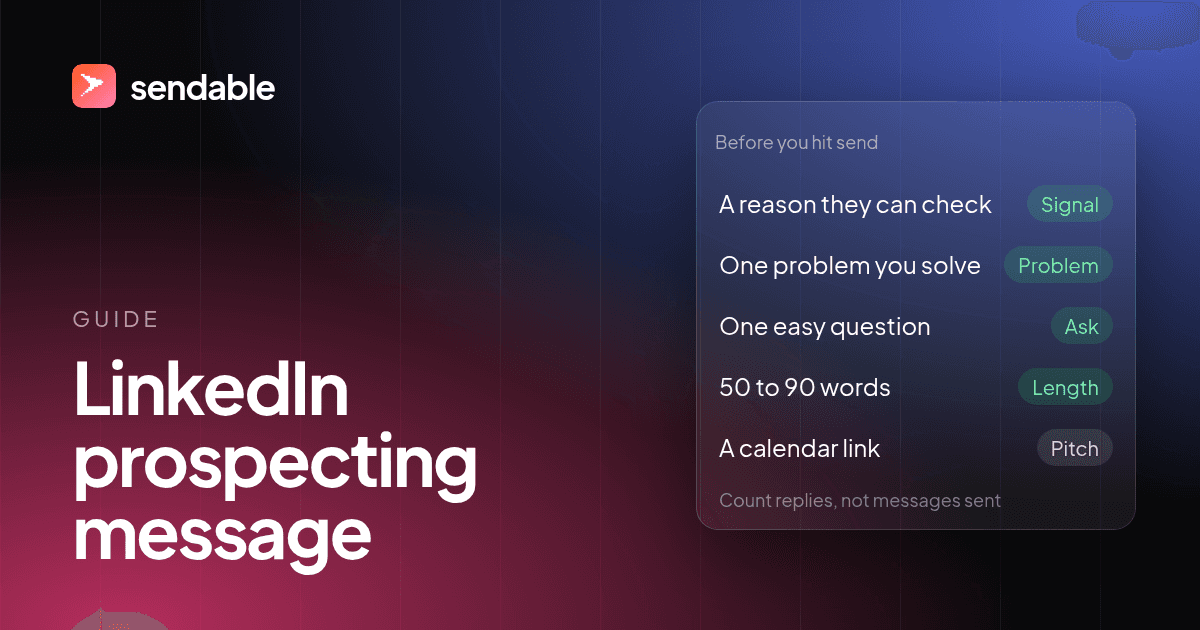
Four things, in this order: the reason you are writing, why it matters to them, who you are in one line, and one question. Each part answers a question the reader asks; if a sentence answers none of them, cut it.
| Part |
The question it answers for the reader |
Example |
| The reason |
Why are you writing to me now? |
"I saw your post about expanding customer support this quarter." |
| The relevance |
Why should I care? |
"Teams growing that fast usually find out that half the incoming requests don't need an agent at all." |
| Who you are |
What do you do, in a line? |
"We help support leads route those requests before they reach the queue." |
| The question |
What do you want from me? |
"Is triage something you're working on this quarter?" |
The reason carries the message. It has to be specific, recent and true: a post the person wrote, a job they started, a role their company is hiring for, an event they attended. Before sending, check that you could explain how you know it if they asked. "I saw your team is hiring two account executives" passes; "I saw you liked a post at 9:14 this morning" reads as surveillance, even when it's true.
Who you write to moves the numbers more than how you write. LinkedIn says subscribers to its Premium All-in-One plan, launched in February 2026, saw "up to 60% increase in reply rates" from daily prospect suggestions matched to their target criteria (LinkedIn News, February 12, 2026). That is LinkedIn's early data on its own product, with no baseline or sample published, but it makes the point: the same message sent to better-chosen people gets more answers.
How long should a LinkedIn prospecting message be?
Three or four sentences: about 50 to 90 words, or 300 to 550 characters. Short enough to read on a phone in one glance, long enough to carry a reason and a problem. The data that exists says both extremes lose, and LinkedIn's own advice lands in the same range:
| Source |
What was measured |
What it found |
| Visibility Wins, earlier window of 148 campaigns (published August 2026) |
First LinkedIn messages, by word count |
41 to 90 words: 18.1% replies (13,630 messages). 90 words or more: 16.1%. 40 words or fewer: 3.2% (59,978) |
| LinkedIn, recruiter InMails sent May 2021 to April 2022 |
Response rate against the average of all InMails |
Under 400 characters: +22%. Up to 800: +5%. Over 1,200: −11%. Only 10% of InMails were under 400 characters |
| LinkedIn Sales Solutions, InMail templates page (undated) |
Advice to salespeople |
Aim for 50 to 75 words, because "many InMails are read on mobile devices" |
Read each with its limits. Visibility Wins notes that "most short openers are bare connection requests", so its 3.2% mixes empty notes with short messages. LinkedIn's study covers recruiters writing to candidates, not salespeople writing to buyers. Taken together, they say the same thing: one idea per message, and enough words to make it specific.
Which question should end a prospecting message?
A question about interest or about their situation, not a request for a meeting. "Is triage something you're working on this quarter?" can be answered in one word; "Do you have 30 minutes on Thursday?" asks a stranger for half an hour before they know why.
| Instead of |
Write |
Why |
| "Do you have 15 minutes this week?" |
"Is that a priority this quarter?" |
A yes or no costs nothing to give |
| "Here's my calendar link" |
No link in the first message |
A link before a reply reads as a mass send |
| "Let me know if you're interested!" |
A question about their situation |
A specific question is easier to answer than an open invitation |
| Three questions in a row |
One question |
The reader answers the easiest one, or none |
Gong Labs found the same pattern in email: across 304,174 emails analyzed in 2020, cold emails that asked about interest ("Are you interested in learning more about X?") led to a meeting within 10 days 30% of the time, against 15% for those that proposed a specific time slot (Gong). Once a deal was under way, the order reversed: a specific time worked best. On LinkedIn, Visibility Wins found openers with a question replied at 13.2% against 6.3% without one.
LinkedIn prospecting message examples, by reason for writing
The eight messages below are written to send right after an invitation is accepted. Each opens on a different reason for writing, runs from 50 to 54 words, and ends on one question. Swap in your own problem and your own proof; keep the structure.
| # |
Reason for writing |
Opens with |
Words |
| 1 |
They posted about a problem you solve |
"I saw your post about expanding customer support" |
50 |
| 2 |
Their company is hiring |
"I noticed Halcyon is hiring two account executives" |
54 |
| 3 |
They started a new job |
"congrats on the new role as Head of RevOps" |
54 |
| 4 |
They commented on a post about your topic |
"I read your comment on Lena Ortiz's post" |
52 |
| 5 |
They attended an event |
"I saw you were at RevOps Summit last week" |
52 |
| 6 |
They viewed your profile |
"thanks for stopping by my profile" |
54 |
| 7 |
A mutual connection introduced you |
"Jordan Pryce suggested I reach out" |
51 |
| 8 |
No signal, only a good fit |
"I'll be direct about why I'm writing" |
54 |
1. They posted about a problem you solve
Hi Maya, I saw your post about expanding customer support this quarter. Teams growing that fast usually find out that half the incoming requests don't need an agent at all. We help support leads route those requests before they reach the queue. Is triage something you're working on this quarter?
The post is the reason, and the reason is public: Maya knows exactly how you found her. The message describes the problem behind the post without claiming to know her priorities, then asks whether it is one.
2. Their company is hiring
Hi Jordan, I noticed Halcyon is hiring two account executives. When a sales team grows, new reps often spend their first month building lists instead of talking to buyers. We help sales leaders hand new reps accounts that are already showing interest. How are you planning to fill their pipeline in the first quarter?
A job post says where the company is spending money. Write about the problem the hire creates for the person you are messaging (here, the sales leader), not about the job post itself.
3. They started a new job
Hi Priya, congrats on the new role as Head of RevOps at Northwind. The first months in that seat usually start with an audit of the tools and data you inherited. We help RevOps leaders fix how leads reach sales. Is lead routing on your list for this quarter, or is something else first?
New leaders review their stack early, which makes a job change one of the best-timed reasons to write. The question offers an easy way to say "not that".
Hi Daniel, I read your comment on Lena Ortiz's post about forecast accuracy, the point that reps sandbag because the CRM punishes honesty. We hear the same thing from the finance teams we work with. Curious how you handle it: does your team forecast from the CRM, or from a separate spreadsheet?
Quote what the person said, not that they commented. The question continues their own argument, so answering it feels like a conversation, not a sales call.
5. They attended an event
Hi Manon, I saw you were at RevOps Summit last week. Most talks came back to the same problem: marketing fills the room, and nobody follows up with the people who came. We help teams turn event and webinar attendees into conversations. Do you follow up with your own attendees on LinkedIn?
An event is shared context with a date on it. Write within a week or two, while the person still remembers it.
6. They viewed your profile
Hi Sam, thanks for stopping by my profile. I won't guess what brought you, but in case it helps: I work with logistics teams on auditing carrier invoices, which is usually where freight overcharges hide. If that's anywhere near your remit, is it something your team reviews in-house today, or not on the radar?
A profile view is a weak signal: the person may have clicked by accident. Say so, state what you do in one line, and let them place themselves.
7. A mutual connection introduced you
Hi Elena, Jordan Pryce suggested I reach out. He mentioned you're reviewing how your SDRs choose which accounts to work, and that's the problem my team spends its days on. Would it help if I shared, in a few lines here, what we've seen work for sales teams of your size?
Name the person who referred you in the first sentence: it is the strongest reason on this list. Check with them first that they're happy to be named.
8. No signal, only a good fit
Hi Tom, I'll be direct about why I'm writing: you lead sales at a 50-person software company, and those are the teams we work with. Most of them tell us their reps spend more time finding who to call than calling. Is that true for your team too, or have you already solved it?
When the only reason is fit, say so plainly instead of inventing a personal detail. An honest reason reads better than a fake compliment, and it is the version you can send to a list without lying to anyone.
How do you personalize a message without overdoing it?
Personalize the reason, not the greeting. A first name and a company name pasted into a reusable pitch is a mail merge; a detail that changes why you are writing to this person is personalization. In Visibility Wins' ranking of what moves replies, using the person's first name scored 8 out of 100. Messages built around the reader did better: the few openers that led with "you" replied at 15.1%, against 7.0% for openers that led with "we", though only 358 openers led with "you".
| Observation (write this) |
Assumption (don't) |
| "I saw your team is hiring two account executives." |
"You must be struggling to hit quota." |
| "You wrote that onboarding takes six weeks." |
"Your onboarding is clearly broken." |
| "Congrats on the new role at Northwind." |
"As a new leader, you'll want to change everything." |
| "You voted 'a spreadsheet' in my poll." |
"I saw you liked three posts about CRMs this morning." |
Use only what you can verify, and don't overstate what it means: a post about hiring is a reason to ask, not proof that someone is buying. An invitation note works the same way. Across 11.5 million connection requests sent with Expandi in 2025, invitations with a personalized note were accepted a little less often (25.3% against 27.6%) but got more replies (8.2% against 5.3%), which Belkins' LinkedIn outreach study reads as "a note acts as a soft filter": the people who accept a note are the ones who wanted the conversation.
What should a LinkedIn follow-up message say?
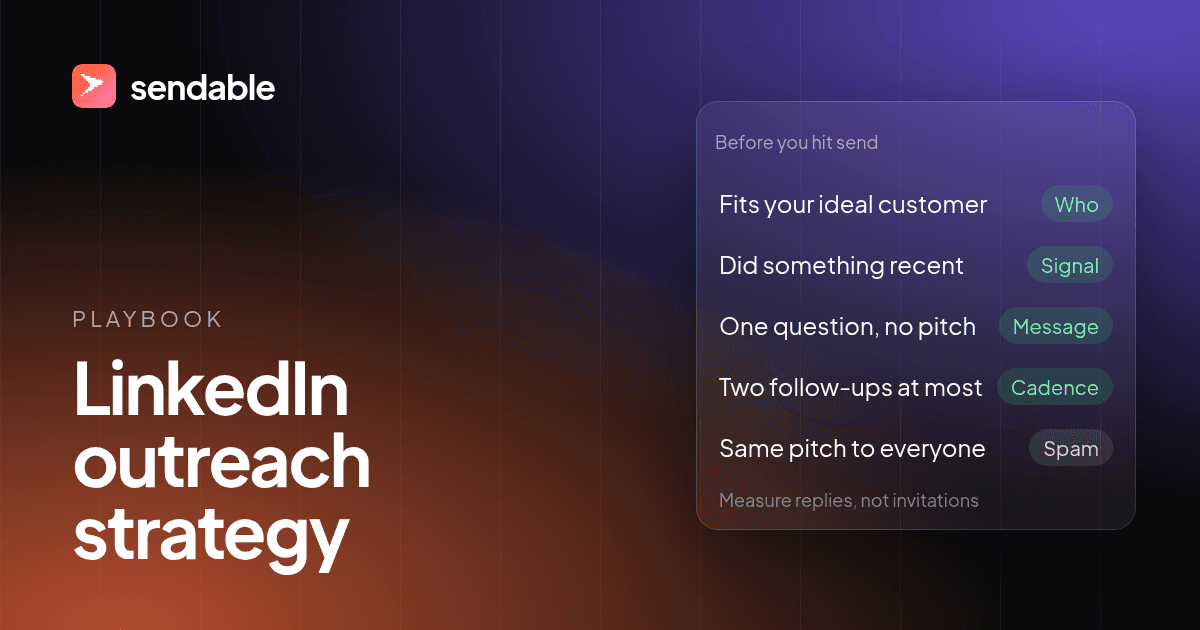
Something the first message did not: a new angle, a short example, a resource, or a simpler question. Refer to your earlier message in a few words, add one useful point, and make it easy to answer or to decline. Then stop at the first reply, the first "no", or after the second follow-up.
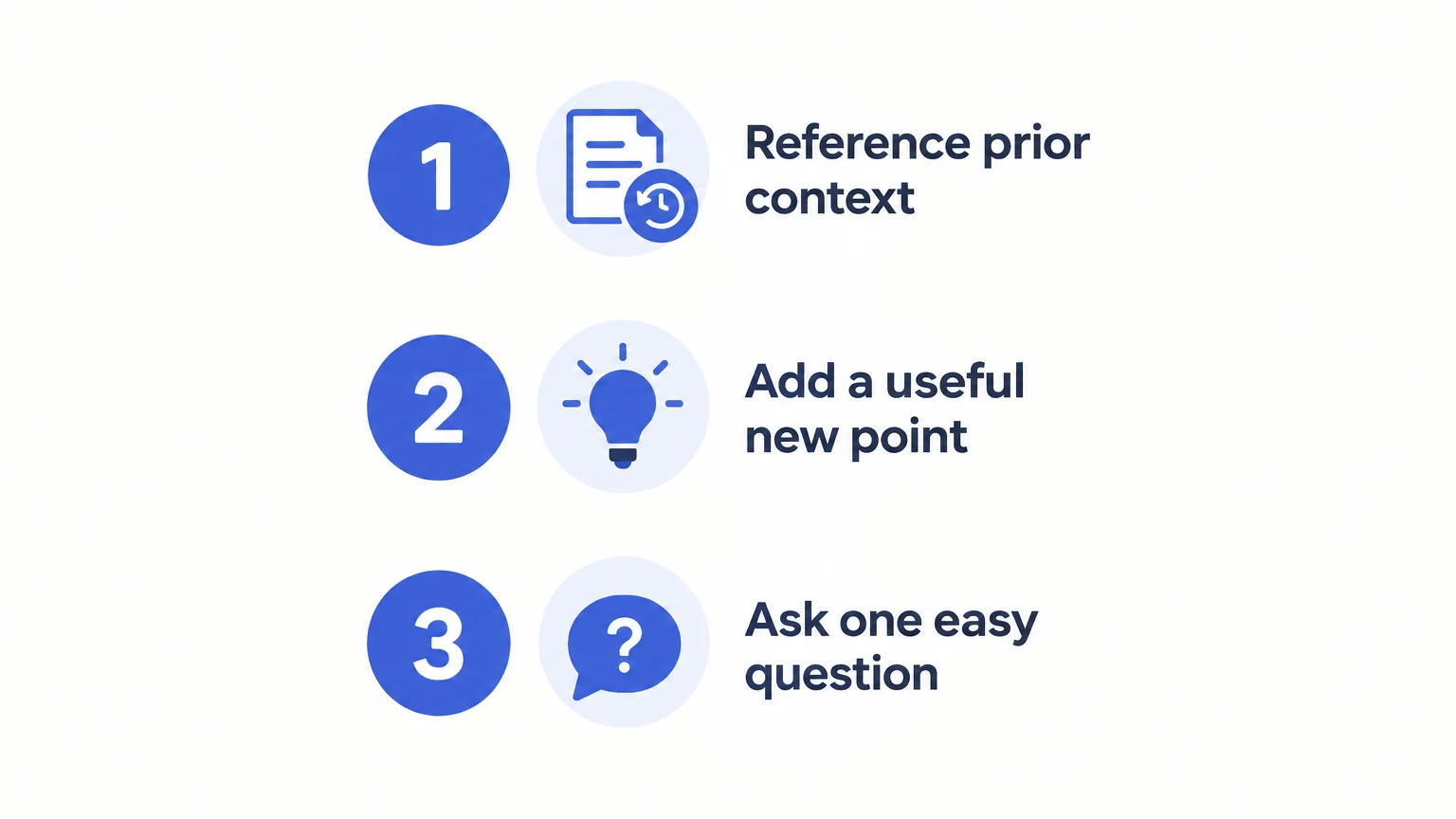
Follow-ups carry about half of the replies. In Expandi's campaigns of 2025 that Belkins analyzed, replies were "split evenly between first-touch and follow-up replies" (4.0% each). In Visibility Wins' 109 campaigns run from January to July 2026, the second follow-up replied at 9.7% per message sent, the best of any step, and stopping after the first follow-up gave up a third of the replies.
Two follow-ups, a few days apart, after the message to Maya:
3 to 4 days later: Hi Maya, following up on my note about your support team's expansion. I put together a one-page checklist on routing incoming requests before they reach an agent. Would it be useful if I sent it here?
5 to 7 days later: Hi Maya, I'll take the silence as "not now", which is fair. If triage comes back on your list, I'm one message away. Good luck with the new hires.
The last one closes the loop without guilt and leaves the door open. What you should not send: the same pitch again, "just bumping this up", or a third and fourth reminder. The full sequence, with its timing and when to withdraw an invitation nobody accepts, is in our LinkedIn outreach strategy guide.
Which mistakes get a prospecting message ignored or reported?
LinkedIn's Professional Community Policies draw the line: "We don't allow untargeted, irrelevant, obviously unwanted, unauthorized, inappropriate commercial or promotional, or gratuitously repetitive messages or similar content." Most ignored messages fail one of those words.
| Mistake |
What it looks like |
Do this instead |
| The pitch |
A paragraph about your product, its features and your clients |
One problem, one line on what you do |
| The meeting request |
"Do you have 30 minutes on Thursday?" |
Ask about their situation first |
| The link |
A calendar, a deck or a case study in message one |
Offer it, and send it if they say yes |
| The fake reason |
"Loved your recent post!" with no post named |
Name the post and what it said, or use the honest "fit" message |
| The assumption |
"You must be struggling with lead generation" |
State what you observed and ask |
| The same message to everyone |
One text sent to a list, word for word |
One message per reason for writing |
| The broken variable |
"Hi {firstName}," or "Hi ," |
Read the message as each person will get it before sending |
| The pile of reminders |
Four follow-ups that repeat the first message |
Two follow-ups, each adding something new |
| Ignoring a "no" |
A follow-up after "not interested" |
Stop, thank them, and remove them from the sequence |
Bulk sends do worse. In the recruiter InMail data, InMails sent one by one got response rates about 15% higher than InMails sent in bulk. Automation adds its own risk: LinkedIn's User Agreement, in force since November 3, 2025, forbids using "bots or other unauthorized automated methods to [...] send or redirect messages", so every tool that sends messages for you, Sendable included, carries a risk of restriction.
How do you know whether your messages work?
Count replies on their own denominator: replies divided by the people who received it, not by the invitations you sent. Then read the replies. A message that gets answers like "who are you?" has a reason problem; answers like "not relevant to us" point to the list, not the wording.
Published reply rates vary with the denominator, the market and the list, so compare like with like:
| Source |
Period |
Replies |
Denominator |
| Visibility Wins, 109 campaigns for 55 technology clients |
January to July 2026 |
21.7% |
People connected |
| Visibility Wins, same campaigns |
January to July 2026 |
6.81% |
Invitations sent |
| Expandi Connector campaigns, 8.5 million contacts (Belkins) |
2025 |
7.9% |
Messages sent |
| Sendable's own campaign on people who had just posted about the problem |
May 31 to June 13, 2026 |
59.8% (52 of 87) |
People messaged |
Our campaign is one case on a narrow list, not a benchmark: it targeted people who had just posted lead magnets on LinkedIn, the exact problem Sendable solves, so the message only had to say so. 92 of 156 invitations were accepted. The full campaign is in the guide to identify buying signals.
To improve a message, change one thing at a time and send each version to at least a few dozen people before you judge: with 30 people per version, one reply more or less moves the rate by more than three points.
How does Sendable help you write and send prospecting messages?
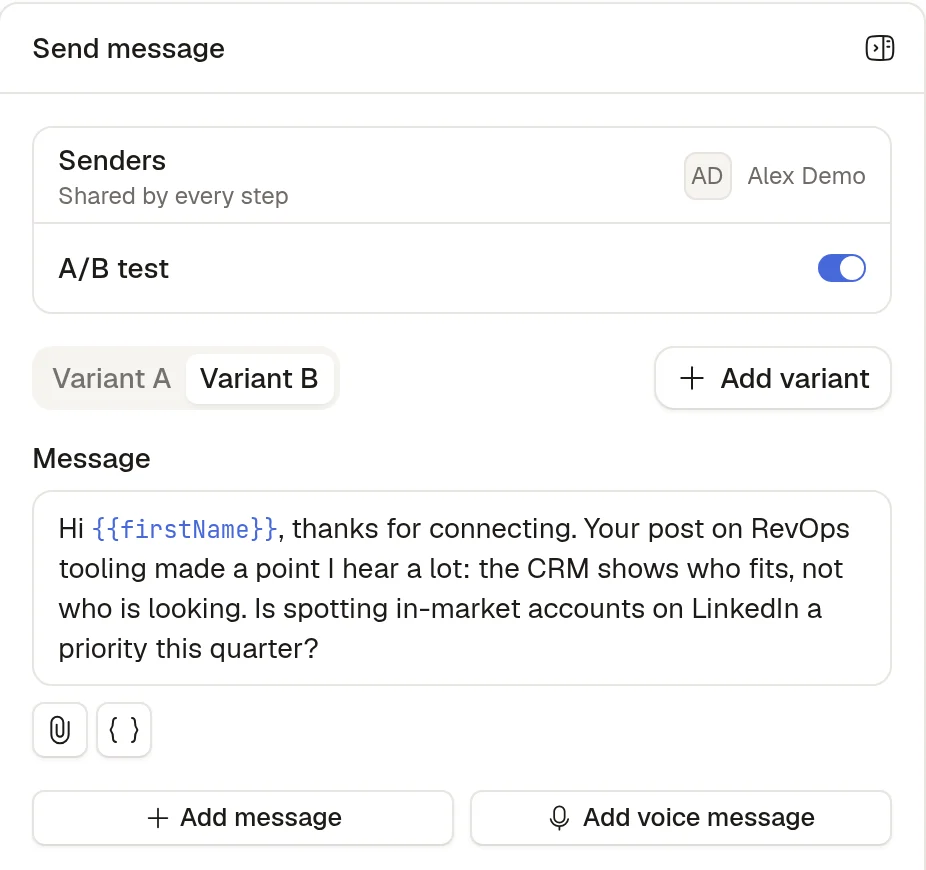
Through the campaign, not through AI: you write the text, Sendable picks the people and sends the sequence from your account. A signal (people who posted about your topic, changed jobs, work at a company hiring, viewed your profile...) finds people and checks each one against your ideal customer, then feeds one campaign. When a campaign is fed by one signal, everyone in it surfaced for the same reason, so one message can name that reason for all of them.
I build Sendable, so weigh what follows accordingly. Each line comes from the product's code:
| What |
How it works in Sendable |
| Variables |
First Name, Last Name, Company, Job Title, Email, Phone, LinkedIn URL and Sales Navigator URL, plus your custom fields, inserted with the { } button and written {{firstName}} |
| Several bubbles |
Add message sends a second message right after the first; you can also add a voice message or attach files |
| A/B test |
Up to 10 variants per message step. Each new lead goes to the variant that has been sent least, so the split stays even |
| Picking a winner |
Once the campaign runs, its analytics show replies and interested leads for each variant. "Pick as winner" sends that variant to every future lead, queued sends included |
| A reply |
Stops that lead's sequence: no follow-up goes out after someone answers |
| Where replies land |
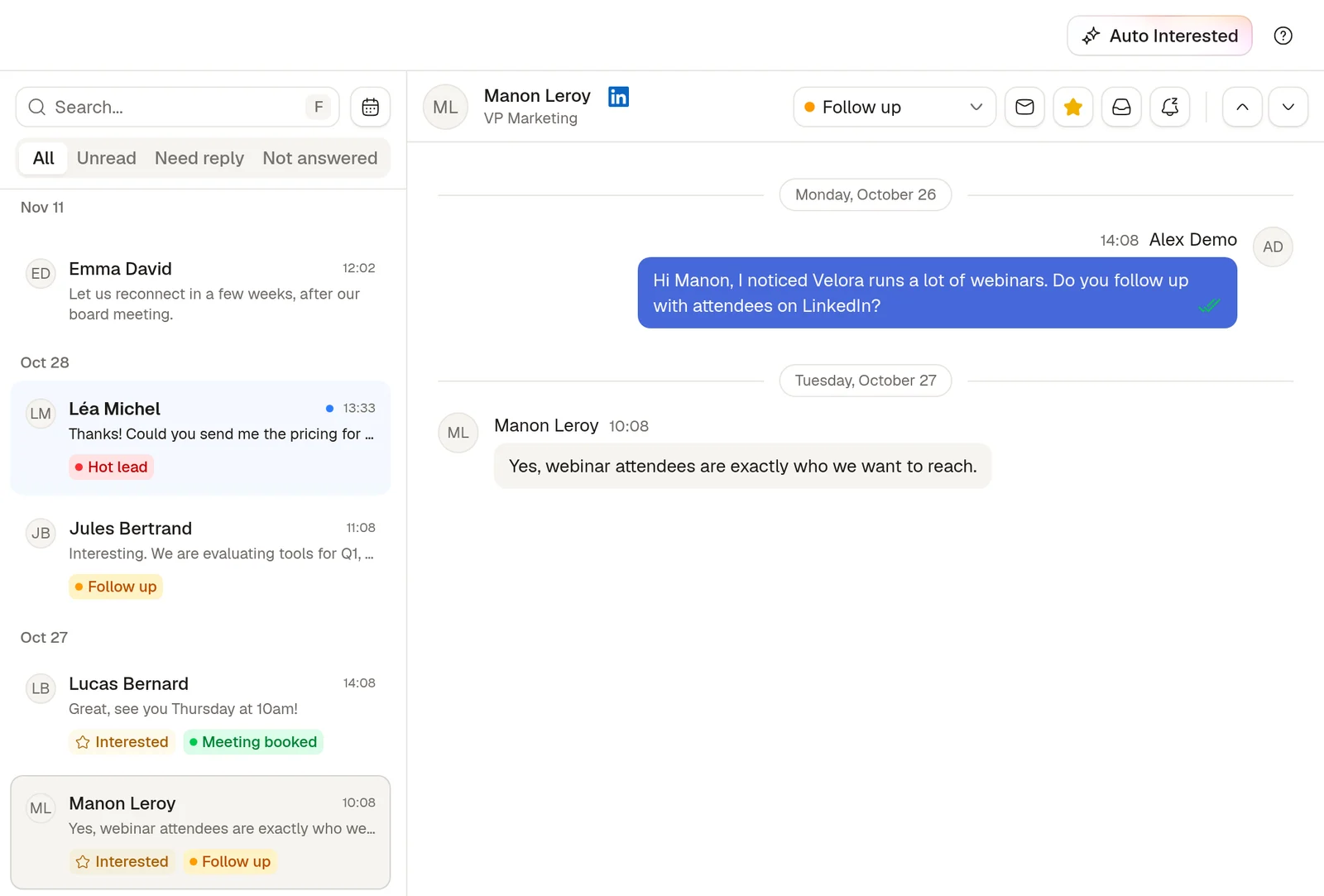
One inbox for every LinkedIn account of the team. Auto Interested, on by default, has a model read each new reply and mark the lead Interested when it shows interest |
| Price |
$69 per LinkedIn account a month before VAT, with 500 credits; 1 credit per lead who matches your ideal customer |
What Sendable does not do: no AI writes or rewrites your messages, and nothing checks whether the reason in your message is still true for each person. Read a few leads' messages as they will be sent before launch.
The screenshots come from a demo workspace: Velora, Alex Demo and every person in them are fictional, and nothing was sent. Here, a message step with the A/B test turned on: Variant A is an 18-word question, Variant B is 36 words with a reason, the problem and a question about priority.
When someone answers, the sequence stops and the conversation lands in the inbox. Manon replied the next day to a one-line question about following up with webinar attendees, and her lead is marked Interested, which Auto Interested does on its own when a reply shows interest. The LinkedIn shared inbox page shows how a team splits those replies between several people and accounts.
Write for a real conversation
A prospecting message that gets replies starts with a reason the person can check, connects it to one problem you solve, and ends on one easy question, in 50 to 90 words. Follow up twice, each time with something new, and stop at the first answer. Then read what people actually reply, and fix the list before you fix the words.
Sources
- Visibility Wins, LinkedIn outreach benchmark, published August 27, 2026: 109 campaigns, 55 technology clients, 117,838 people contacted from January to July 2026; message length, questions and "you"-led openers from an earlier window of 148 campaigns.
- LinkedIn Talent Blog, These InMails get the best response rates, May 19, 2022: tens of millions of InMails sent by corporate recruiters, May 2021 to April 2022.
- LinkedIn Sales Solutions, Sales InMail templates: aim for 50 to 75 words.
- LinkedIn News, LinkedIn introduces Premium All-in-One offering for small businesses, February 12, 2026: "up to 60% increase in reply rates" from daily prospect suggestions.
- Belkins, LinkedIn outreach study, updated June 29, 2026: 14,077 contacts from 34 client projects in 2025, and Expandi's data on 11.5 million connection requests and 8.5 million Connector contacts.
- Gong Labs, This surprising cold email CTA will help you book a lot more meetings: 304,174 emails, interest versus specific-time calls to action.
- LinkedIn Help, Personalize invitations to connect: 200 characters, three personalized notes a month on a free account.
- LinkedIn Help, Send InMail messages in Sales Navigator, InMail for Premium and InMail credits: subject and body limits, credits per plan, credits returned on a reply within 90 days.
- LinkedIn Help, Open Profile: free messages to Premium members who turned it on.
- LinkedIn, User Agreement, section 8.2, effective November 3, 2025, and Professional Community Policies: bots that send messages, untargeted and repetitive messages.
FAQ
How do you write a LinkedIn prospecting message?
Start with a specific reason for writing that the person can check, such as a post they wrote, a new job or a role their company is hiring for. Connect it to one problem you solve, say what you do in one line, and end with one question that is easy to answer. Leave out links, attachments and meeting requests until they reply.
How long should a LinkedIn prospecting message be?
Three or four sentences, about 50 to 90 words. In Visibility Wins' benchmark, first messages of 41 to 90 words got replies 18.1% of the time against 3.2% for 40 words or fewer, and LinkedIn's sales advice is to aim for 50 to 75 words because many messages are read on a phone.
What is the character limit for a LinkedIn InMail?
200 characters for the subject. The body takes up to 1,900 characters on Sales Navigator and Recruiter, and up to 2,000 on Premium, according to LinkedIn's Help Center in November 2026. A connection request note is limited to 200 characters, and LinkedIn publishes no limit for a message to a connection.
Should a connection request contain your full pitch?
No. A connection note works best when it says how you found the person and why you would like to connect, in 200 characters or fewer, and asks for nothing else. LinkedIn's policies forbid promotional messages sent through invitations. Save the problem and the question for the first message after they accept.
How many follow-up messages should you send on LinkedIn?
Two, a few days apart, each adding something the earlier message did not: a new angle, an example, a resource or a simpler question. Across 109 campaigns run in 2026, stopping after the first follow-up gave up a third of the replies. Stop at the first reply or the first "no".
Can Sendable write or send prospecting messages for me?
Sendable sends the messages you write, from your own LinkedIn account, to people its signals found and checked against your ideal customer. It fills in variables, tests up to 10 versions of a message, stops a lead's sequence when they reply and gathers replies in one inbox. No AI writes your messages. It costs $69 per LinkedIn account a month before VAT.