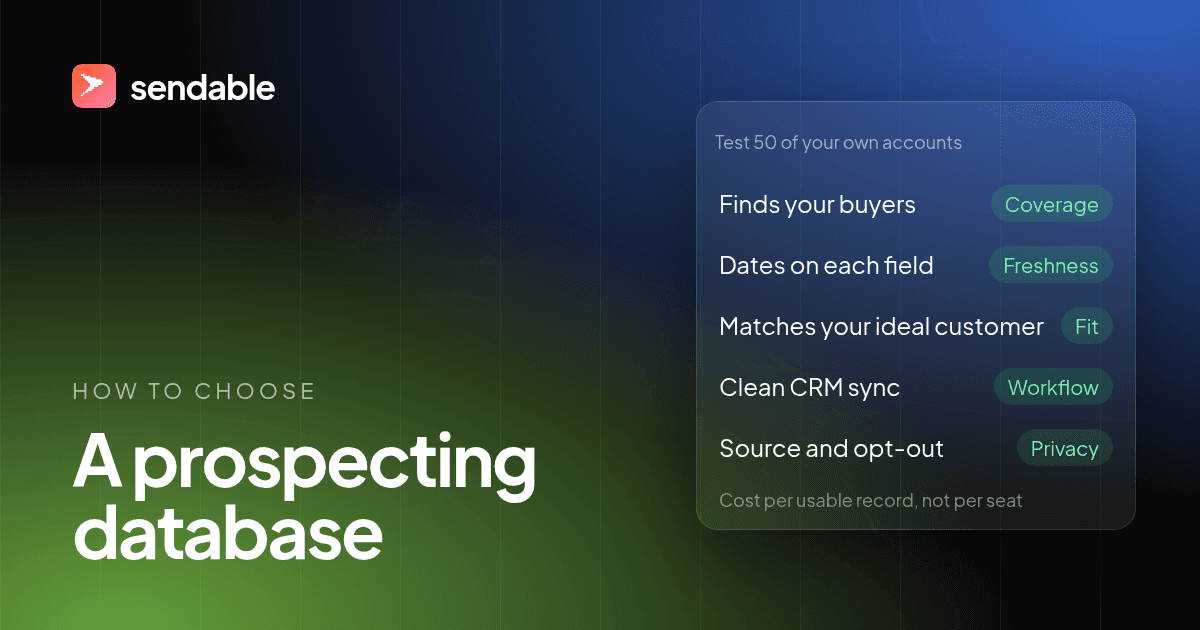
A prospecting database is a searchable set of business contacts and companies (names, job titles, employers, work emails, phone numbers, company size, industry, location) that a sales team filters to build lists of people to contact. Choose one by testing it on your own buyers, not by its headline size: count how many of your target accounts and buying roles it finds, when each field was last checked, how many records you would actually contact, whether they reach your CRM without duplicates, and where the data comes from. Then divide the price by the records that pass. Accuracy is the problem buyers name first: in Dun & Bradstreet's 9th annual B2B sales and marketing data report, 35% of 600 sales and marketing respondents in the US, Canada and the UK, surveyed in 2022, cited data accuracy as their top data-related challenge.
Records go wrong because people move. The median American worker had been with their employer for 4.1 years in January 2026, and 3.0 years for workers aged 25 to 34 (BLS). In September 2026 alone, 3.3% of US employees left their job, 5.3 million people (BLS JOLTS). A record checked a year ago is a guess.
I'm Thomas Bonfils, cofounder of Sendable. Sendable is not a prospecting database: it finds people on LinkedIn from what they do there and checks each one against your ideal customer, so weigh the Sendable sections accordingly. What this guide says about Sendable was checked in its code on November 23, 2026, and every vendor figure on the vendor's own site the same day.
My verdict: buy the database whose sample of your own accounts passes, at the lowest cost per usable record. If your buyers spend their day on LinkedIn and timing matters more than volume, add signals before you buy more records.
What is a prospecting database?
A prospecting database is a licensed set of people and company records that you search with filters (job title, seniority, industry, company size, location) and then export or sync with their contact details. It answers one question: who fits? It does not tell you who is ready to talk, and it does not replace your CRM.
Each record is a bundle of fields, and each field ages at its own pace. Before you compare vendors, write down the fields your outreach actually uses:
| Field |
Why you need it |
What to check |
| Name, job title, seniority |
Picks the right buyer inside an account |
The date the title was last verified |
| Company, industry, size, location |
Matches the account to your ideal customer |
Whether size and industry use categories you can filter |
| Work email |
Email outreach |
Verification status and date |
| Direct dial or mobile |
Cold calls |
Coverage in your countries, and its price in credits |
| LinkedIn profile URL |
Matching people across tools, LinkedIn outreach |
Present on every record you export |
| Source and verification date |
Privacy notices, freshness |
Shown per record, or better, per field |
A database is one of four places where prospects come from, and each one goes stale for a different reason:
| Tool |
What it holds |
The question it answers |
Its blind spot |
| Prospecting database |
Records licensed from a data vendor |
Who fits our target? |
People change jobs after you export |
| CRM |
Your own accounts, contacts, deals and conversations |
Who have we talked to, with what result? |
Records age unless someone updates them |
| LinkedIn search |
Profiles that members keep up themselves |
Who holds this role today? |
Research by hand, and rarely an email or a phone |
| Signal tool |
Dated actions: a post, a new job, a hiring post |
Who has a reason to talk now? |
Volume depends on how active your market is |
If your records sync into a CRM, decide which fields the database may overwrite and which key identifies a person (the email, the LinkedIn URL), before the first import creates duplicates.
Which prospecting databases are there, and what do they cost?
Most vendors sell credits on top of a seat, and the entry plans ran from $49.90 to $99 a month on November 23, 2026; Cognism, Seamless.AI and ZoomInfo sold on quote only. The figures below are list prices on monthly billing, read on each vendor's own pages that day. Sendable comes first because I build it, and it is not a database; the others go from the lowest to the highest entry price, then the three sold on quote.
| Tool and plan |
Published coverage |
Entry plan, monthly billing |
What a credit buys |
Free plan or trial |
| Sendable Pro |
Not a database: people found by 14 LinkedIn signals or your own CSV |
$69 per LinkedIn account, 500 credits |
1 lead who matches your ideal customer; emails and phones on your own FullEnrich plan |
7-day trial, 20 credits |
| Lusha Starter |
515M+ contacts, 29M+ companies |
$49.90, 400 credits a month |
Email 1 credit, phone 5 |
40 credits a month |
| Apollo.io Basic |
240M contacts, 30M companies |
$65 a seat, 2,500 credits a month |
Email 1 credit, mobile 8 |
75 credits a seat a month |
| Kaspr Starter |
200M+ European contacts |
€59 ($65) a user |
Unlimited B2B emails, 100 phone credits a month |
15 emails and 5 phones a month |
| RocketReach Essentials |
700M+ professionals, 60M+ companies |
$69, 100 lookups a month, emails only |
1 lookup per person; phones come with Pro + Phone, $119 a month |
Three sets of lookups in total |
| UpLead Essentials |
200M+ contacts, 19M+ companies |
$99, 170 credits a month, one user |
1 credit unlocks the email and the mobile |
7-day trial, 5 credits |
| Cognism |
"Hundreds of millions" of profiles, no total |
On quote; Standard and Pro include 5 seats |
1 credit per revealed contact |
Not published |
| Seamless.AI |
1.8B+ business emails, 414M+ phone numbers |
On quote |
Email 1 credit, phone 5, full contact 6 |
50 credits |
| ZoomInfo |
500M+ contacts, 100M+ companies |
On quote, licenses plus credits |
1 credit per company or contact exported |
Not published |
Four things the table shows:
- Phone numbers cost more. A phone uses 5 credits at Lusha and Seamless.AI and 8 at Apollo.io, against 1 for an email. UpLead counts one credit per contact whatever you unlock, and RocketReach says unlocking a phone "does not use an extra credit", on its phone plans. If your team calls, price the phone, not the email.
- Unused credits follow different rules. Apollo.io's "expire at the end of each billing cycle and do not carry over"; Lusha's monthly credits roll over up to twice the plan's limit; Kaspr's roll over to the next month on paid plans.
- The sizes don't measure the same thing. Contacts, professionals, emails and phone numbers are different units, and Cognism publishes no total at all ("We don't usually make general coverage claims"). Only your own sample tells you what a database holds for your market.
- Regions differ. Kaspr is built on European contacts, Lusha lists 103.1M+ contacts in Europe, ZoomInfo 66M+ and Cognism says it covers 90% of director-level contacts and above in Europe and the US. If you sell in one country, test that country.
LinkedIn Sales Navigator, often listed beside these tools, is a search over LinkedIn's member profiles, which members keep up themselves. It costs $119.99 a month per license on Core and shows an email or a phone only when a member chose to share it. Our guide to sales prospecting tools places databases among the five other kinds of prospecting software.
How do you test a database's coverage of your market?
Hand the vendor a list of your own accounts and count what comes back. A database's total is irrelevant: what matters is the share of your target accounts and buying roles it finds, with the contact fields your outreach needs.
- Pick 50 accounts: 20 customers or won deals, whose real buyers you know, and 30 target accounts you haven't reached yet, spread over your main countries and company sizes.
- Write down the 2 or 3 buying roles you sell to in each account.
- Search exactly those accounts and roles with a free plan or a trial: seven of the nine tools above offer one.
- Score the results against pass marks you set before you look:
| Measure |
How to count it |
Example pass mark (set your own) |
| Account coverage |
Accounts found ÷ 50 |
45 or more |
| Role coverage |
Accounts with at least 2 of your buying roles ÷ accounts found |
7 in 10 |
| Contact coverage |
Roles with a work email, or a direct dial if you call ÷ roles found |
7 in 10 |
| Current title |
Roles whose title and employer match their LinkedIn profile today ÷ roles checked |
9 in 10 |
| Email validity |
Emails an email verifier marks valid ÷ emails returned |
9 in 10 |
Your customers are the control group: you know who actually buys there, so a wrong name or an old title shows at once. Split every score by country, company size and seniority, because broad coverage often hides a gap in one region or one level. And ask what the vendor counts as a match: a person with no email may still count in its totals.
How fresh is the data, and how do you check it?
Ask when each field was last verified, then check it yourself on your sample. Freshness (how recently a field was checked) and accuracy (whether it is right today) are different things: an email checked three months ago can still work while the job title next to it is already wrong.
In Dun & Bradstreet's survey, after accuracy (35%), respondents named data consistency across platforms (32%), incomplete or missing data (32%) and outdated data (28%) among their top problems. The report splits data quality into six dimensions, and each one turns into a question for the vendor and a check on your sample:
| Quality dimension |
Question for the vendor |
Your check on the sample |
| Accuracy |
How do you verify titles and emails? |
Compare 20 records with LinkedIn and the company site |
| Completeness |
Which fields are filled for my segment? |
Share of records with email, phone, LinkedIn URL |
| Consistency |
Do industry and size follow one classification? |
The same company carries the same values everywhere |
| Timeliness |
When was each field last verified? |
A verification date per record or per field |
| Validity |
Are emails and phones checked before export? |
Run the emails through a verifier |
| Uniqueness |
How do you merge duplicates? |
The same person twice in one export |
Vendors describe their own refresh cycles very differently. These are their claims, read on their sites on November 23, 2026, not results we measured:
| Tool |
What it says about freshness |
| Sendable |
Not a database: a signal finds people from a dated action on LinkedIn (a post, a new job, a hiring post) |
| Lusha |
"Sources are checked daily. Contact fields refresh weekly" |
| Cognism |
"Our Director level and above data is continually refreshed on a 30 day basis" |
| Kaspr |
Emails re-validated "every two months" |
| RocketReach |
"Over 85 million profiles refreshed every month" |
| ZoomInfo |
"15-20M job change events processed monthly" |
| Apollo.io |
Emails through "a seven-step verification process", phones "verified in real time when you request them" |
| UpLead |
"At download, we perform real-time email verification" |
Whatever the claim, verify emails close to the day you send, not the day you export: a list that sat in a spreadsheet for three months has aged three months. Keep the source and the review date of each important field, and set a routine to correct, suppress or delete the records that no longer serve. Our guide to finding corporate emails explains what each verification status really tells you.
What does a usable record cost?
Compare what each usable record costs, not the price per seat: what you pay over a period ÷ the records that pass your sample checks and that you would actually contact. A cheap plan whose records mostly fail costs more per usable record than a dearer one whose records pass.
An example with round numbers: plan A costs $100 for 1,000 records and 40% pass your checks, so $0.25 per usable record. Plan B costs $150 for 1,000 records and 75% pass, so $0.20. The dearer plan is cheaper where it counts. Add your team's time too: every record someone has to research, correct or deduplicate by hand costs more than its credit.
| Ask |
Why it matters |
| What does one credit unlock? |
An email, a phone, a full contact or an export, depending on the tool |
| Does a phone cost more than an email? |
5 to 8 times more at three of the tools above |
| Do unused credits roll over? |
Monthly credits often expire; some roll over, up to a cap |
| Is a bounced email refunded? |
Seamless.AI refunds the credit of an invalid email |
| Does re-exporting a contact cost again? |
At Cognism, a credit is used again only if the contact changes jobs |
| Is there a minimum of seats or a yearly contract? |
Cognism's Standard and Pro plans include 5 seats |
How should a prospecting database fit your workflow?
It should hand records to the tools you already use without creating duplicates or overwriting better data. Test the whole path on your sample before you sign: search, export or sync, CRM, outreach, reply.
| Check |
A pass |
A fail |
| CRM sync |
You choose which fields the database may update |
New records overwrite what your reps corrected |
| Duplicates |
Records match on the email or the LinkedIn URL before import |
The same person lands twice, in two sequences |
| Suppression |
Customers, opt-outs and do-not-contact people are excluded before export |
Someone who asked to be left alone is contacted again |
| Export fields |
The LinkedIn URL, source and verification date travel with each record |
Only name, email and company |
| Access |
Only the people who need to export can |
Every seat can download the whole segment |
If you run LinkedIn outreach in Sendable, keep the LinkedIn profile URL in your export: Sendable recognizes people by their LinkedIn profile. When you import a CSV into your leads or a campaign, Sendable lists the rows already in your workspace before anything is added and lets you skip them; blacklisted people and rows without a LinkedIn profile URL are never imported. Importing a CSV into your leads or a campaign uses no credits.
Where does the data come from, and are you allowed to use it?
Ask where each record comes from and on what legal basis the vendor holds it, because the duties travel with the data. In the EU and the UK, the people on a list you bought must be told where you got their data within a month, or with your first message if you write sooner.
Vendors describe their sources openly. Apollo.io names "a network of 2M+ users who connect inboxes and CRMs, leading third-party data providers, and publicly available web data"; Lusha combines "first-party contributions, community-sourced updates, and trusted vendors"; Cognism fills gaps "from third-party data providers, publicly available sources, manual research, and strategic partnerships". Apollo.io and Kaspr say they process data on a legitimate-interest basis.
| Rule |
Where |
What it means for a database |
| GDPR, Article 14 |
EU |
Data not collected from the person: tell them, including the source, "at the latest within one month", or at your first message if you write sooner |
| GDPR, Article 21 |
EU |
When someone objects to direct marketing, "the personal data shall no longer be processed for such purposes" |
| CNIL guidance on email prospecting |
France |
B2B prospecting can rest on legitimate interest when the message relates to the person's job; for bought data, check they were informed and can object |
| ICO business-to-business marketing |
UK |
No consent needed under PECR to email a company, but sole traders and some partnerships count as individuals, and "electronic mail" includes "direct messages via social media" |
| CAN-SPAM Act |
United States |
"The law makes no exception for business-to-business email": honor an opt-out "within 10 business days" |
The ICO notes that its page is under review after the Data (Use and Access) Act; check it again before a UK campaign. None of this is legal advice: have counsel review the rules that apply to your channels and countries.
Provenance deserves the same scrutiny as coverage. In a study presented at the IEEE Symposium on Security and Privacy in May 2026, researchers bought consumer leads from three major lead platforms and found data "sold to unvetted buyers and often augmented or fabricated" (Vekaria et al., 2026). That market is consumer insurance and health, not B2B, but the lesson carries: ask how a vendor collects and enriches its records. And in February 2026, a minority report of the US Congress's Joint Economic Committee described five registered data brokers, the B2B intent vendor 6sense among them, whose opt-out pages had been hidden from search engines; four made them easier to find after the inquiry. Before you buy, find the vendor's opt-out page yourself.
On your side, keep a suppression list and apply it everywhere you prospect. In Sendable, the team blacklist holds people and companies, added by hand or from a CSV: signals skip them by default, and imports never add them.
Do you need a prospecting database, LinkedIn signals, or both?
A database tells you who fits; a signal tells you who has a reason to talk now. If you sell by email and phone to a defined segment, you need a database. If your buyers are on LinkedIn and timing matters more than volume, signals find fewer people, each with a reason to write. Many teams use both: the database for coverage, the signals to decide who to contact first.
Sendable takes the signal side. Its 14 LinkedIn signals find people from what they do, such as reacting to posts you pick, changing jobs or working at a company hiring for a role you choose, and our guide on how to find leads on LinkedIn walks through them. Each signal carries its own ideal customer (job title, location, sector, company size, seniority, keywords to exclude) and its exclusions (your blacklist, people in another active signal, people already contacted), and AI lead qualification reads each profile and keeps only the people who match.
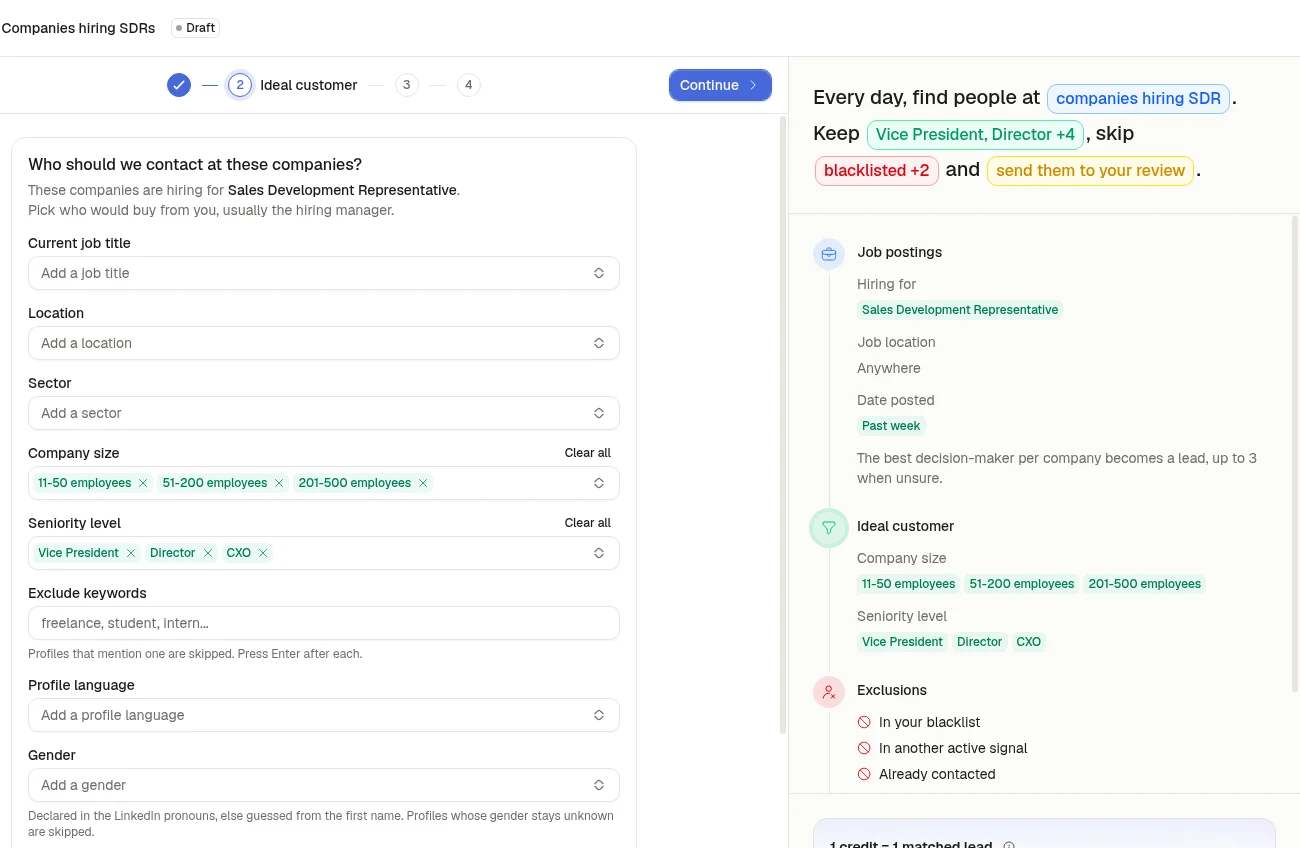
Each lead that matches uses 1 credit, and each LinkedIn account brings 500 credits a month for $69 before VAT; profiles a signal doesn't keep cost nothing. You can also run a database export through the same filters: a CSV import signal checks your own list of LinkedIn profiles against your ideal customer and uses 1 credit per row it keeps.
Sendable doesn't sell contact data. To email or call a lead, connect your own FullEnrich account: it finds the work email and the mobile from the LinkedIn profile, from the lead tables, from each lead or as a campaign step, on your FullEnrich credits, never your Sendable credits, and it skips fields that already have a value. Leads then sync to HubSpot or Attio, and to Pipedrive in beta.
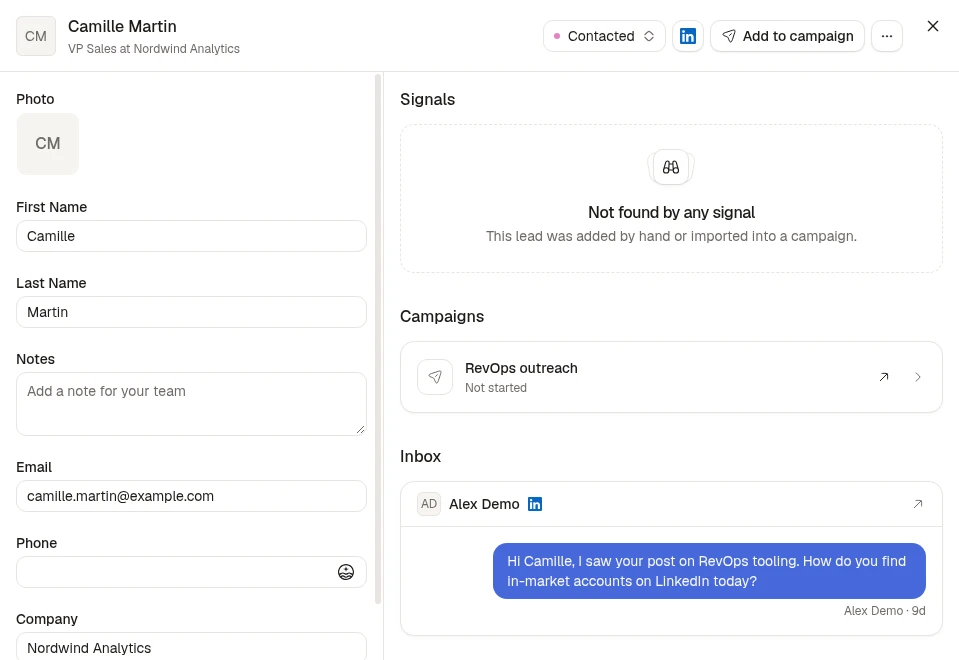
If you want to compare LinkedIn tools on that job, our guide to LinkedIn prospecting software ranks seven of them on finding people, timing, fit and contact data.
What should you check before you sign?
Five checks, scored on the same 50 accounts for every vendor you consider. Run two vendors side by side on the same sample, for the same period, and decide before the trial ends or the first invoice renews.
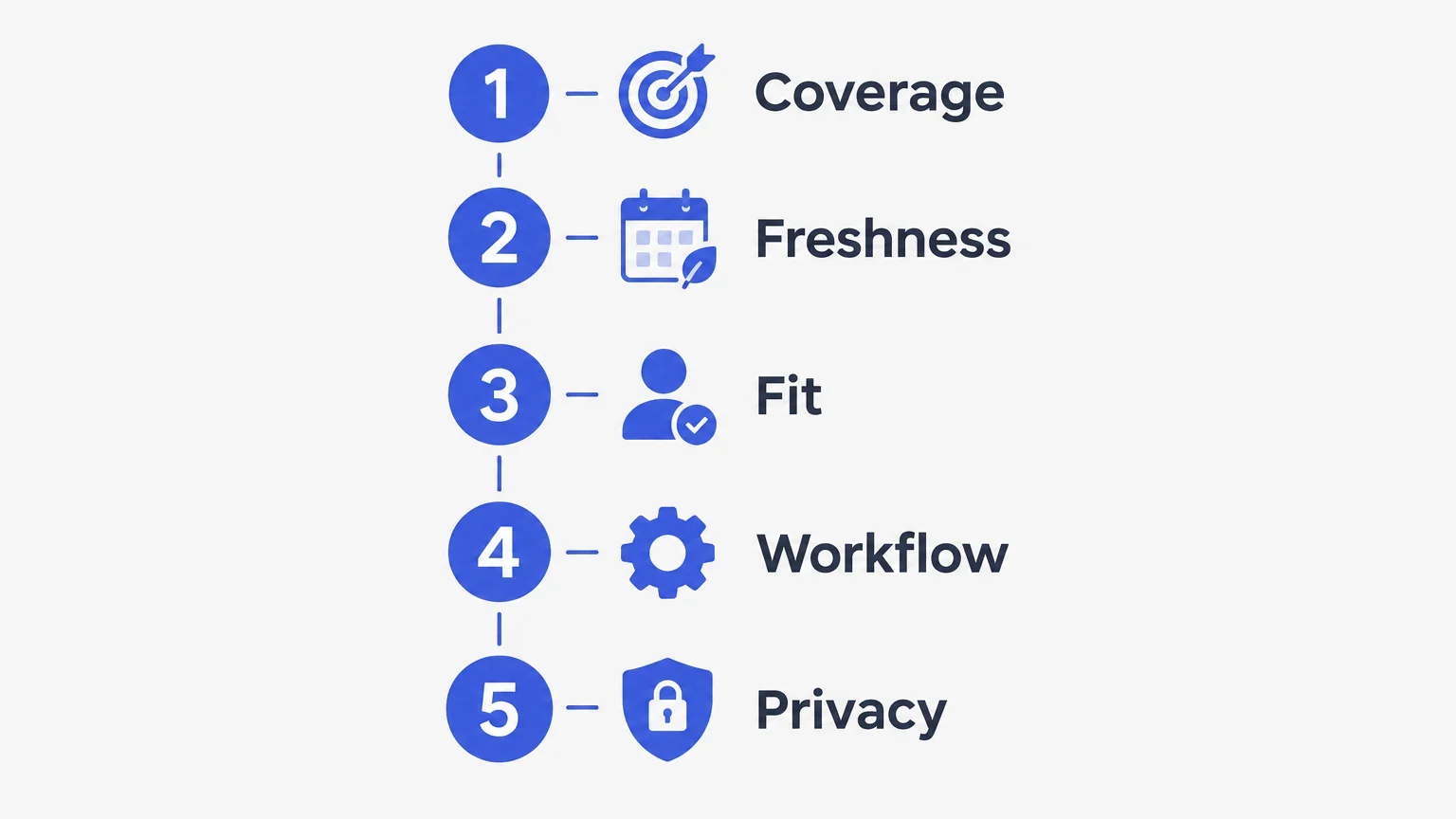
- Coverage. How many of your 50 accounts and their buying roles does it find, with the email or phone you need, in your countries?
- Freshness. Does it show a verification date per field, and do the titles in your sample match LinkedIn today?
- Fit. How many records would you actually contact, once your ideal customer and your exclusions are applied?
- Workflow. Do records reach your CRM and your outreach tool without duplicates, with the LinkedIn URL and the source attached?
- Privacy. Can the vendor name each record's source and legal basis, and is its opt-out page easy to find?
Then compute the cost per usable record on the plan you would really buy, with the phone credits, the seats and the contract length you need.
Buy the database that passes your own sample
The right prospecting database is the one that finds your buyers, with current fields, at the lowest cost per record you would actually contact. Test 50 of your own accounts on two vendors, score coverage, freshness, fit, workflow and privacy, and price what passes. If buying records is not your only gap and your buyers are on LinkedIn, try Sendable's signals on the same segment and compare the plans.
Sources
- Dun & Bradstreet, 9th Annual B2B Sales & Marketing Data Report, survey of 600 B2B sales and marketing respondents in the US, Canada and the UK, August 23 to September 2, 2022: top data-related challenges, six data quality dimensions.
- U.S. Bureau of Labor Statistics, Employee Tenure in 2026, September 24, 2026, and Job Openings and Labor Turnover, September 2026, November 3, 2026.
- General Data Protection Regulation, Articles 14 and 21 and recital 47.
- CNIL, La prospection commerciale par courrier électronique, and ICO, Business-to-business marketing, both read on November 23, 2026.
- Federal Trade Commission, CAN-SPAM Act: A Compliance Guide for Business.
- Vekaria, Demir, Kollnig and Shafiq, Understanding Data Collection, Brokerage, and Spam in the Lead Marketing Ecosystem, IEEE Symposium on Security and Privacy 2026.
- U.S. Congress Joint Economic Committee, Minority, Opt-Out Obstacles: Concerning Practices by Registered Data Brokers, February 27, 2026.
- Pricing, data and help pages of Lusha, Apollo.io, Kaspr, RocketReach, UpLead, Cognism, Seamless.AI, ZoomInfo and LinkedIn Sales Navigator, read on November 23, 2026.
- Sendable product code and help center, checked November 23, 2026: signals, credits, CSV import, blacklist, FullEnrich and CRM sync.
FAQ
What is a prospecting database?
A searchable set of business contacts and companies, with fields such as name, job title, employer, work email, phone, industry and company size, that a sales team filters to build lists of people to contact. It tells you who fits your target, not who is ready to talk.
Is a prospecting database the same as a CRM?
No. A prospecting database supplies new records licensed from a vendor; a CRM holds your own accounts, contacts, deals and conversations. Many teams sync the first into the second, so decide which fields the database may overwrite and how duplicates are matched.
What is the best B2B prospecting database?
The one that finds the most of your own target accounts and buying roles, with current fields, at the lowest cost per usable record. Test two vendors on the same 50 accounts before you choose: coverage varies by country, company size and seniority far more than headline totals suggest.
It varies by vendor, field and region, so measure it on your sample: compare titles with LinkedIn and run the emails through a verifier. Data ages fast, since 3.3% of US employees left their job in September 2026 alone, and 35% of respondents to Dun & Bradstreet's 2022 survey named accuracy as their top data problem.
How much does a prospecting database cost?
On November 23, 2026, entry plans on monthly billing cost $49.90 at Lusha, $65 a seat at Apollo.io and Kaspr, $69 at RocketReach and $99 at UpLead, while Cognism, Seamless.AI and ZoomInfo sold on quote. Phone numbers often cost 5 to 8 times an email in credits.
It can be, on a legitimate-interest basis, if the message relates to the person's job and you meet GDPR's duties: tell each person where you got their data within a month, or at your first message, and stop at once when they object. Have counsel check the rules of each country you prospect.
No. Sendable finds people on LinkedIn from signals and checks them against your ideal customer, for $69 per LinkedIn account a month before VAT. Work emails and mobiles come from your own FullEnrich account, on your FullEnrich credits.