What makes a prospect worth contacting today, rather than next month? Effective prospecting starts with a relevant reason to reach out, then checks whether that person fits your target before a message goes out. The right automated LinkedIn prospecting tools should reduce repetitive research and follow-up without replacing your judgment or making every interaction sound alike.
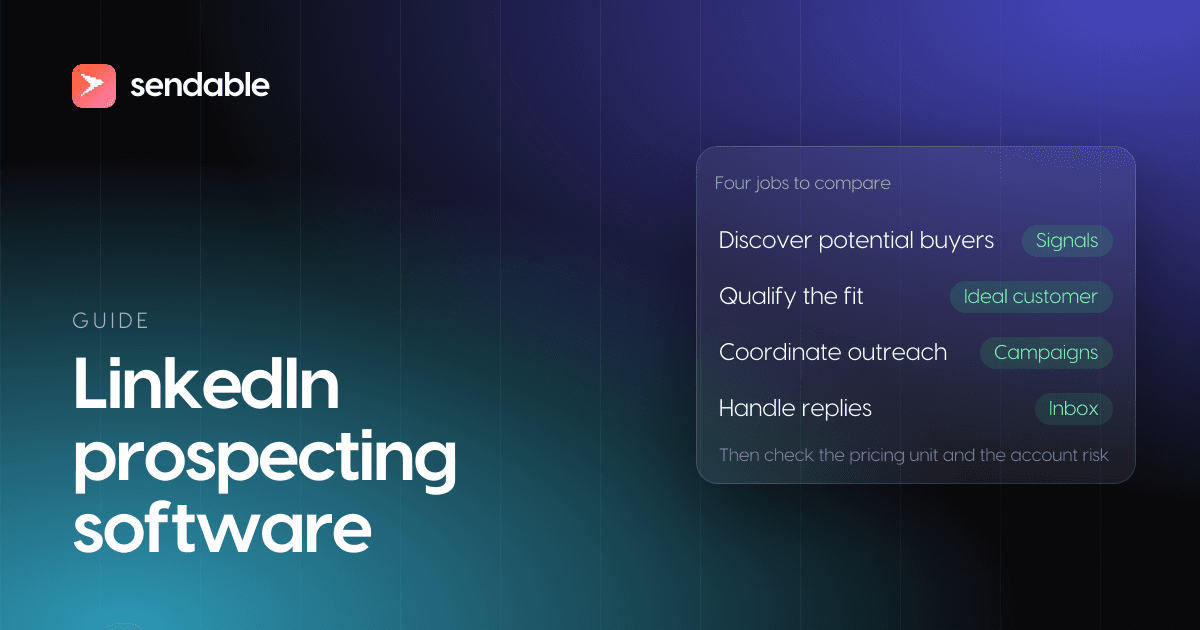
When evaluating LinkedIn prospecting software, separate four jobs: discovering potential buyers, qualifying them against an ideal customer profile, coordinating outreach, and handling replies. A tool that automates only sending still leaves list building and response management to your team. Prioritize a workflow that makes its lead sources, qualification logic, usage limits, and risk controls easy to inspect.
What should LinkedIn prospecting software actually do?
If your team spends more time compiling names than talking to prospects, start by identifying where that manual work occurs. Some tools help you find people and build lists. Others focus on sequencing messages, while broader workflows also include qualification and shared reply management. Map the job you need done before comparing feature counts.
Check whether a tool draws from searches and imported lists, activity signals, or both. Then look for filters that match your actual ideal customer profile, such as role, seniority, sector, company size, or location. These controls affect whether the software reaches the people you can serve, not just whether it can send another campaign.
For teams that need to improve list building as well as outreach, our overview of lead generation tools covers the wider prospecting workflow. Focus on whether a tool reduces the specific handoffs your team currently manages in spreadsheets, LinkedIn, and your CRM.
The best LinkedIn prospecting tools, ranked on four checks
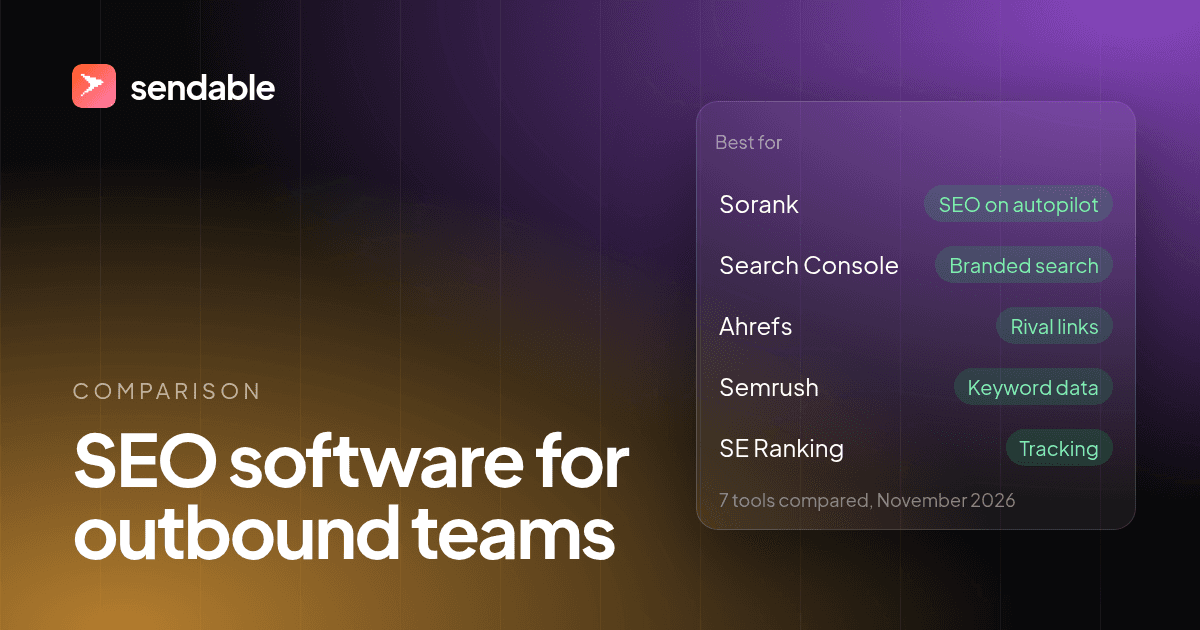
Scored on four checks that each vendor's own site documents, PhantomBuster is the only LinkedIn prospecting tool that passes all four: it finds people, flags who is active now, checks each one against your ideal customer and adds an email, from $69 a month. LinkedIn Sales Navigator is still the most precise search of LinkedIn's members, but it gives no email and exports nothing, so most teams pair it with a second tool.
Full disclosure: we build Sendable, one of the seven tools below. It ranks third, where the four checks put it. Each tool earned one point per check its own site documents on a self-serve plan:
- Finds new people for you: its own search or database, or an export of LinkedIn searches, posts, groups or events.
- Shows who to contact now: a dated signal on a person or their company, such as a new job, a hiring post, a post or a comment.
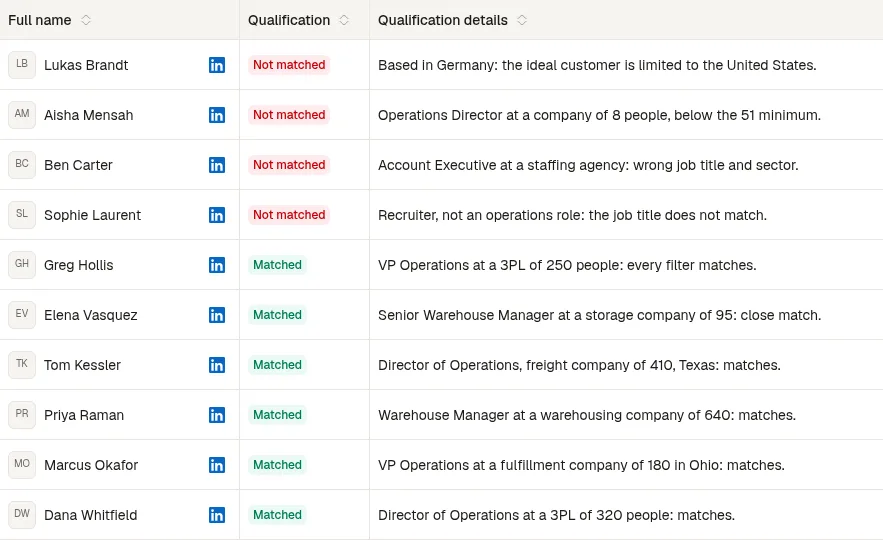
- Checks each person against your ideal customer: a filter check or an AI verdict on the person, not a score on their company.
- Gives a work email or a phone number.
Ties go to the lower monthly price of the cheapest plan that has every point counted, including any subscription the tool cannot run without. Prices checked on November 4, 2026, on monthly billing, in US dollars as each vendor shows them. Sendable bills in euros: at the European Central Bank rate of November 3, 2026 (1 EUR = 1.1179 USD), €59 is about $66.
| # | Tool | Best for | Price, a month | Score | One limit |
|---|---|---|---|---|---|
| 1 | PhantomBuster | Lists from many LinkedIn sources, scored in one tool | $69 (Start) | 4 of 4 | Automations pause when execution hours run out |
| 2 | Surfe | Emails, mobiles and CRM sync from the profile you are reading | $49 (Essential) | 3: no check per person | 150 emails and 50 mobiles a month |
| 3 | Sendable | People who just did something on LinkedIn, checked against your ideal customer | €59 (about $66) | 3: no contact data | LinkedIn only; emails through your FullEnrich account |
| 4 | Lusha | A large contact database with phones and company signals | $69.90 (Pro) | 3: ranks companies, not people | A phone costs 5 credits |
| 5 | Evaboot | Sales Navigator searches as clean files with verified emails | $9, plus Sales Navigator ($128.99) | 3: no timing signal | Needs a Sales Navigator seat |
| 6 | Kaspr | Phone numbers for European prospects found on LinkedIn | $65 (Starter), free plan | 2: no signals, no check | 100 phone credits a month on Starter |
| 7 | LinkedIn Sales Navigator | Searching by hand and following saved leads | $119.99 (Core) | 2: no check, no email | No export to a file |
Four tools score three, and they miss different things: Surfe and Lusha check companies rather than people, Sendable gives no contact data of its own, and Evaboot has no timing signal. The score counts how much of the prospecting job one subscription covers; it says nothing about data accuracy or account safety, which nobody can measure from outside. The tools that then send the invitations and messages are scored in LinkedIn outreach tools.
How should buying signals change your timing?
Imagine a potential buyer has just engaged with a post about a problem your team solves. That activity can give you a timely opening, but it does not prove the person is a good prospect. Use buying signals to decide when to look closer, then check the person against your target criteria before adding them to a campaign.
Signals may include profile visits, post reactions, company-page follows, hiring activity, or posts containing selected keywords. The useful question is not simply whether a tool tracks many signals. Ask whether you can select the triggers that matter to your offer and see why a lead was surfaced. Our approach to automated LinkedIn prospecting tools starts with activity and then checks profile fit before outreach.
LinkedIn's commissioned research, The Trust Advantage, reports that sellers responding within hours to a high-relevance buying signal were almost six times more likely to hit quota. Treat this as a reported association, not proof that response speed alone caused quota attainment. The finding still underscores why teams should consider signal relevance and timing, rather than measuring prospecting only by outreach volume, as LinkedIn's report describes.
Which workflow features keep outreach manageable?
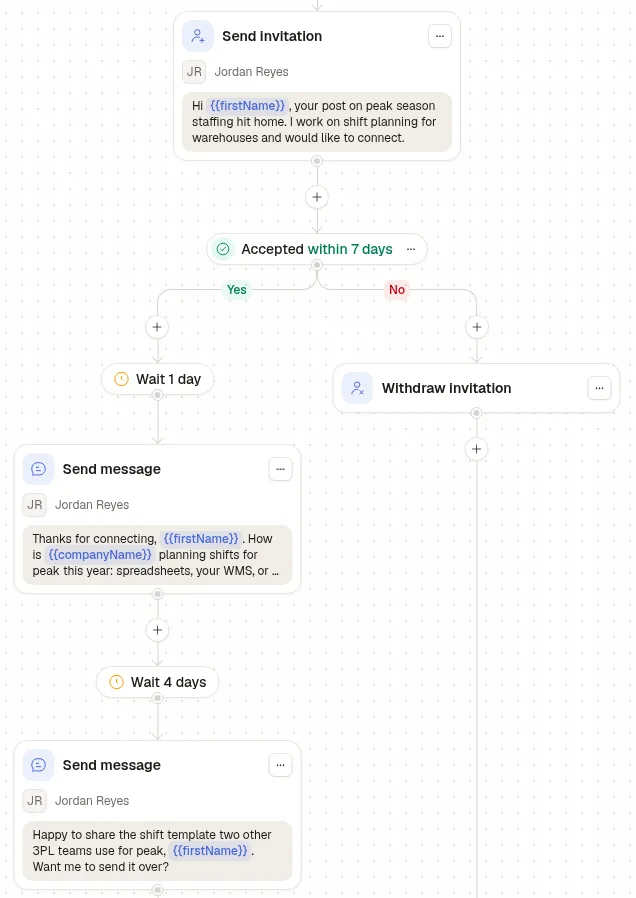
Would a prospecting tool fit your daily process if it found leads but left your team to coordinate every follow-up? Review the whole sequence: how leads enter a campaign, which actions can be scheduled, what stops a sequence after a reply, and where teammates handle incoming messages.
A shared inbox matters when several people manage one or more LinkedIn accounts. It gives teammates a common place to review conversations and coordinate replies, rather than asking each person to check accounts separately. If you use a CRM, confirm what the integration syncs and whether it creates or updates the records your team needs.
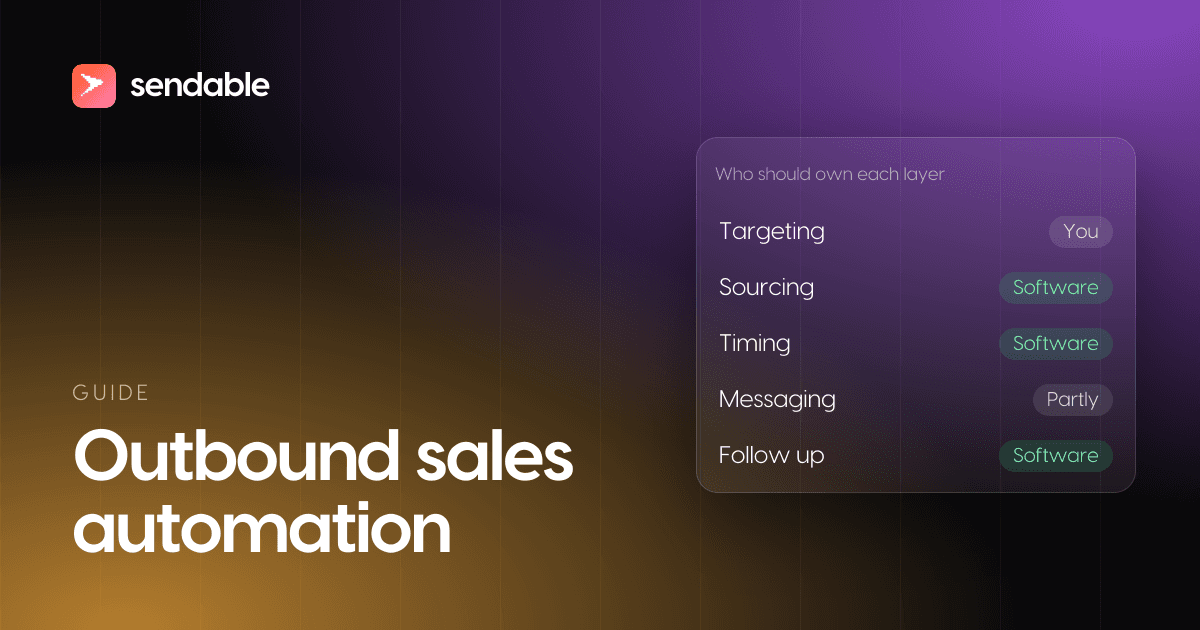
Also check whether campaign limits apply to actions, accounts, users, or lead discovery. For example, unlimited campaigns do not necessarily mean unlimited lead discovery. To decide which tasks belong in an automated workflow, our guide to outbound sales automation can help you separate repeatable steps from work that needs personal review.
What will the pricing meter measure?
Start with the unit that drives your bill: account, user, message, campaign, or discovered lead. Our Pro subscription is €59 per LinkedIn account monthly at its launch price, or €590 per account annually, before VAT. The listed regular monthly price is €99. Your subscription total depends on the number of LinkedIn accounts.
Each Pro account adds 500 monthly credits to its team, and up to five buying signals can run at once per team. A credit is used when a signal finds a lead matching your ideal-customer criteria. If another signal matches the same person, that match uses another credit; a profile reviewed but not retained uses none.
Check how credits renew and whether unused balances carry over. Monthly credits expire rather than rolling forward, while purchased credit packs do not expire. Campaign steps and inbox replies do not use Sendable credits. This distinction helps you estimate the cost of discovery separately from the cost of running and managing outreach.
What should you verify about automation risk?
Before connecting an account, read the platform terms and decide what level of automation your team accepts. LinkedIn's User Agreement does not allow automated messaging, and every automation tool, including ours, carries restriction risk. We cannot promise that automation will avoid restrictions.
Ask a provider to explain its controls plainly. Our stated mitigation is to stay within LinkedIn's daily limits and show account health and activity in the dashboard. Those steps do not remove risk. Be wary of guarantees that an account cannot be restricted, and make sure your team knows how to review activity and pause campaigns.
Also consider whether the tool's account connection and sending method suit your operating preferences. Document who can launch campaigns, how teammates review messages, and what steps they should take if activity changes unexpectedly. A clear review process is more useful than treating a safety feature as a promise of protection.
Which reporting and team controls matter?
When a manager needs to understand what is working, decide which outcomes matter before selecting a dashboard. A useful review might track qualified leads found, connection responses, replies, and meetings set, alongside the activity that produced them. Keep performance expectations tied to your own audience, offer, and messaging.
LinkedIn's Sales Navigator Analytics Services documents activity and outcome data such as searches, profile views, saved leads, and InMail results. That is a useful reminder to check exactly what a reporting tool measures and which system provides the data. The Sales Navigator Analytics documentation describes those specific services; do not assume every prospecting platform includes them.
For teams and agencies, check whether you can organize accounts by team or client, assign conversations, and give the right people access. When evaluating LinkedIn outreach software, these operational controls can matter as much as campaign creation. A well-organized inbox makes it easier to keep track of replies and avoid leaving conversations unattended.
Choose for relevance, control, and fit
LinkedIn prospecting software should connect lead discovery with qualification, thoughtful outreach, and a workable way to manage replies. Before choosing, test the signal sources, targeting filters, team workflow, pricing unit, and risk disclosures against your real process. Prefer a clear explanation of what the tool does and what remains your team's responsibility.
Build a more focused LinkedIn prospecting workflow
If your team wants to find people showing relevant activity, qualify them against your ideal customer, and keep conversations organized, our self-service Pro subscription brings these steps into one LinkedIn workflow. You can also choose a managed service if you want our team to build lead lists and run outreach.
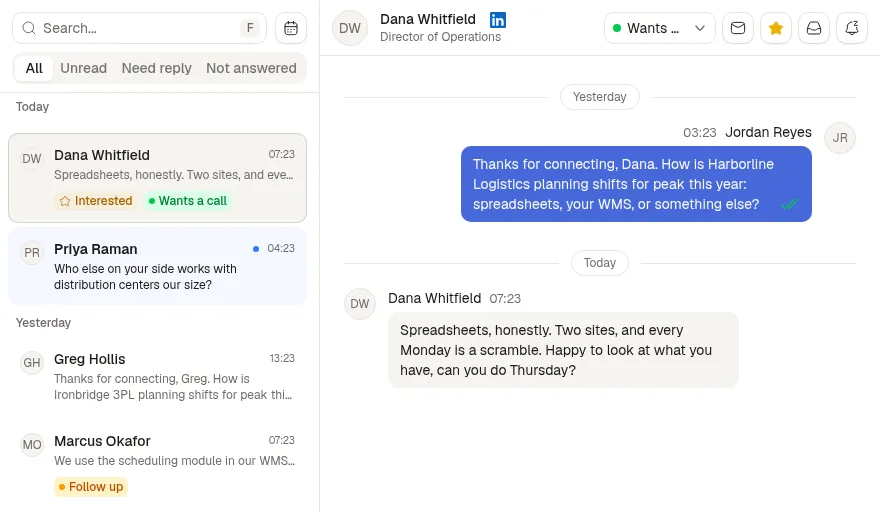
Pro includes buying-signal tracking, AI-assisted fit qualification, campaigns, and a shared inbox. It costs €59 per LinkedIn account per month at the launch price or €590 annually, before VAT. The seven-day trial requires a card and includes one LinkedIn account; no payment is taken before the trial ends. See Pro pricing to review the terms for your team.