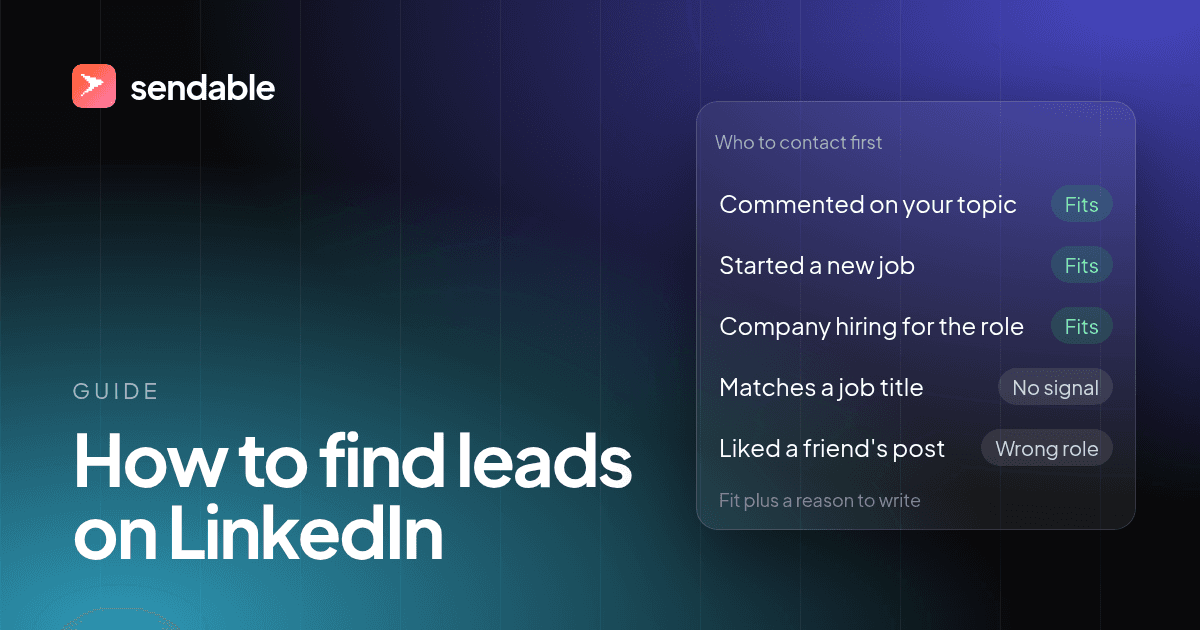
How to find leads on LinkedIn, in short: write down your ideal customer, search LinkedIn for the people and companies that match it, then contact first the ones whose recent activity gives you a reason to write, such as a comment on a post about the problem you solve, a new job, or a job post at their company. Check each person against your criteria before you write, and open with what they did. LinkedIn's own Sales Navigator prospecting guide pairs filters with activity the same way, down to a filter that surfaces "people who have been active on the platform in the last 30 days".
The activity is what moves the numbers. In Belkins' LinkedIn outreach study (14,077 contacts from 34 client projects in 2025, updated June 29, 2026), 18.7% of invited prospects accepted the connection request. When we invited people who had just posted a lead magnet on LinkedIn, 92 of 156 accepted: 59%. This guide covers each step: what counts as a lead, how to search, which activity to watch, how to qualify, what to send and how to measure it.
I'm Thomas Bonfils, cofounder of Sendable, a LinkedIn prospecting tool that finds leads from this kind of activity, so weigh the Sendable sections accordingly: what this guide says about Sendable was checked in its code on November 18, 2026, and LinkedIn's search rules on its help pages the same day.
What are the steps to find leads on LinkedIn?
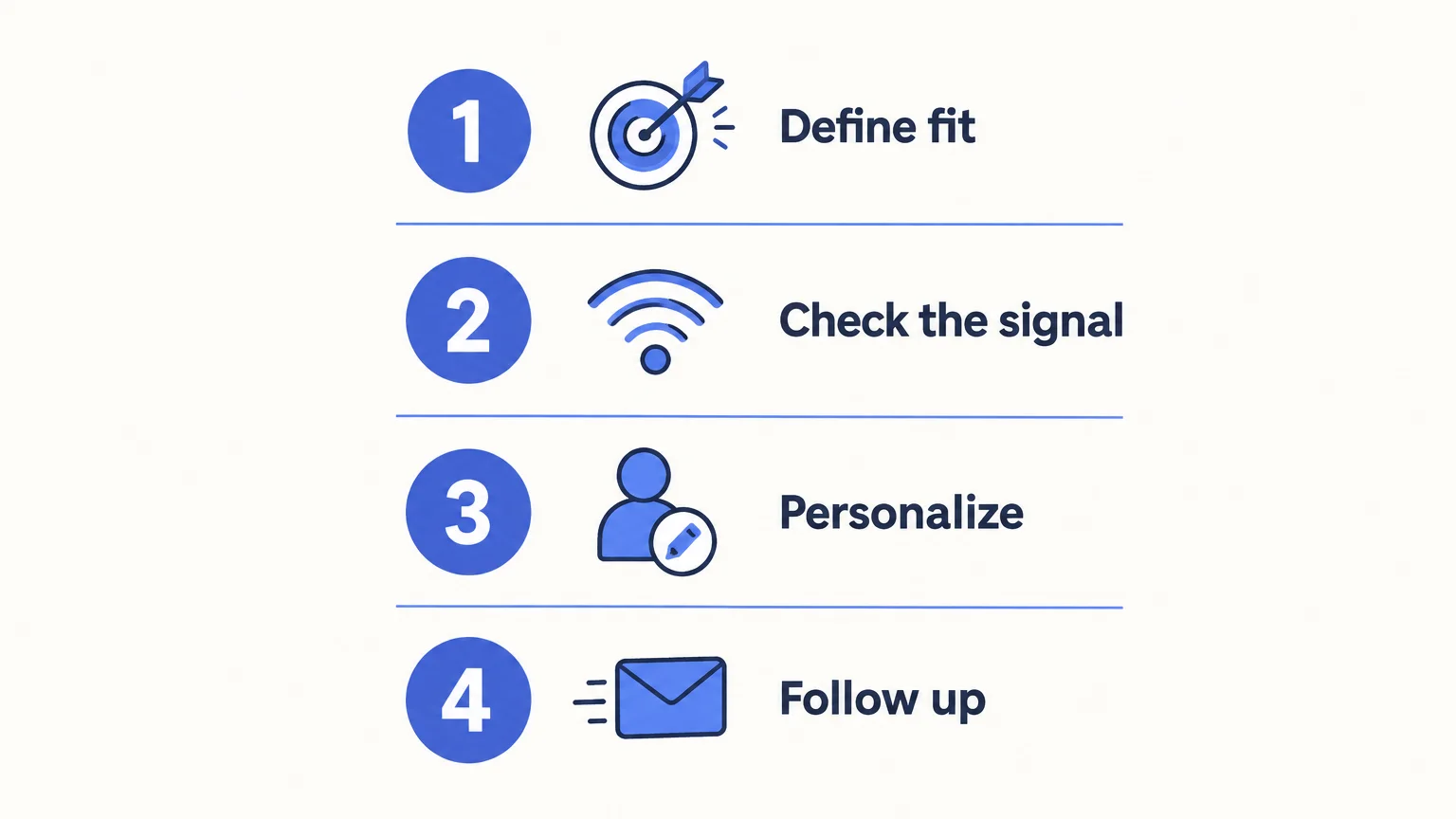
Finding leads on LinkedIn takes four steps, and the order matters: decide who fits before you search, and check the reason to write before you send anything.
- Define fit. Write down the roles, company sizes, sectors and locations you sell to, and who you never contact. Then search LinkedIn for people who match.
- Check the signal. Among those people, put first the ones who did something recently that relates to your offer: a comment, a new job, a job post at their company.
- Personalize. Open with the signal, say in one sentence why you are writing, and ask a small question.
- Follow up. Send one or two polite follow-ups, stop at the first no, and track replies rather than invitations.
What counts as a lead on LinkedIn?
A profile becomes a lead when two things are true: the person fits the customer you serve, and you have a reason to contact them now. A job title that matches your target is only half of it. A useful LinkedIn prospect has a plausible role in the purchase, works at a company you can serve, and has given you something specific to talk about.
Keep the two checks apart, because they answer different questions:
|
What it tells you |
Examples on LinkedIn |
What it does not tell you |
| Fit |
Whether the person could buy |
Job title, seniority, company size, sector, location |
Whether now is a good time |
| Intent |
Why this could be a good time |
A comment on a post about your problem, a new job, a job post at their company, a visit |
Whether they can buy, or want to |
A profile that fits without any signal is a cold contact: worth a search, rarely worth a message first. A signal without fit is noise, however active the person is. For example, a company selling onboarding software targets the people who run HR operations at growing companies, not everyone with "manager" in their title, and among them it writes first to the one who just commented on a post about losing new hires in their first month.
How do you define your ideal customer before searching?
Write your ideal customer as criteria you could hand to someone else: the job titles that buy or influence the purchase, the seniority, the company size and sector, the locations and languages you can serve. Add the situation that makes your offer relevant, such as a team that is growing, a new tool rollout or a recent funding round.
Then write two more lists before you search:
- Requirements against nice-to-haves. The role and the company size you can serve are usually requirements. A sector or a location may only be a preference. Mixing the two makes every search too narrow.
- Exclusions. Competitors, current customers, students, interns and freelancers, or anyone already in a conversation with your team. Writing them down saves you from contacting the same person twice.
The test of a good definition: two people on your team, given the same 20 profiles, would keep the same ones.
How do you search LinkedIn for leads without overfiltering?
Start with one or two criteria, usually the job function and either the sector or the location, read the first 20 results, and only then add filters. If most results are wrong, fix the words of your search instead of stacking more filters: each filter you add also removes good people whose profile is filled in differently.
LinkedIn Boolean search does most of that work on a free account. LinkedIn's help page on Boolean search supports quotes for exact phrases, AND, OR, NOT and parentheses, typed in capitals. It does not support wildcards such as asterisks, and the + and - signs "are not officially supported".
| You want |
Type in the search bar |
| One exact title |
"head of sales" |
| Either of two titles |
"head of sales" OR "VP sales" |
| A title, without a level you don't sell to |
"sales manager" NOT assistant |
| Titles in one sector |
("head of sales" OR "VP sales") AND SaaS |
| A function, under several names |
(RevOps OR "revenue operations" OR "sales ops") |
Four other ways to search, and what each one costs:
- The monthly search limit. A free account has a people-search limit that LinkedIn calculates from your activity: many searches and profile views outside your network read as recruiting or lead generation. The count resets at midnight PST on the 1st of each month, LinkedIn "cannot lift the limit upon request", and Premium plans raise it.
- Sales Navigator. LinkedIn's sales plan adds 36 lead filters (seniority, company headcount, years in the current role), saved searches that notify you "when new accounts meet your criteria", and the Posted on LinkedIn filter for people active in the last 30 days, by LinkedIn's own guide. Core costs $119.99 a month, or $1,079.88 a year, on LinkedIn's page on November 3, 2026. Whether that pays off depends on how often you prospect: is Sales Navigator worth it works through it.
- Company pages first. For account-based selling, list the companies you want, open each company page, and look for the roles that buy in its People tab. You find the account and the person, not just a keyword match.
- Google. A search such as
site:linkedin.com/in "head of sales" "Lyon" finds public profiles without using your search allowance. It only finds people whose profile is public, and it misses recent changes.
Where on LinkedIn do leads show their interest?
The best leads often tell you they are interested in public: they comment on a post about your problem, change jobs, open a role in the team you serve, or look at your profile. Each of these is a buying signal, a reason to look at the person, not proof that they want to buy.
| Where to look |
What it suggests |
How to see it without a tool |
Its limit |
| Comments and reactions on posts about the problem you solve |
Interest in the topic, sometimes the pain itself |
Search posts by keyword, then open the reactions and comments |
A like says little; a comment says more |
| Posts by competitors and creators your buyers follow |
Interest in your category |
Follow those accounts and read their comment sections |
Many commenters are peers or vendors, not buyers |
| Job posts |
The company is investing in the area you serve |
LinkedIn Jobs, searched by the title of the role |
It points to a company: you still need the right person |
| Job changes |
A new role, often with new priorities |
LinkedIn's job change notifications, for your 1st-degree connections |
Only people who share the update |
| Your profile viewers |
They looked you up |
A free account shows your three most recent viewers of the last 90 days; Premium lists up to 365 days |
Viewers in private mode stay anonymous |
| Your company page's followers |
They chose to follow you |
Only the page's admins see the list |
Your own pages only |
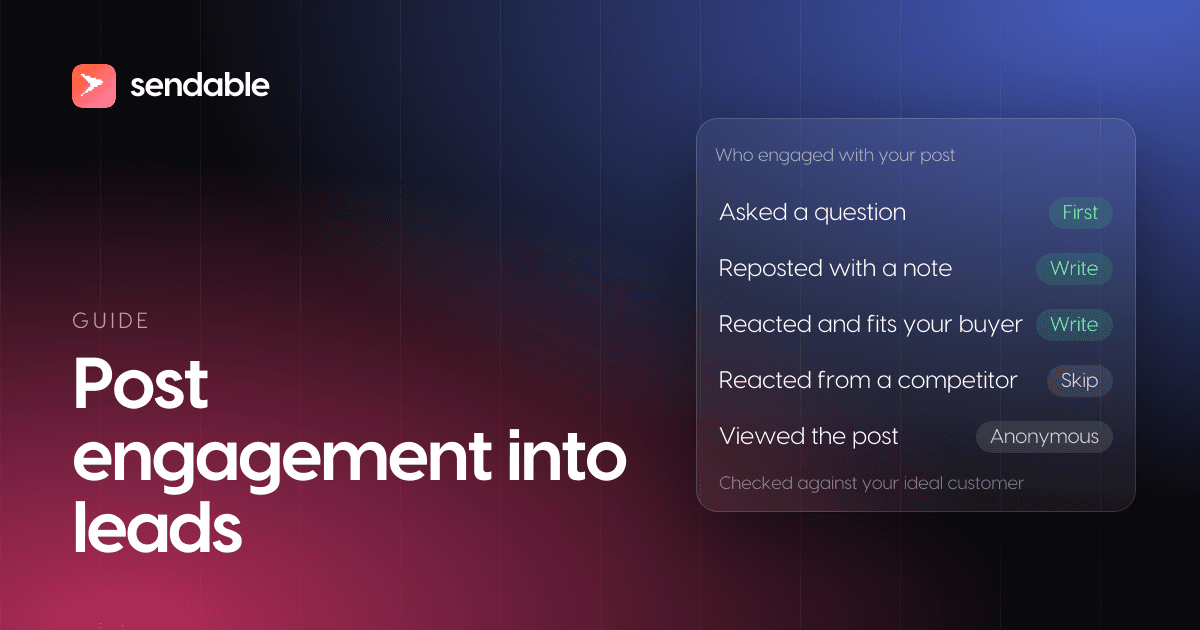
Before you write, read the post or update that caught your attention. Note what the person actually said, the context of their company, and whether your offer connects to it without forcing. A short message tied to a specific, public action reads as attention; claiming to know what someone needs from a single like reads as surveillance. Our guide to turning LinkedIn post engagement into leads goes deeper on whose posts to watch and which engagers to keep, and how to identify buying signals covers 14 signals with how long each stays useful.
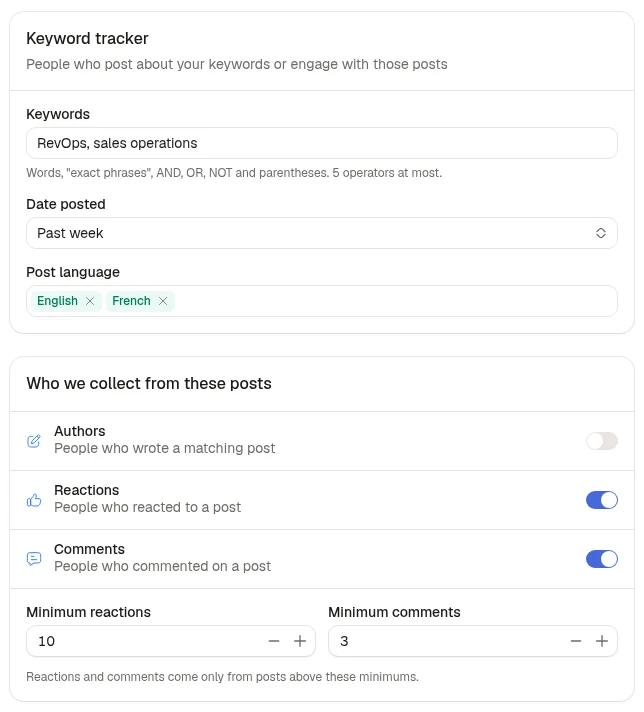
Done by hand, this watching takes time every day. Tools can do it for you: in Sendable, a Keyword tracker signal checks new posts on your keywords daily and collects the people who reacted or commented, only on posts above the minimum engagement you set.
How do you qualify a LinkedIn lead before reaching out?
Check the person, the company and the signal against your criteria before the lead goes on any list: confirm the current role and employer, make sure the signal is recent and about your topic, and make sure you can say in one sentence why your offer could matter to them. If you can't, leave the person out or research more.
A one-line qualification note keeps the decision consistent across a team: "Fits: runs HR operations at a 200-person company. Signal: commented on a post about onboarding last Tuesday." If either half is empty or vague, the lead is not ready.
| Check |
Keep the lead when |
Leave it out when |
| Current role |
The title and seniority match your buyer |
They left the company, or they are a student, an intern or a freelancer |
| Company |
Its size and sector are ones you serve |
It is a competitor or a current customer |
| Signal |
It is recent and about the problem you solve |
It is months old, or a like on a friend's post |
| Reason to write |
You can name it in one sentence |
You would need a generic pitch |
Qualification also keeps you from mistaking engagement for buying intent. People like posts because they agree, because they know the author, or to join a discussion. Use the action as context for the conversation, and let the role, the company and the relevance of your message decide whether to write.
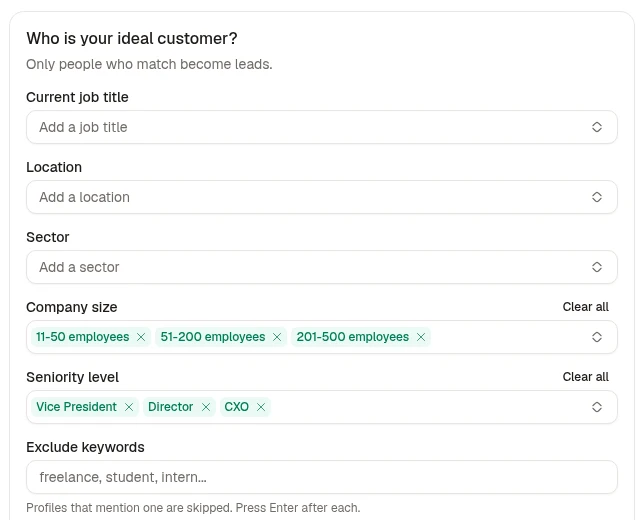
In Sendable, each signal carries its own ideal customer (job title, location, sector, company size, seniority and more), with keywords that exclude a profile and automatic exclusions such as your blacklist and people already contacted. AI lead qualification reads each profile the signal finds and writes one sentence naming the criterion that decided its verdict. You can send every match to your own review first, and when you reject a lead, the reason you give applies to the next profiles.
How should you reach out and follow up?
Open with the signal, say briefly why you are writing, and ask a small question, such as whether a short call would be useful. Keep a few templates, but rewrite the line that makes each message relevant, and describe the post or update accurately: don't imply a relationship or knowledge you don't have.
Whether to add a note to the connection request is a trade-off. Across the 11.5 million connection requests of 2025 that the Belkins study analyzes, requests with a personalized note were accepted 25.3% of the time against 27.6% without one, but got replies 8.2% of the time against 5.3%. A note costs a few acceptances and buys replies, and it is where a signal earns its place.
| Signal |
A first line that uses it |
| Commented on a post about your problem |
"Your comment on Léa's post about onboarding checklists made a good point." |
| Started a new job |
"Congrats on the new role at Northwind. What's first on the list?" |
| Company hiring for the role you serve |
"Saw Northwind is hiring two SDRs. Are you building the team from scratch?" |
| Viewed your profile |
"Thanks for stopping by my profile. Anything I can help with?" |
Plan one or two follow-ups, a few days apart. They matter: in the campaigns Belkins analyzed, connection campaigns got as many replies from follow-ups as from the first message. Stop as soon as the person declines or asks you not to write again.
How do you measure whether your LinkedIn prospecting works?
Count each stage separately: people found, people who fit, invitations sent, invitations accepted, people messaged, replies, and conversations that qualify. Then compare like with like, because a reply rate means nothing without its denominator. The same campaign can be quoted at 59.8% or 33.3% depending on what you divide by.
Here is one of our own campaigns next to the Belkins figures. From May 31 to June 13, 2026, we invited people who had just posted a lead magnet on LinkedIn ("comment and I'll send you the guide"), found with keyword tracking:
| Stage |
Our lead magnet campaign, 2026 |
Belkins study, 2025 (14,077 contacts) |
| Invitations accepted |
92 of 156: 59% |
18.7% |
| Replies, of people connected |
52 of 92: 56.5% |
17.6% |
| Replies, of people messaged |
52 of 87: 59.8% |
Not reported |
| Replies, of invitations sent |
52 of 156: 33.3% |
Not reported |
| Meetings booked, of connected |
Not published |
1.3% |
Read it with care: it is one two-week campaign, and people who post lead magnets are by definition active on LinkedIn and trying to get leads there, which is exactly the problem Sendable solves. What it shows is the size of the gap a precise signal can make, not a forecast for your list. Your own numbers, stage by stage, tell you whether to change the targeting (low acceptance), the message (accepted but silent) or the offer (replies that go nowhere).
How do you keep LinkedIn prospecting safe and consistent?
Set a weekly routine: review new activity, check each person against your criteria, write the reason for contact next to the lead, and answer replies the same day. If several people prospect from the same accounts, keep one shared record or inbox so no prospect gets two messages from your team.
Automation needs the same judgment, and it carries a risk. Section 8.2 of LinkedIn's User Agreement lists among the things members agree not to do: "Use bots or other unauthorized automated methods to access the Services, add or download contacts, send or redirect messages". LinkedIn can restrict an account that does it, and no tool can promise that it won't.
What Sendable does is keep each account under daily limits you can see and change: invitations and conversations start at 30 a day on LinkedIn Premium or Sales Navigator and 20 without, and profile visits are capped at 30. Actions are spread over the working hours you choose, and when LinkedIn answers that an account has hit a rate limit, Sendable pauses every action on that account.
How does Sendable find leads on LinkedIn?
Sendable watches LinkedIn for the activity this guide describes and turns it into leads. You pick a signal, among 15: people engaging with the posts of creators, company pages or keywords you choose, people who posted on LinkedIn in the last 30 days, people at companies hiring for a role, people who started a new job in the last 90 days, the attendees of LinkedIn events you pick, your profile viewers, the followers of a company page you manage, the voters of your polls, your newsletter subscribers, or your own list of profiles.
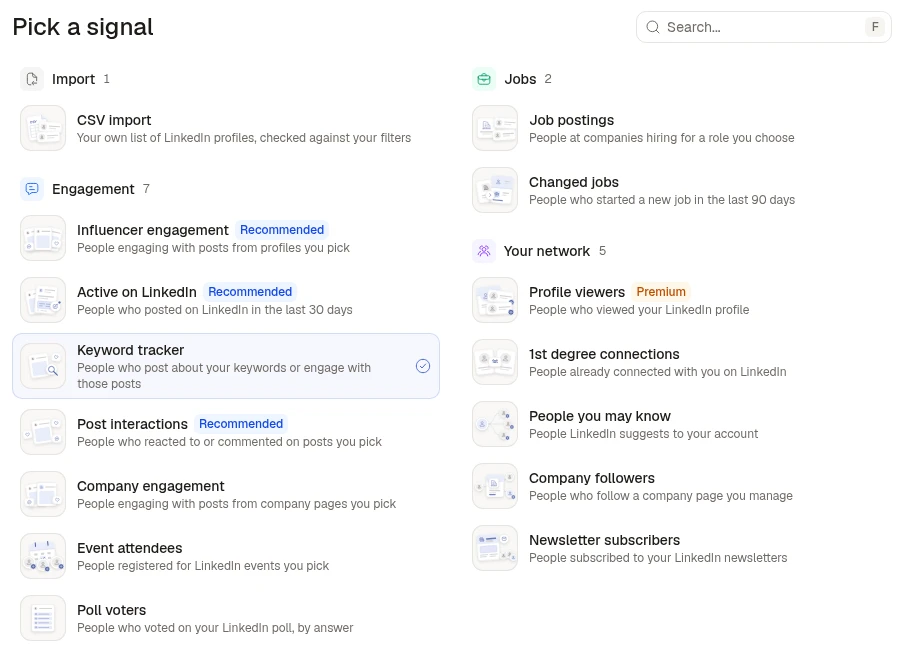
Each person a signal finds is checked against the ideal customer you wrote, and each match costs one credit; people it rejects cost nothing. Matches go to your review or straight into a campaign, which sends the invitations and messages you wrote from your LinkedIn account, within the limits above. Replies from every account land in one inbox.
Sendable is LinkedIn only and has no email database of its own: it finds work emails through FullEnrich, on your own FullEnrich account. The 7-day trial needs a card, charges nothing before it ends, and includes one LinkedIn account, 20 credits and 3 active signals. Pro then costs $69 per LinkedIn account a month before VAT, with 500 credits a month for each account.
Build a focused LinkedIn prospecting routine
Finding leads on LinkedIn comes down to fit plus a reason to write. Start from a written ideal customer, search for the people who match it, put first the ones whose recent activity relates to your offer, check each one before you write, and open with what they did. Measure every stage on its own denominator, and change the targeting, the message or the offer based on where people drop. If you want LinkedIn watched for those signals every day, with each person checked against your ideal customer, see Sendable's pricing.
Sources
- LinkedIn, How to prospect with Sales Navigator: the 36 lead filters, saved searches with alerts and the Posted on LinkedIn filter.
- LinkedIn Help, Boolean search: the supported operators.
- LinkedIn Help, Monthly people search usage: the free search limit and its monthly reset.
- LinkedIn, User Agreement, section 8.2: the rule on automated messaging.
- Belkins, LinkedIn outreach study, updated June 29, 2026: acceptance, reply and meeting rates, and requests with and without a note.
FAQ
Do you need Sales Navigator to find leads on LinkedIn?
No. Free search with Boolean operators, company pages, posts and your own network are enough to find leads, within the monthly search limit. Sales Navigator adds lead filters such as seniority and company headcount, saved searches with alerts and a filter for people who posted in the last 30 days, from $119.99 a month on Core.
How do you find leads on LinkedIn for free?
Write your ideal customer down, then search LinkedIn with Boolean operators ("head of sales" OR "VP sales") and read the people tab of your target companies. Look for activity in the comments of posts about your problem, in job posts and in your profile viewers. A free account has a monthly search limit that resets on the 1st.
How can you tell whether a LinkedIn prospect is qualified?
Check that the person's current role and company match your ideal customer, that their signal is recent and about your topic, and that you can say in one sentence why you are writing. Treat the activity as context for the conversation, not as proof that they want to buy.
Does someone who likes a post count as a lead?
Not by itself. A like shows the person saw the post, not that they fit your offer or want to buy, and people like posts from friends and colleagues. Check their role, their company and the post's topic first, and give comments more weight than likes.
Is it safe to automate LinkedIn prospecting?
It carries a risk: LinkedIn's User Agreement does not allow bots that send messages or add contacts, and LinkedIn can restrict an account that uses them. Keep the volume low and the messages relevant, and don't trust any tool that promises an account can never be restricted.
Yes. Sendable's free LinkedIn Comment Exporter exports the people who commented on or reacted to a post to CSV or Excel, without an account or a Chrome extension. Treat the list as a starting point: each person still needs the fit check before you write.