Is Sales Navigator worth it? Yes, if you prospect on LinkedIn every week, into a market you can describe in filters, and you work those leads yourself: the search filters, saved searches, alerts and 50 InMails a month earn back $119.99 quickly. No, if you prospect a few hours a month, if you need email addresses, or if you want it as a list source for an automation tool. LinkedIn's own compare plans page, updated September 27, 2026, prices Core at $119.99 a month and Advanced at $159.99, and describes them as tools to find leads and research buyers, with 50 InMails a month to reach them. Nothing on that page sends anything for you.
I am Thomas Bonfils, cofounder of Sendable, the LinkedIn prospecting tool at getsendable.io (not the Swift protocol of the same name). Sendable finds people from buying signals, checks each one against the ideal customer you describe and sends the LinkedIn sequence you wrote. Some of our customers pay for Sales Navigator next to it, so the second half of this guide answers whether they need to, from the product's code. Every LinkedIn price and feature below was checked on linkedin.com on November 3, 2026.
My verdict: Sales Navigator is worth it for people who search and research by hand; it is a poor buy as a list source. It has the most detailed people search LinkedIn sells to salespeople, and no way to export it. If what you need is a steady flow of people who just gave you a reason to write, start from the signal, and keep the license for the named accounts you work yourself.
How much does Sales Navigator cost in November 2026?
Sales Navigator Core costs $119.99 a month, or $1,079.88 a year ($89.99 a month). Advanced costs $159.99 a month, or $1,799.88 a year ($149.99 a month). Advanced Plus has no public price: LinkedIn quotes it by team size, CRM and training needs. Prices are per license, before tax.
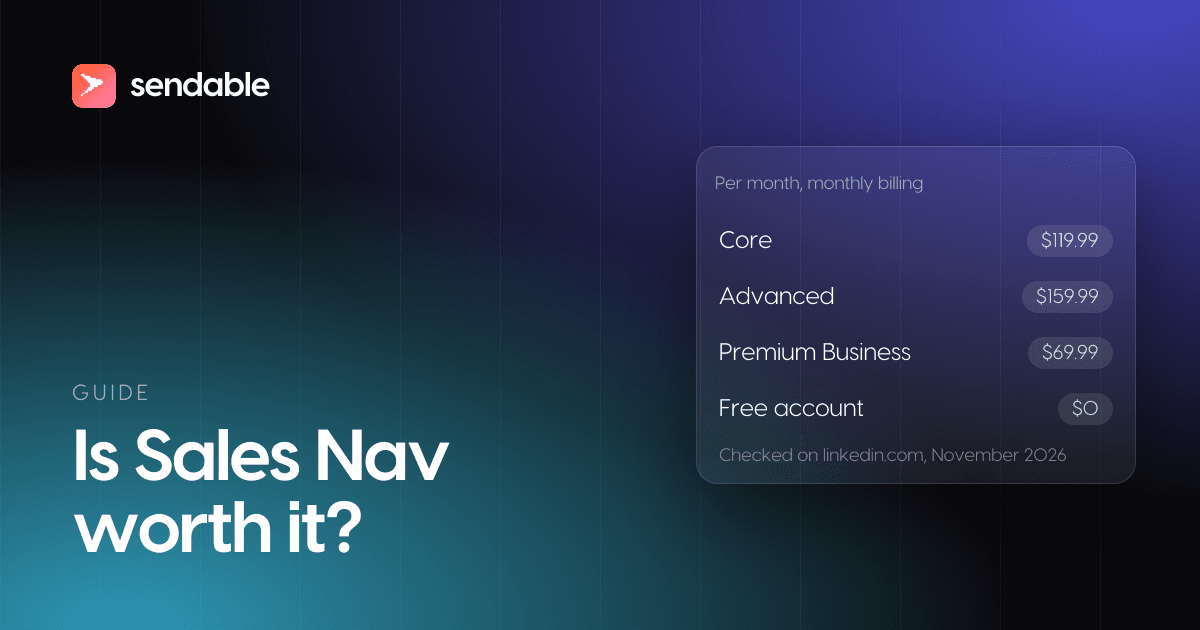
Plans from the compare plans page, checked on November 3, 2026, in US dollars:
| Plan | Monthly billing | Yearly billing | Per month, billed yearly | Best for, in LinkedIn's words |
|---|---|---|---|---|
| Core | $119.99 | $1,079.88 | $89.99 | Individual sellers |
| Advanced | $159.99 | $1,799.88 | $149.99 | Sales teams |
| Advanced Plus | On request | On request | On request | Sales teams using integrated CRM |
Four details change the bill:
- Yearly billing saves 25% on Core but only 6% on Advanced, LinkedIn's own figures. Billed yearly, Advanced costs $720 a year more per seat than Core; billed monthly, $480 a year more.
- Other currencies: Core is €120.99 or £94.99 a month, Advanced €148.21 or £130.00. LinkedIn calls every figure an estimate that "may exclude Value-Added Tax (VAT), Goods & Services Tax (GST), and/or promotional discounts".
- Teams: you can buy up to five Advanced licenses online, and a Full Admin assigns them; Advanced Plus is bought through LinkedIn's sales team.
- Free trial: Core and Advanced have one, for members "not currently on any paid LinkedIn subscription (including Premium or Sales Navigator)" who have not used a LinkedIn free trial in the past 365 days. LinkedIn asks for a card and emails you seven days before the trial ends.
A note on stale numbers. Several pages that rank for this question still quote Core at $79.99 or $99.99 a month, or Advanced at $135. The figures above are the ones on LinkedIn's page on November 3, 2026.
What does each Sales Navigator plan include?
Every plan has the 50+ advanced search filters, AI summaries of leads and accounts (Account IQ and Lead IQ), alerts, Relationship Explorer and Relationship Map, Message Assist and 50 InMails a month. Advanced adds Buyer Intent, TeamLink, Smart Links and team management. Advanced Plus adds CRM sync and lead creation in the CRM.
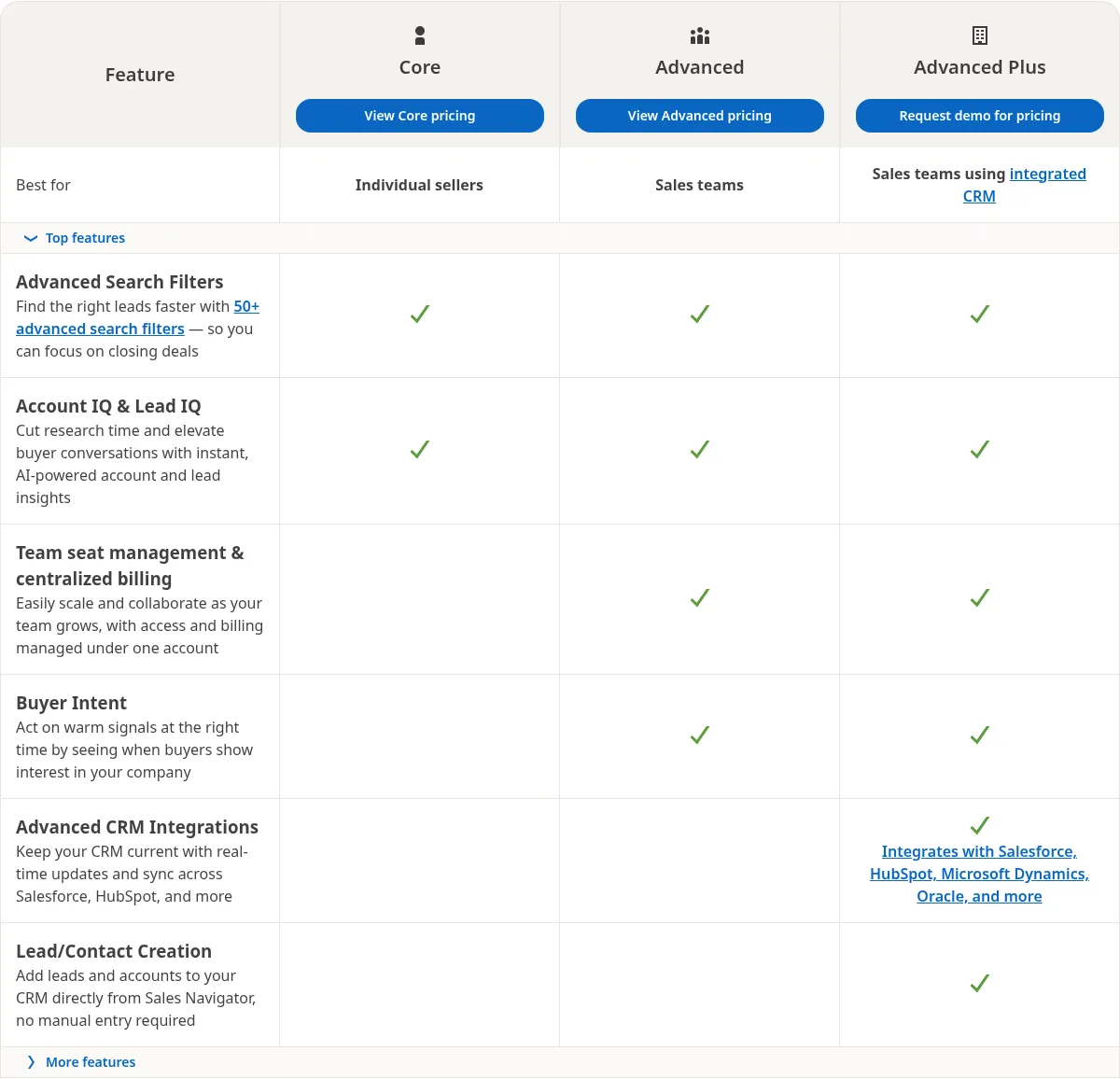
The full grid from LinkedIn's page, checked on November 3, 2026:
| Feature | Core | Advanced | Advanced Plus |
|---|---|---|---|
| 50+ advanced search filters | Yes | Yes | Yes |
| Account IQ and Lead IQ (AI research summaries) | Yes | Yes | Yes |
| Alerts on saved leads and accounts | Yes | Yes | Yes |
| Relationship Explorer and Relationship Map | Yes | Yes | Yes |
| Message Assist (AI message drafts) | Yes | Yes | Yes |
| InMail credits | 50 a month | 50 a month | 50 a month |
| Buyer Intent | No | Yes | Yes |
| TeamLink (introductions through teammates' connections) | No | Yes | Yes |
| Smart Links (trackable content) | No | Yes | Yes |
| Seat management, central billing, team reporting | No | Yes | Yes |
| Upload your book of business | No | CSV upload | CSV upload and CRM import |
| CRM sync (Salesforce, HubSpot, Microsoft Dynamics, Oracle) | No | No | Yes |
| Add leads and contacts to the CRM without manual entry | No | No | Yes |
What LinkedIn's help center adds to the grid:
- InMail: the InMail credits page says every plan gets 50 credits a month, unused credits carry over up to 150 in total and must be used within 90 days, and an InMail answered within 90 days gives its credit back. You cannot buy more.
- Saved searches: "You can save a total of 50 lead searches and 50 account searches", per the saved searches page. Each one sends a weekly email when new people or companies match it.
- Alerts only cover what you saved: "To receive alerts, you must save your leads and accounts."
- Buyer Intent is "available for Sales Navigator Advanced and Advanced Plus edition users only", according to its FAQ, and it is built from "180+ distinct insight signals".
Nothing on the compare page sends invitations or messages for you. Message Assist writes a draft; you press send, one message at a time.
What does Sales Navigator add over a free account or Premium Business?
A free account runs into LinkedIn's commercial use limit on profile searches. Premium Business, at $69.99 a month, raises that limit and adds 15 InMails a month. Sales Navigator adds what prospecting needs on top: 50+ filters, saved lead and account searches, lead lists, alerts on what you saved and 50 InMails.
LinkedIn's commercial use limit page explains the free tier: "If you reach the commercial use limit for searching, your activity on LinkedIn indicates that you're likely using LinkedIn for commercial use, like hiring or prospecting." It does not say how many searches that is, the count resets on the first of each month, and LinkedIn "cannot lift the limit upon request". Premium Business, Recruiter Lite and Sales Navigator all raise it.
| What you get | Free account | Premium Business | Sales Navigator Core |
|---|---|---|---|
| Price, monthly billing | $0 | $69.99 | $119.99 |
| Price per month, billed yearly | $0 | $44.99 ($539.88 a year) | $89.99 ($1,079.88 a year) |
| Profile searches | Commercial use limit, not public | Raised; profiles beyond your network without a limit | Raised, with 50+ filters |
| InMail credits a month | 0 | 15 | 50 |
| Cost per InMail, monthly price | n/a | $4.67 | $2.40 |
| Saved searches and lead lists | No | Not on its page | 50 lead and 50 account searches, lead lists |
| Alerts on leads you follow | No | Not on its page | Yes |
Premium Business prices come from its own page, checked on November 3, 2026, which also lists "advanced search filters", business insights on companies and LinkedIn Learning.
So if all you need is more searches and a few InMails, Premium Business costs $50 a month less than Core. Core earns the difference when you live in saved searches, lists and alerts, or when InMail is a real channel for you: per credit, it costs about half of Premium Business.
Who is Sales Navigator worth it for?
Sales Navigator is worth it for B2B sellers who prospect on LinkedIn every week, into a market they can describe with filters, with deals large enough that one extra deal a year covers $1,079.88. The more of the work you do by hand, account by account, the more of the license you use.
LinkedIn's compare plans page says the tool is "trusted by 1.5M+ sellers". It pays off for four kinds of buyers:
- Founders and account executives selling to named accounts. Saved account searches, Account IQ and the Relationship Map let you map a buying committee before the first message, which is the work Core is priced for.
- Sales teams sharing a territory. Advanced adds TeamLink, which shows who on your team knows someone at the account, plus Buyer Intent and team reporting. The extra $720 a year per seat pays when warm introductions close deals that cold messages do not.
- Teams on Salesforce, HubSpot or Microsoft Dynamics. Advanced Plus keeps LinkedIn data in the CRM and adds leads to it without manual entry, which matters when reps would otherwise copy profiles by hand.
- Sellers who reach people by InMail. 50 credits a month, with a credit back for each answer within 90 days, cost about half as much per credit as Premium Business.
LinkedIn's own case rests on a study it paid for. "In 2023, LinkedIn commissioned Forrester Consulting to conduct a global Total Economic Impact™ study", and LinkedIn's North America summary reports a 312% return on investment, a 6-month payback, 30% revenue growth attributed to the tool and a 15% gain in sales team efficiency. One interviewed customer put it this way:
"I would attribute at least 40% of our revenue growth to the use of the tool. It has helped us identify high-quality accounts, shorten the sales cycle, and ultimately close more deals."
Read those numbers for what they are: interviews with customers who kept paying, in a study LinkedIn commissioned. They show what the tool can do for a team that uses it daily, not what a license nobody opens returns.
When is Sales Navigator not worth it?
Sales Navigator is not worth it when you prospect a few hours a month, when you need contact data, when you want a list to load into another tool, or when you expect it to tell you who is ready to buy. Each case has a cheaper or better fit.
- You prospect a few hours a month. A free account covers it until the commercial use limit, which resets every month. If you hit it, Premium Business at $69.99 raises it for $50 less than Core.
- You need email addresses and phone numbers. Nothing on the compare page finds contact data: the tool works through LinkedIn profiles and InMail. Teams that need email add a data provider next to it, such as the LinkedIn prospecting software that adds emails and phones to Sales Navigator.
- You want a list to load into an automation tool. LinkedIn's export page is plain: "LinkedIn currently doesn't offer the option to export account and lead information from Sales Navigator into a CSV or XLS file." The browser extensions that copy its search results do what LinkedIn's User Agreement forbids in section 8.2: using "bots or other unauthorized automated methods to access the Services, add or download contacts". Paying $119.99 a month to scrape it puts the account that pays at risk.
- You expect it to find buyers in the market. Buyer Intent, from Advanced up, measures interest in your own company: comments and reactions on posts, new connections to your colleagues, profile views, follows of your company page, clicks on your ads, answers to your team's InMails, and visits to your website when it carries LinkedIn's Insight tag. A company with a small LinkedIn audience sees little of it. Alerts, on every plan, only cover leads and accounts you already saved.
- Nobody will open it every week. Saved searches and alerts only pay when someone reads them and acts. A license opened once a month costs $119.99 for a search a free account would have run.
If two or more of these describe you, skip the license for now, or test it on the trial before paying.