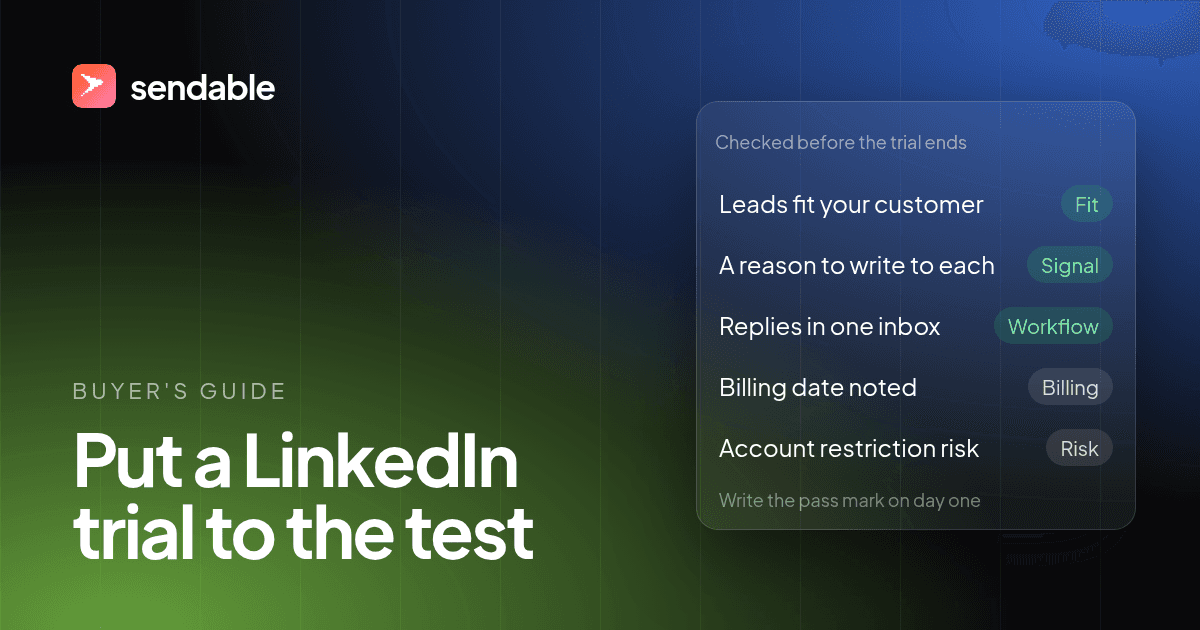
A LinkedIn software trial is worth its days when it ends in a decision you can defend. Before you start, write down what would make you pay: how many people who fit your ideal customer the tool should find, each with a reason you could open a message with. Then run one real segment from signal to reply, read the billing terms (is a card taken, and when is it charged?) and decide before the last day. LinkedIn's own trial works that way too: Sales Navigator asks for a card and "auto-renews to become a paid subscription on the billing date, one month after you started the free trial", says LinkedIn Help.
I'm Thomas Bonfils, cofounder of Sendable. We build a LinkedIn prospecting tool with a 7-day trial, so weigh what follows accordingly: every fact about Sendable below was checked in its code on November 11, 2026, and every other tool's trial terms were read on its own pages the same day.
My verdict: the pass mark matters more than the number of free days. Seven days with a written test beat fourteen days of clicking through features.
What should a LinkedIn software trial prove?
That the tool does your prospecting job, not that it has the most features. Split that job into four checks and write, before day one, what a pass looks like for each:
| Check |
The question |
A pass |
A fail |
| Fit |
Do the people found match your ideal customer? |
Most leads you review are people you would have picked by hand |
You reject more leads than you keep, or cannot tell why one was kept |
| Signal |
Does each lead come with a reason to write now? |
You can open a message with what the person did: a post, a job ad, a visit to your profile |
The list is a search result with no context |
| Workflow |
Do campaigns and replies fit your team's routine? |
A sequence runs from your account, a reply stops it, and replies land in one place |
Replies scattered between tools, or follow-ups sent after someone answered |
| Cost and risk |
Do the price you would pay and the account risk fit your plans? |
You know the monthly total for your accounts, the billing date and the daily limits |
You discover the price, the billing date or the limits once the card is charged |
Keep fit and signal apart. A signal, such as someone commenting on a competitor's post, starting a new job or a company posting a sales job, is a reason to look closer; your ideal customer decides whether that person is worth contacting. A good trial shows you both for every lead. In Sendable, a signal collects the people, then AI lead qualification checks each one against the criteria you set, and only the matches become leads.
How do you plan a seven-day trial?
Pick one segment you actually want to reach, and push it through the whole chain in the first two days. Seven days leave no room for a slow start:
| When |
What to do |
What you learn |
| Before day 1 |
Write the ideal customer (roles, company size, location) and the pass mark |
What "good" means, before the tool shows you anything |
| Day 1 |
Connect one LinkedIn account and launch one signal on that segment |
How long setup takes without a call |
| Days 1 and 2 |
Review the first leads one by one and reject the wrong ones |
Fit, and why each lead was kept |
| Day 2 |
Launch a short campaign: an invitation, then one or two messages |
Whether the sequence controls fit your process |
| Days 3 to 6 |
Answer replies from the inbox |
How replies, labels and hand-offs work |
| Day 6 |
Count the results against your pass mark, check the billing date, decide |
A decision before the charge |
Two numbers explain the rush. Any seven days contain five weekdays, and Sendable campaigns send Monday to Friday, 9 AM to 6 PM by default, so a 7-day trial gives a campaign five sending days at most. And people take days to answer: in a Sendable campaign from May 31 to June 13, 2026, described in our guide to identifying buying signals, 156 connection requests brought 92 acceptances and 52 replies over two weeks. A trial shows you the start of that curve, so judge the fit and the reasons to write more than the reply count.
Launch something on day one for another reason too: Sendable disconnects a trial's LinkedIn account after 72 hours without use, when no live signal or campaign relies on it and nobody sends a message from the inbox. It shows as Unused in trial, and Reconnect brings it back.
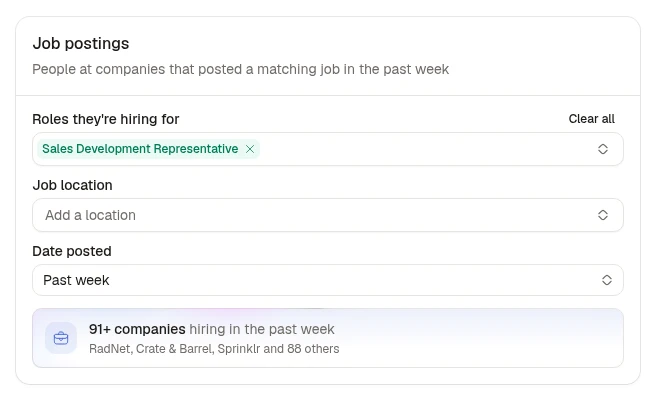
In Sendable, a signal shows what it would find before you launch it, which makes day one fast. Here, a job postings signal previews the companies that posted a sales development job in the past week:
What does Sendable's 7-day trial include?
One LinkedIn account and the whole product, with smaller allowances than Pro:
|
Free trial |
Pro |
| Length |
7 days |
Monthly or yearly |
| LinkedIn accounts |
1 |
As many as you pay for |
| Credits |
20 for the workspace, for the 7 days |
500 per LinkedIn account, every month |
| Active signals |
3 at once in the workspace |
5 at once per team |
| Campaigns, inbox, integrations |
Included |
Included |
| Card |
Required, nothing charged during the 7 days |
Charged each month or year |
| Price |
Free |
$69 per LinkedIn account a month, before VAT |
What it leaves out is volume and a second account. A campaign that rotates between several senders, or an inbox that switches between colleagues' accounts, needs Pro. If your team will prospect from three people's profiles, test the workflow on one during the trial and price the three before you continue.
How do trial credits work?
A credit pays for one lead a signal matches to your ideal customer. Everything you do with that lead afterwards is included:
| Action |
Credits |
| A signal finds a lead that matches your ideal customer |
1 |
| A person already in your leads, matched again by another signal |
1 |
| A profile a signal looks at but doesn't keep |
0 |
| A CSV file imported into your leads or into a campaign |
0 |
| Campaign actions: visits, invitations, messages, likes |
0 |
| Replying from the inbox |
0 |
When you reject a lead a signal found, its credit comes back, unless a campaign already contacted the lead. So 20 trial credits mean 20 matched leads at most, and the way to spend them well is on one segment, reviewed by hand. A CSV import costs nothing, so you can also test a campaign on a list you already have.
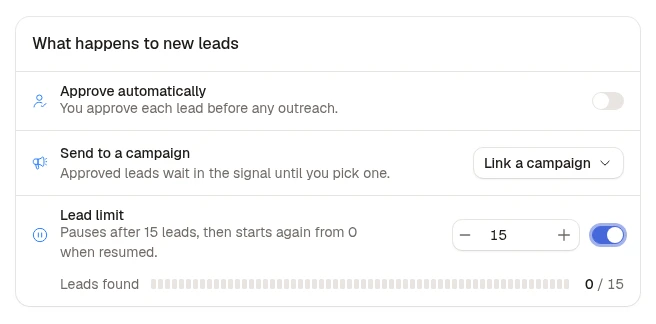
Two settings of a signal protect those credits. Keep Approve automatically off, and you approve each lead before any outreach. Turn on Lead limit, and the signal pauses after the number of leads you choose:
When the credits run out, signals pause and campaigns keep running: the leads already found go on through their sequence. Start Pro now ends the trial at once, charges Pro on the card you entered, and resumes the signals with the monthly credits.
What will the software cost after the trial?
Read the billing terms on day one, not on the last day. For Sendable:
- The card. Sendable asks for one at the start, and nothing is charged before the 7 days end. When they end, Pro starts on that card unless you cancel.
- Canceling. An owner cancels in Settings, Billing, Manage subscription, before the 7 days end, and nothing is charged.
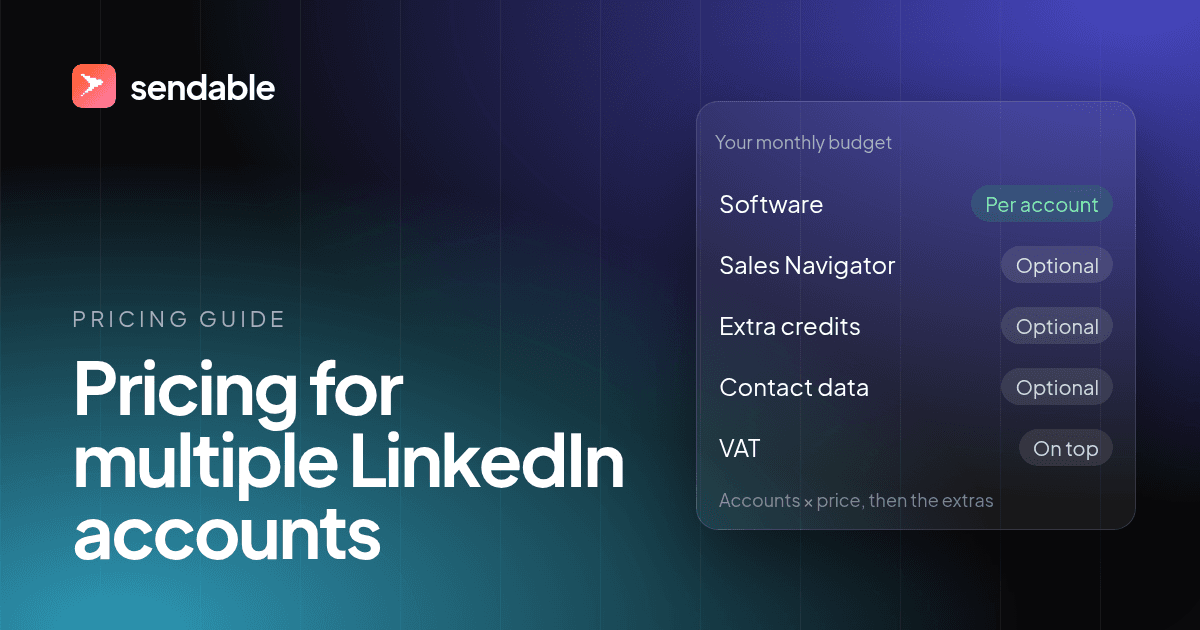
- The price. $69 per LinkedIn account a month, or $690 a year, before VAT: a launch price, $99 normally. VAT is added from the billing address. Teammates who read and answer cost nothing.
- The total. One account costs $69 a month, three cost $207. Each account adds 500 credits a month to its team.
For any tool, ask the same four questions: which unit drives the bill (account, user, credit or message), whether the card is charged automatically, on which date, and what the trial's allowances become once you pay. Our guide to choosing LinkedIn prospecting software compares those pricing units across tools.
They differ more in their terms than in their length. Here is what each vendor's own pricing page, FAQ or help center said on November 11, 2026:
| Tool |
Trial |
Card to start |
When the trial ends |
Free plan |
| Sendable |
7 days, 1 LinkedIn account |
Yes |
Pro starts and is charged unless you cancel |
No |
| LinkedIn Sales Navigator |
One month, Core or Advanced |
Yes |
Renews as a paid subscription, with an email 7 days before |
No |
| HeyReach |
14 days, 3 LinkedIn accounts |
No |
Does not convert to a paid plan on its own |
No |
| La Growth Machine |
14 days, 1 identity |
No |
Nothing charged unless you choose a plan |
None listed |
| Waalaxy |
14 days on the pricing page |
Yes, a credit card |
Converts to a paid plan unless canceled, with no reminder |
Freemium, without automation |
| Expandi |
7 days |
Yes, at checkout, per its offer page |
Charged for the period you picked unless you cancel |
None listed |
| Dripify |
7 days, Advanced plan features |
No |
Nothing charged; the account goes inactive |
None listed |
| lemlist |
14 days, Multichannel features except in-app calls |
No |
No automatic billing |
Freemium, without campaign sending |
Three things in that table change how you run the test:
- A card trial keeps going. Sales Navigator, Waalaxy, Expandi and Sendable charge at the end unless you cancel, so put the end date in your calendar on day one. Waalaxy's help center says "No reminder is sent before your first charge."
- A no-card trial stops by itself. Dripify's campaigns go inactive when its 7 days end, so a sequence still running on day 7 stops until you pick a plan.
- The account count decides what you can test. HeyReach's trial covers 3 LinkedIn accounts; La Growth Machine's and Sendable's cover one. A team test needs the first kind, or a plan.
Sales Navigator also limits who can try it: it is for members "not currently on any paid LinkedIn subscription (including Premium or Sales Navigator)" who "have not used a LinkedIn free trial in the past 365 days", according to its compare plans page. The other tools that send invitations for you are compared feature by feature in our roundup of LinkedIn automation tools.
Is your LinkedIn account at risk during a trial?
As much as after it: free days change the bill, not LinkedIn's rules. LinkedIn's User Agreement, effective November 3, 2025, forbids in section 8.2 using "bots or other unauthorized automated methods to access the Services, add or download contacts, send or redirect messages". Its page on prohibited software and extensions adds that members who use such tools "risk having their accounts restricted or shut down". No tool can promise zero risk, Sendable included.
What the test can show is how a tool handles that risk. Check three things:
- Daily limits you can see and change. In Sendable, a new account starts at 20 profile visits a day, and at 30 invitations and 30 new conversations a day with LinkedIn Premium or Sales Navigator, 20 without.
- Pacing. Campaigns act on their active days and hours only, and a reply stops that person's sequence.
- What happens when LinkedIn pushes back. Sendable marks a restricted account Restricted, pauses its queue and emails the person who connected it.
Our guide to whether LinkedIn automation is safe explains each safeguard and where it stops.
How do you decide before the trial ends?
Go back to the pass mark you wrote before day one, and answer four questions with what you saw:
- Fit: did most of the leads you reviewed match your ideal customer?
- Signal: could you open a message with what each person did?
- Workflow: did the campaign run from your account, stop on replies, and leave the replies in one place your team works from?
- Cost and risk: do the monthly total for your accounts, the billing date and the daily limits fit your plans?
Four yeses: keep the plan. A no on fit or signal: the tool finds the wrong people, and more free days will not fix that. A no on workflow or cost: ask the vendor before the billing date, then decide. If you cannot answer one of the four, you have not tested it yet, and the card should not be charged for it.
Decide on the evidence, not the feature list
A LinkedIn software trial is a test with a pass mark, not a tour. Write the mark before day one, run one real segment from signal to reply in the first two days, read the billing terms early, and decide before the charge. If you want to run that test on buying signals, with each lead checked against your ideal customer before any message, see Sendable's plans and start the 7-day trial.
Sources
- LinkedIn Help, Auto-renewal of Sales Navigator after a free trial: the trial renews as a paid subscription one month after it starts.
- LinkedIn, Sales Navigator compare plans: card required, reminder 7 days before the end, eligibility for the trial.
- LinkedIn, User Agreement, effective November 3, 2025: no bots or unauthorized automated methods (section 8.2).
- LinkedIn Help, Prohibited software and extensions: the restriction risk of automation tools.
- Trial terms read on November 11, 2026: HeyReach pricing and help center, La Growth Machine pricing, Waalaxy pricing and help center, Expandi pricing and offer page, Dripify pricing, lemlist free trial and Freemium plan.
- Sendable, How to identify buying signals: the campaign of May 31 to June 13, 2026.
FAQ
Do LinkedIn software trials require a credit card?
Some do. On November 11, 2026, Sales Navigator, Waalaxy and Sendable asked for a card to start and charge it at the end unless you cancel; HeyReach, La Growth Machine, Dripify and lemlist started without one. Check the vendor's FAQ before you sign up.
How long is a free trial of LinkedIn prospecting software?
Usually 7 or 14 days. Sendable, Expandi and Dripify give 7 days, HeyReach, La Growth Machine, Waalaxy and lemlist 14, and LinkedIn's Sales Navigator a month. On a 7-day trial, launch your first signal and campaign within two days.
What can I test during Sendable's free trial?
The whole product on one LinkedIn account: signals with AI qualification against your ideal customer, campaigns, the inbox and the integrations. The trial includes 20 credits, one per matched lead, and 3 signals running at once. A second LinkedIn account takes Pro.
What happens when the Sendable trial ends?
Pro starts on the card you entered, at $69 per LinkedIn account a month before VAT, unless an owner cancels in Settings, Billing, Manage subscription before then. Start Pro now ends the trial earlier and charges Pro the same day.
Can a trial get my LinkedIn account restricted?
Yes, as any automation can: LinkedIn's User Agreement forbids bots and unauthorized automated methods, and a trial does not change that. Use those days to check the tool's daily limits, its sending hours and what it does when LinkedIn restricts an account.