How do you calculate LinkedIn prospecting pricing for several accounts?
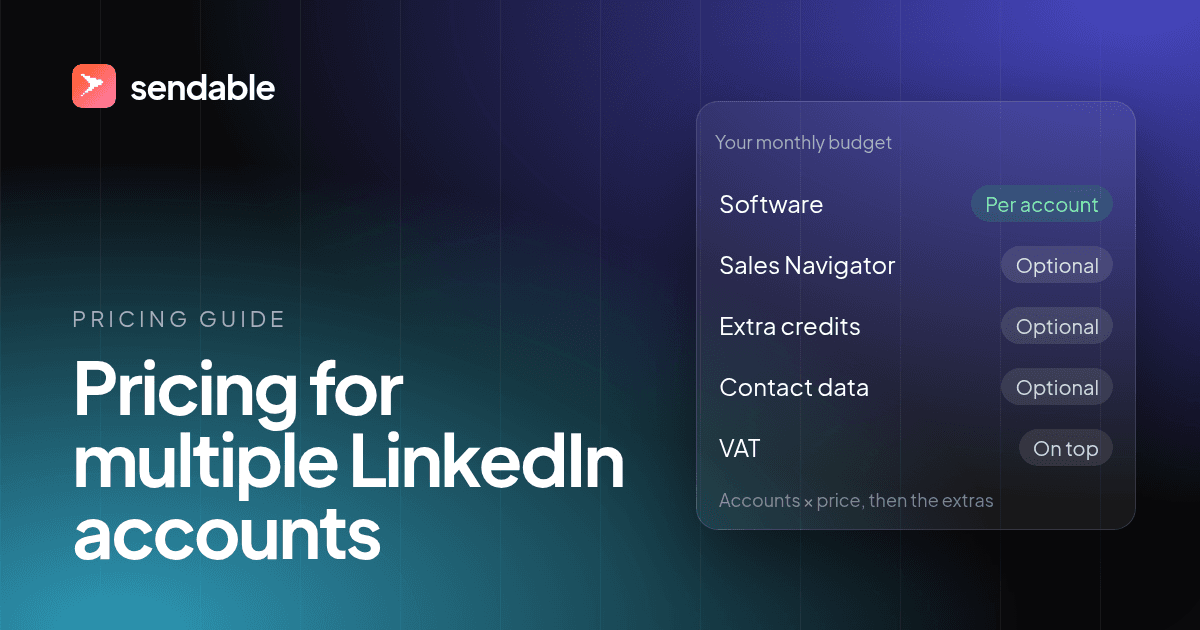
Multiply the software's price per account by the number of accounts you connect, then add what that price leaves out: LinkedIn Premium or Sales Navigator for the accounts that need it, extra credits or contact data, and VAT. Write the budget line by line before you compare vendors, because the headline price is only the first line.
Each account is a real person's profile. LinkedIn's User Agreement allows one account per member and forbids sharing it (section 2.2), so "three accounts" means three people on your team, each connecting their own profile.
Here is the budget of a team that connects three LinkedIn accounts to Sendable, on monthly billing:
| Cost line |
Per account, a month |
3 accounts, a month |
Required? |
| Prospecting software (Sendable Pro) |
$69 |
$207 |
Yes |
| Credits for new leads |
500 included |
1,500 included |
Included |
| LinkedIn Sales Navigator Core |
$119.99 |
$359.97 |
Optional, paid to LinkedIn |
| Extra credits |
Packs, only if your signals find more matching leads |
Shared by the whole workspace |
Optional |
| Contact data (emails, phones) |
Your own FullEnrich plan, if you connect one |
Billed by FullEnrich |
Optional |
| VAT |
Added at checkout from your billing address |
Same |
Depends on your country |
Without Sales Navigator, those three accounts cost $207 a month before VAT. With it, add $359.97 paid to LinkedIn: decide account by account whether it earns its place, since Sendable works with a free LinkedIn account.
What does one "account" cover at each vendor?
Not the same thing everywhere. Vendors bill per connected LinkedIn account, per seat, per sender, per user or per "identity", and some sell a bundle of 25 or 50 accounts for one price. Before comparing prices, read how the pricing page defines its unit, then count three things: the LinkedIn profiles that will send, the people who need to log in, and the clients or regions that need their own space.
| Billing unit |
What one unit covers |
Who bills this way (November 21, 2026) |
What to check |
| LinkedIn account |
One connected LinkedIn profile |
Sendable; Expandi, at a price that falls by tier; Linked Helper ("1 license = 1 LinkedIn account") |
Whether teammates who only read and reply cost extra |
| Sender |
One LinkedIn account |
HeyReach ("A sender (or a seat) is a LinkedIn account that you add to your organization") |
Bundles: its Agency plan covers 25 senders for one price |
| User or seat |
One login, which connects one LinkedIn account |
Dripify, lemlist, Waalaxy ("1 seat = 1 LinkedIn account = 1 Waalaxy account") |
Whether a manager who only reviews needs a seat too |
| Identity |
One person's LinkedIn account and email inboxes |
La Growth Machine |
Workspaces are a paid add-on, priced on a call |
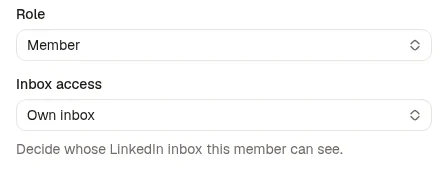
At Sendable, the unit is the connected account: teammates log in at no cost, and campaigns, messages and inbox replies cost nothing more. On the members page, you decide whose LinkedIn inbox each member can see, so an assistant or a sales manager can work the replies without a seat of their own.
On monthly billing, the total grows with the number of accounts at every vendor, but not at the same pace. Prices checked on each vendor's pricing page on November 21, 2026: list prices on monthly billing, in the vendor's currency, without the Black Friday discounts several of them ran that week. Sendable comes first because I build it; the other tools follow from the lowest to the highest price for five accounts.
| Tool and plan |
1 account |
3 accounts |
5 accounts |
10 accounts |
| Sendable Pro |
$69 |
$207 |
$345 |
$690 |
| Linked Helper Cloud Standard |
$29.90 |
$89.70 |
$149.50 |
$269.10 |
| Waalaxy Advanced |
$39 |
$117 |
$195 |
$390 |
| HeyReach Growth |
$79 |
$237 |
$395 |
$590 |
| Expandi |
$99 |
$267 |
$445 |
$890 |
| Dripify Advanced |
$99 |
$297 |
$495 |
$990 |
| lemlist Multichannel |
$109 |
$327 |
$545 |
$1,090 |
| La Growth Machine, Basic then Pro |
€60 |
€180 |
€600 |
€1,200 |
La Growth Machine bills in euros (its US page shows €60 as $69), and its Basic plan stops at 3 identities, so 5 and 10 accounts are priced on Pro. Waalaxy keeps team workspaces for an Enterprise plan on quote, offered from 5 users, and Dripify asks teams of 10 seats or more to contact sales.
Three things the table shows:
- Some prices per account fall as you grow, others never do. Expandi charges $99 for one account, $89 each from 2 to 10, $79 from 11 and $69 from 25; HeyReach drops from $79 to $59 a sender from 10, and Linked Helper takes 10% off from 10 licenses. Sendable, Dripify and lemlist keep one price per account whatever the number.
- The cheapest lines leave work or features out. Linked Helper is desktop software, and its cloud plan runs it for you; Waalaxy keeps team workspaces, analytics and volume discounts for an Enterprise plan with no public price, and its inbox is an add-on.
- The prices do not buy the same job. Sendable finds the people from LinkedIn signals and checks each one against your ideal customer, but has no email step; HeyReach sends to the lists you bring; lemlist, La Growth Machine, Dripify and Expandi add email to LinkedIn. Our comparison of LinkedIn automation tools scores what each subscription covers.
Is LinkedIn Premium or Sales Navigator included in the price?
No. A prospecting tool connects to your LinkedIn account; the subscription on that account is a separate purchase from LinkedIn, per person, and no vendor in the table above includes it. Add it as its own line, only for the accounts that need it.
LinkedIn's prices per license, in US dollars before tax, from its Sales Navigator plan comparison (updated September 27, 2026) and its Premium Business page (updated April 20, 2026):
| LinkedIn plan |
Monthly billing |
Yearly billing |
3 accounts, monthly billing |
| Premium Business |
$69.99 |
$539.88 |
$209.97 |
| Sales Navigator Core |
$119.99 |
$1,079.88 ($89.99 a month) |
$359.97 |
| Sales Navigator Advanced |
$159.99 |
$1,799.88 ($149.99 a month) |
$479.97 |
| Sales Navigator Advanced Plus |
On quote |
On quote |
On quote |
For a team, the plan matters as much as the price. LinkedIn presents Core as "Best for Individual sellers": team seat management and centralized billing start on Advanced, the plan its small business page lets you buy online for up to five people.
You do not need either to run Sendable. A free LinkedIn account can run every signal except Profile viewers, which needs LinkedIn Premium to see who viewed the profile. Premium or Sales Navigator does raise Sendable's starting daily limits: invitations and conversations start at 30 a day per account on a paid LinkedIn plan, and at 20 without. Whether Sales Navigator is worth its price for your team is a separate question, worked out line by line in our Sales Navigator review.
Monthly or yearly billing: which costs less?
Yearly billing costs less at most vendors, but you pay the year upfront. Sendable's yearly plan costs $690 per account, 10 months for 12, paid once for the year, and its credits still arrive every month.
| LinkedIn accounts |
Sendable, monthly billing over 12 months |
Sendable, yearly billing |
| 1 |
$828 |
$690 |
| 3 |
$2,484 |
$2,070 |
| 5 |
$4,140 |
$3,450 |
| 10 |
$8,280 |
$6,900 |
Other vendors discount yearly billing too: HeyReach and Expandi by 20%, lemlist to $87 a user instead of $109, Dripify Advanced to $79 instead of $99, Waalaxy Advanced to $32 instead of $39, La Growth Machine by two months to 30% depending on the number of identities, and Linked Helper by up to 45% for 12 months paid at once. Expandi also locks the rate of a tier for 12 months.
Three billing rules change what a growing team actually pays, so check each one before you sign:
- Adding an account mid-period. At Sendable, an added account is charged right away for the days left in the current period and brings its share of the monthly credits for those days.
- Removing an account. A removed account stays paid until the end of the period, and the next invoice drops it. On a yearly plan, that end is up to a year away: payments are non-refundable except where the law requires it.
- Price changes. $69 is a launch price (the regular price is $99). A subscription keeps the price it started on, including for the accounts you add later.
What do credits pay for, and when do you buy more?
Credits are the usage part of a prospecting plan: check what uses them, what they cost when you run out, and whether the unused ones expire. At Sendable, credits pay for finding leads, not for sending: each account brings 500 credits to its team every month, and each lead a signal finds that matches your ideal customer uses 1 credit.
| Action in Sendable |
Credits |
| A signal finds a lead who matches your ideal customer |
1 |
| A profile a signal looks at but does not keep |
0 |
| Importing a CSV file into your leads or a campaign |
0 |
| Campaign steps: profile visits, invitations, messages |
0 |
| Replying from the inbox |
0 |
| Finding an email or a phone number with FullEnrich |
0 (it uses your FullEnrich credits) |
Monthly credits renew on the day your subscription started and the unused ones expire. If your signals find more matching leads than that, extra credits come in packs that never expire, are shared by every team of your workspace, and are spent once the monthly ones run out; automatic top-up can buy a pack when your balance drops below a threshold you set. When a team has no credits left, its signals pause and its campaigns keep running.
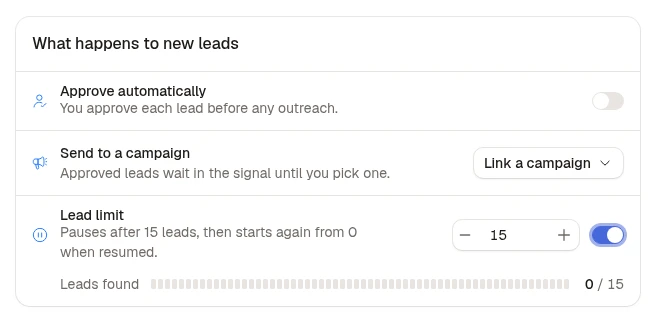
To size the allowance, compare it with what one account can send. At 20 invitations a day on 22 working days, one account sends about 440 invitations a month. To cap what a signal spends, set a lead limit: the signal pauses after that many leads, until you resume it.
Tools that only send have no lead credits, but the list still has to come from somewhere: a Sales Navigator search, a data provider or a CSV, each with its own price. Count that line when you compare a sending tool with one that finds the people too.
How should an agency or a multi-team setup budget its accounts?
Count the accounts per client or per team, give each client its own space, and price it as its number of accounts times the price per account. With a flat price per account, a client's line on your invoice does not change when you add other clients, which makes it easy to rebill.
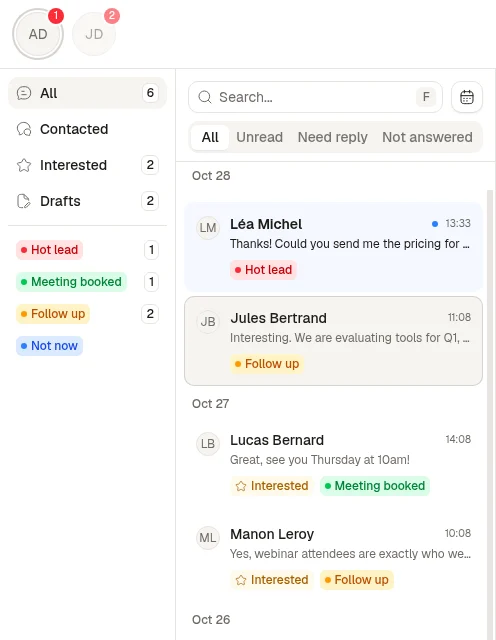
In Sendable, you split your accounts into teams, each with its own signals, campaigns and credit allowance, under one subscription for the workspace. Purchased credits are shared by every team. Each team answers its replies from one shared inbox, with one avatar per account and its unread count, so nobody answers from the wrong profile.
From about ten accounts, bundles change the order: HeyReach's Agency plan covers 25 senders for $999 a month, about $40 a sender, and Expandi charges $69 an account from 25. Sendable's price stays $69 per account at any size. Our guide to LinkedIn automation for agencies compares client workspaces, white label and per-account billing across eleven tools, and the one on the LinkedIn multi-account inbox covers who answers which reply.
When does done-for-you outreach make more sense than software?
When nobody on your team has the hours to build lists, write sequences and follow up every day. A managed service costs more in cash and less in time. Sendable's Done for you plan costs $1,500 a month for the first account and $250 for each extra one, before VAT: three accounts cost $1,500 plus $500 a month, against $207 for three accounts on Pro.
|
Sendable Pro |
Sendable Done for you |
| Price |
$69 per account a month |
$1,500 a month, $250 per extra account |
| Who finds the leads |
Your signals and AI qualification, set up by you |
Our team builds qualified lead lists |
| Who writes and sends |
You write the sequence; Sendable sends it within daily limits |
Our team, with 700 connection requests a month |
| Follow-up |
Your own numbers, in the app |
A call twice a month and a weekly results report |
| Who takes the meetings |
You |
You |
| Commitment |
None, cancel anytime |
Agreed on the strategy call; spots are limited each month |
Do not compare the two on price alone. The software leaves the lists, the messages and the replies to your team; the managed plan moves the first two to ours. See both plans on the pricing page.
What should you check before choosing a plan?
Four checks cover what the headline price hides: the accounts, the billing, the credits and the extra costs. Run them on your own numbers for the next 12 months, not on today's team.
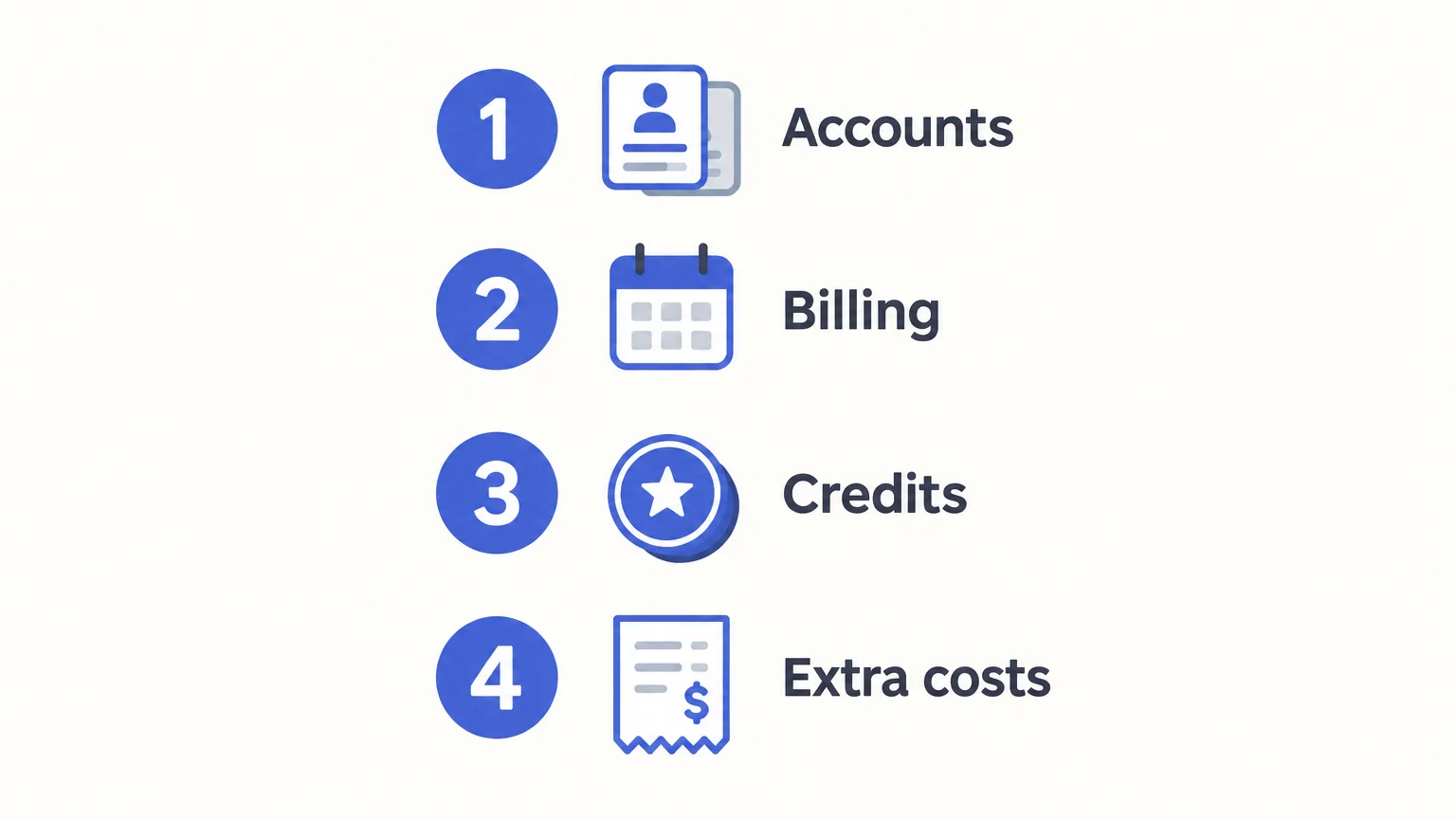
- Accounts. How many LinkedIn profiles will send, who needs to log in, and does each client or region need its own team? Read what one unit covers on the pricing page.
- Billing. Monthly or yearly, how an added account is charged, when a removed one stops being billed, and whether your price is kept when you grow.
- Credits. What uses them, how many qualified leads your signals may find each month, whether unused ones expire, and what extra ones cost.
- Extra costs. LinkedIn Premium or Sales Navigator, contact data, add-ons such as an inbox or client workspaces, and VAT. Keep each vendor's fee on its own line.
Test the workflow on one account before you pay for ten. Sendable's 7-day trial needs a card, charges nothing before it ends, and includes one LinkedIn account, 20 credits and 3 signals running at once, with campaigns and the inbox: enough to see how many credits your signals use and who answers the replies.
Then price the risk, which no plan removes. Section 8.2 of LinkedIn's User Agreement lists among the things members agree not to do: "Use bots or other unauthorized automated methods to access the Services, add or download contacts, send or redirect messages". LinkedIn can restrict an account that does, and no tool can promise it won't, Sendable included. Sendable keeps each account within daily limits you can see and change, spreads actions over the working hours you choose, and pauses an account's actions when LinkedIn answers that it hit a rate limit; that lowers the risk, it does not remove it.
Budget per account, then add what the price leaves out
LinkedIn prospecting pricing for several accounts is the price per account times your number of accounts, plus LinkedIn's own subscription, extra usage and VAT. Check what one unit covers at each vendor, price your real number of accounts on monthly and yearly billing, and keep LinkedIn's license and your data on their own lines. If you want each account to find its own leads from LinkedIn signals and send your sequence within daily limits, see Sendable's pricing: one price per account, teammates included.
Sources
- Pricing pages read on November 21, 2026, list prices on monthly billing, promotions excluded: HeyReach, Expandi, Dripify, La Growth Machine, Waalaxy, Linked Helper and lemlist.
- Waalaxy Help, team plan, July 8, 2026, and lemlist Help, multiple LinkedIn profiles, August 3, 2026: one seat or user connects one LinkedIn account.
- LinkedIn, Sales Navigator plan comparison and Sales Navigator for small business, updated September 27, 2026: Core, Advanced and Advanced Plus prices, team seat management.
- LinkedIn, Premium Business, updated April 20, 2026: monthly and yearly price.
- LinkedIn, User Agreement, sections 2.2 and 8.2: one account per member, no shared account, the rule on bots and automated messaging.
- Sendable, pricing page and product code, checked November 21, 2026: price per LinkedIn account, yearly billing, credits, packs, account changes mid-period.
FAQ
How do I estimate software costs for several LinkedIn accounts?
Multiply the price per LinkedIn account by the number of accounts you connect, then compare monthly billing with the yearly amount paid upfront. Add LinkedIn Premium or Sales Navigator for the accounts that need it, extra credits or contact data, and VAT.
How much does LinkedIn prospecting software cost per account?
On the plans compared in this guide, from $29.90 (Linked Helper Cloud Standard) to $109 (lemlist Multichannel) per LinkedIn account a month on monthly billing, as of November 21, 2026. Sendable costs $69 per account a month, or $690 a year, before VAT, with 500 credits a month per account.
Is LinkedIn Premium or Sales Navigator included in the software price?
No. Those are separate subscriptions paid to LinkedIn, per person. On monthly billing, Sales Navigator Core costs $119.99 a month per license and Premium Business $69.99. Sendable works with a free LinkedIn account; only its Profile viewers signal needs Premium.
Does Sendable offer a volume discount for more accounts?
No. Every account costs $69 a month, whatever the number, with no tiers. The yearly plan bills 10 months for 12 on each account, and a subscription keeps the price it started on when you add accounts later.
Do Sendable credits pay for messages?
No. Credits pay for leads: 1 credit for each person a signal finds who matches your ideal customer. Campaign steps, invitations, messages, CSV imports and inbox replies use none. Unused monthly credits expire; purchased ones never do.
What should an agency include in its account budget?
The LinkedIn accounts needed for each client, who will answer the replies, whether each client needs its own team, and the LinkedIn licenses and data each account uses. If you would rather have the outreach run for you, compare that budget with a managed service's fee and what it leaves to your team.