Outbound sales software is the set of tools a B2B team uses to reach people who have not asked to hear from it: it finds prospects, helps decide who to contact and when, sends the emails, LinkedIn steps or calls of a sequence, and routes the replies to the right person. Choose it by the step where your process loses the most time (finding prospects, judging fit and timing, starting conversations or following up on replies), then test two tools on one real segment for 30 days and keep the one that removes the most work.
Don't choose by the length of the feature list: in Salesforce's State of Sales, 7th edition, a survey of 4,050 sales professionals in 22 countries run in August and September 2025, 42% of sales reps said they were overwhelmed by too many tools, and teams that mix standalone tools use eight of them on average.
The same survey shows why teams buy this software anyway: 47% of reps called cold outreach one of the worst parts of a sales job, and 47% said their team lacks the bandwidth to do it. Software can take over the repetitive part of that work. It can also add a tab nobody opens.
I'm Thomas Bonfils, cofounder of Sendable, a LinkedIn prospecting tool that finds people from their activity there and sends your sequences for you. Sendable comes first in the comparison below because I build it, so weigh that section accordingly. What this guide says about Sendable was checked in its code on November 26, 2026, and every other vendor's plans and prices on its own pages the same day.
My verdict: buy for your bottleneck and for the channel where your buyers answer. If they answer email, start with a sequencer that has its own contact data or a cold email tool; if they spend their day on LinkedIn and timing matters more than volume, start with signals and LinkedIn sequences. Add a dialer only if your team really calls.
What is outbound sales software?
Outbound sales software is any tool that helps a sales team start conversations with people who did not come to it first. The category covers five jobs, and no product does all five equally well, so the first step is to know which job you are buying for:
| Job |
What the software does |
What stays with your team |
Tools built for it |
| Find prospects |
Searches a contact database, LinkedIn or a list you import |
Writing down who your ideal customer is |
Contact databases, LinkedIn search, signal tools |
| Judge fit and timing |
Filters by role, company and size; flags a dated reason to write now |
Deciding what counts as a fit and as a good reason |
Signal tools, AI qualification, enrichment |
| Reach out |
Runs a sequence of emails, LinkedIn steps or calls, with waits and conditions |
Writing the messages and setting daily limits |
Sales engagement platforms, cold email tools, LinkedIn tools, dialers |
| Handle replies |
Stops the sequence when someone answers and puts the reply in one inbox |
Answering, qualifying, booking the meeting |
Shared inboxes, CRMs |
| Measure |
Logs activity in the CRM and reports replies and meetings |
Deciding what to change |
CRMs, reporting in each tool |
Outbound sales software is not a CRM. A CRM is the system of record for your accounts, contacts and deals; outbound software creates the first conversations and should write what happened back into it. Some products blur the line: HubSpot Sales Hub and Close are CRMs with sequences built in, and Apollo.io sells a database with sequences and deal management. Whatever you buy, decide which tool holds the final record of each prospect before the first import.
Where does your outbound process lose time?
Your outbound process loses time at one step more than the others, and that step decides what to buy. Write down a normal week for one rep, from building the list to answering the last reply, and mark where people re-type data, wait for information or make the same decision by hand. A team without a reliable source of good prospects has a different problem from a team with good data and forgotten follow-ups.
| What you see |
Where the time goes |
Buy first |
Not yet |
| Reps spend Monday morning building lists by hand |
Finding prospects |
A contact database or a signal tool |
A second sequencer |
| Long lists, few replies |
Fit and timing |
Signals and qualification against your ideal customer |
More data credits |
| Good prospects, but follow-ups slip |
Reaching out |
A sequencer on the channel your buyers answer |
A bigger database |
| Replies scattered across inboxes and accounts |
Handling replies |
One shared inbox, synced to your CRM |
More sending volume |
| Nobody can say which message or segment works |
Measuring |
Activity logged in the CRM, a reply and meeting report |
AI-written messages |
Keep the first project narrow: one bottleneck, one segment of 100 to 300 prospects, and a written definition of better ("half the time spent on list building", "every reply answered within a business day"). That gives you a pass mark to test tools against, instead of a feature list to admire.
Which outbound sales software should you compare?
Compare the tools on the jobs their entry plan really covers: which channels a sequence sends on its own, whether contact data is included, how it reaches your CRM, and what the plan that runs sequences costs. The table below was read on each vendor's own pricing and help pages on November 26, 2026, in US dollars as shown to a US visitor, at list price before any Black Friday code. Sendable comes first because I build it; the others go from the lowest to the highest monthly price, then the two sold on quote.
| Tool and plan |
Channels a sequence runs |
Contact data |
CRM |
Monthly billing |
Billed yearly |
| Sendable Pro |
LinkedIn steps sent by Sendable |
No database: 14 signals or your CSV |
Syncs with HubSpot and Attio, Pipedrive in beta |
$69 per LinkedIn account |
$690 a year per account |
| Instantly Growth |
Email only |
450M+ leads, sold separately |
Its own CRM from the Hypergrowth plan |
$47 for the plan, 5,000 emails a month |
$37.60 a month |
| Reply.io Email Volume |
Email; LinkedIn steps for $69 per account, calls and SMS for $29 |
1B+ contacts, 50 credits a month included |
Integrations with Salesforce, HubSpot and Pipedrive |
$59 a user |
$49 a user a month |
| Apollo.io Basic |
Email; calls and LinkedIn as tasks for the rep |
240M+ contacts, 30M+ accounts |
Syncs with Salesforce, HubSpot and Pipedrive |
$65 a seat, 250 emails a day |
$49 a seat a month |
| lemlist Email |
Email only; LinkedIn steps, calls and SMS on Multichannel, $109 a user |
650M+ leads |
Integrations with HubSpot, Salesforce and Pipedrive |
$69 for the plan, unlimited users |
$55 a month |
| HubSpot Sales Hub Professional |
Email; calls and LinkedIn as tasks, LinkedIn with Sales Navigator |
Enrichment of your records, no prospect database |
It is the CRM |
$100 a seat on a one-year commitment, plus $1,500 onboarding |
$90 a seat a month |
| Close Growth |
Email, automatic SMS, calls with its Power Dialer; no LinkedIn step |
None: you bring your leads |
It is the CRM |
$109 a user, calls and SMS billed by use |
$99 a user a month |
| Outreach Amplify Core |
Email; calls with its dialer; LinkedIn and SMS as tasks for the rep |
No database, enrichment only |
Connects to Salesforce or Microsoft Dynamics |
On quote, per user |
On quote |
| Salesloft |
Email; calls with its dialer; LinkedIn steps through Sales Navigator |
None described |
Syncs with Salesforce, Dynamics 365 and HubSpot |
On quote |
On quote |
Four things the table shows:
- "LinkedIn" means two different things. At Apollo.io, HubSpot and Outreach, a LinkedIn step is a task: the tool reminds the rep, who sends the invitation or the message by hand. Outreach's help tells the rep to "paste the text into the compose window and click on the 'send invite' button". Sendable, Reply.io (with its add-on) and lemlist (on Multichannel) send these steps themselves. Salesloft lists steps through Sales Navigator without saying that they send on their own.
- Email tools and CRMs sit on the same lists. Instantly and lemlist's entry plan send email only; HubSpot and Close are CRMs with sequences; Apollo.io sells a database first. They answer different bottlenecks, so compare them on yours.
- The cheapest plan is not always the one that runs sequences. HubSpot's Free and Starter plans have no sequences; Close's Solo and Essentials plans have no workflows; Apollo.io's free plan allows 2 sequences per team.
- Trials differ. Instantly and Close offer 14 days without a card, Apollo.io, Reply.io, lemlist and HubSpot 14 days, Sendable 7 days with a card and nothing charged before the end. Outreach and Salesloft publish no trial.
lemlist and HubSpot also bill in local currency, so a European buyer may see euros or pounds. Our guide to LinkedIn prospecting software compares the LinkedIn-first tools on the same jobs.
How should the software find and qualify prospects?
Good outbound software shows you where each prospect comes from, how fresh the details are, and why each person was kept or dropped. A list of names is only a starting point: what matters is how many of those names are people you would actually contact this week.
Prospects come from three kinds of source, and each one ages differently:
| Source |
What it gives you |
What to check |
| Contact database |
Names, titles, work emails and phones you filter |
When each field was last verified, coverage in your countries |
| LinkedIn search |
Profiles that members keep up themselves |
Research time per person, and how you reach them |
| Signals |
A dated action: a new job, a hiring post, a reaction to a post, a profile visit |
Whether the volume is enough in your market |
A signal is a reason to look, not proof of buying intent. Someone who changed jobs last month or whose company is hiring three SDRs has a reason to talk now, but only if they also fit your ideal customer. Check whether you can describe that customer in the tool (role, seniority, sector, company size, location, words to exclude), whether the tool shows the reason for each verdict, and what happens to the people it rejects. Our guide to sales prospecting tools compares the six kinds of prospecting software on that job alone.
In Sendable, each signal carries its own ideal customer and its own exclusions. Its 14 LinkedIn signals include job postings, job changes, reactions and comments on posts you pick, a keyword tracker, event attendees and profile viewers, and you can import your own CSV of profiles. AI lead qualification reads each profile the signal finds, keeps the people who match and writes one sentence on why; you approve matches automatically or review them first.
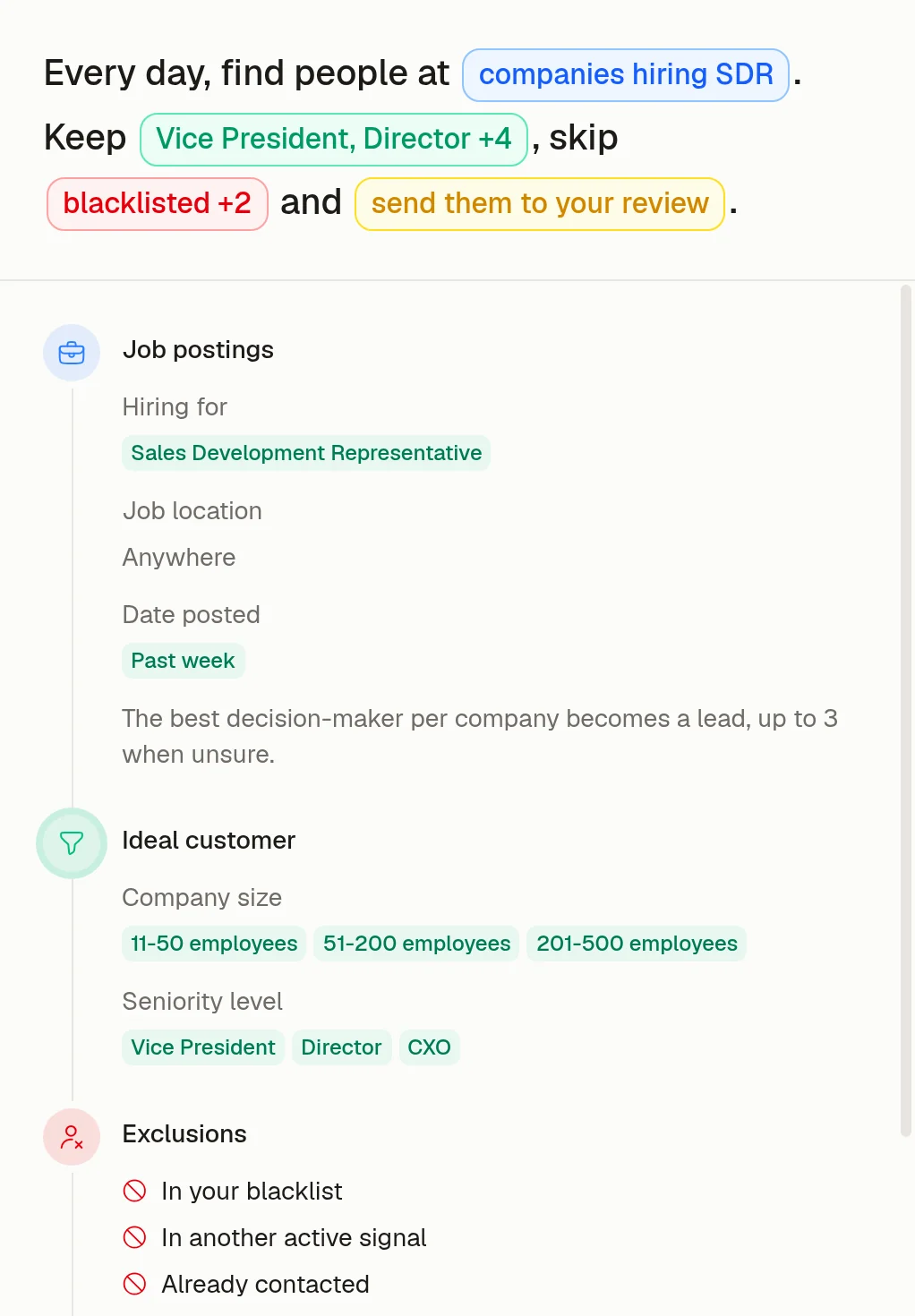
Each lead the AI confirms uses 1 credit; profiles it rejects cost nothing. That changes how you compare prices: a tool that bills per contact revealed charges for everyone you export, while a tool that bills per qualified lead charges only for the people who pass your filter.
Which channels should it run, and how much should it automate?
Pick the channel your buyers answer, then automate only the steps where a fixed rule does the job as well as a person. Email, LinkedIn and phone each need a different setup and carry different rules, so a tool that claims all three often does one well and the others as reminders.
| Channel |
What the software needs |
The rule that limits it |
Typical tools |
| Email |
Verified emails, sending domains, warm-up, deliverability tools |
Gmail asks senders of more than 5,000 messages a day to keep spam reports below 0.3% and offer one-click unsubscribe |
Sales engagement platforms, cold email tools |
| LinkedIn |
A connected account, daily limits, a schedule |
LinkedIn's User Agreement forbids bots that send messages or add contacts |
LinkedIn automation and signal tools |
| Phone |
Direct dials or mobiles, a dialer, call logging |
Phone numbers often cost several times an email in data credits |
Dialers, CRMs and engagement platforms with calling |
Email scales furthest and breaks quietly. Google's email sender guidelines ask anyone sending more than 5,000 messages a day to Gmail accounts to authenticate with SPF, DKIM and DMARC, to support one-click unsubscribe on marketing messages, and to keep the spam rate reported in Postmaster Tools below 0.10%, never reaching 0.30%. Check whether the software spreads sends across mailboxes, warms them up and stops a sequence when a domain's reputation drops.
LinkedIn reaches people where they already read, at a much lower volume. LinkedIn's User Agreement, effective November 3, 2025, lists among the things members agree not to do: "Use bots or other unauthorized automated methods to access the Services, add or download contacts, send or redirect messages, create, comment on, like, share, or re-share posts, or otherwise drive inauthentic engagement". No provider can promise that automation won't get an account restricted, Sendable included. What you can check is how the tool limits the risk: daily limits per account, a schedule, a warm-up for new accounts, and what it does when LinkedIn pushes back. Whether LinkedIn automation is safe has its own guide.
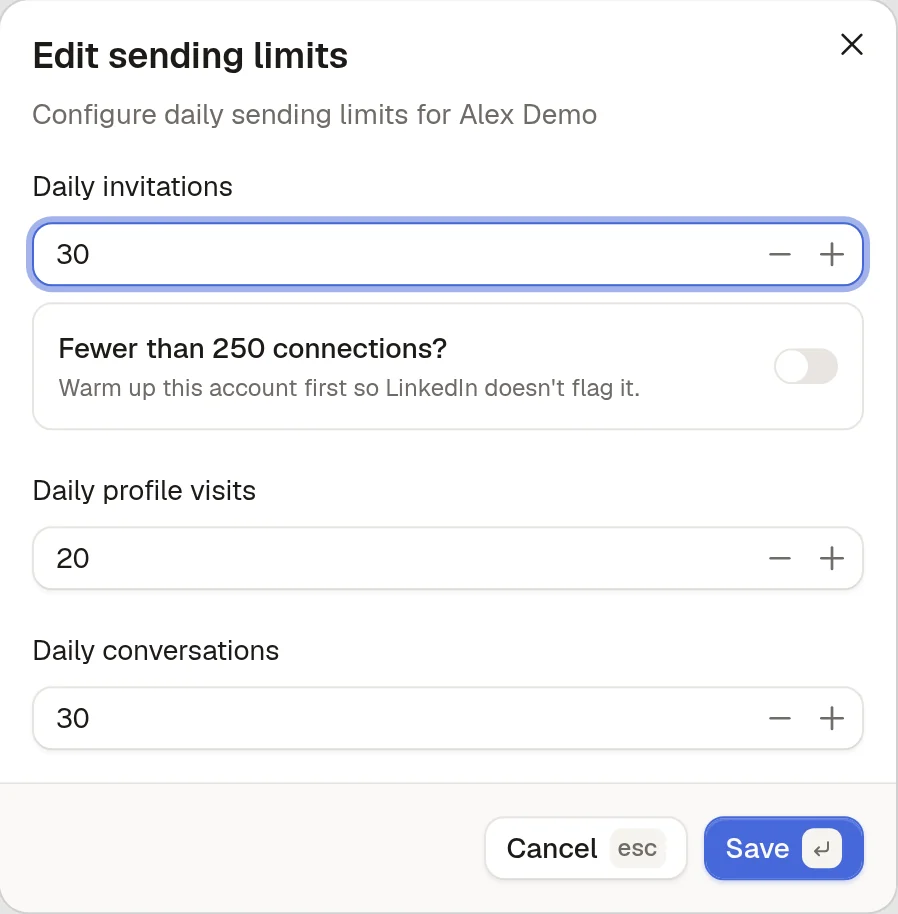
In Sendable, each LinkedIn account has three daily limits: invitations, profile visits (30 at most) and conversations. A newly connected account starts at 30 invitations a day with Premium or Sales Navigator and 20 without, and an account with fewer than 250 connections warms up: it starts at 2 invitations a day and reaches its limit over 60 days by default.
Automation has levels, and each one needs its own decision:
| Level |
Example |
Keep a person on it when |
| Research |
Pull the company size, the role, the recent post |
Never needed: let the software do it |
| Drafting |
Fill variables, suggest a first line |
The message touches a sensitive subject |
| Timing |
Wait 3 days, send only on weekdays, stop on reply |
Never needed, once the rules are written |
| Sending |
Send the step without review |
The segment is new or the account is new |
| Answering |
Reply to an objection, propose a meeting |
Almost always: this is where deals start |
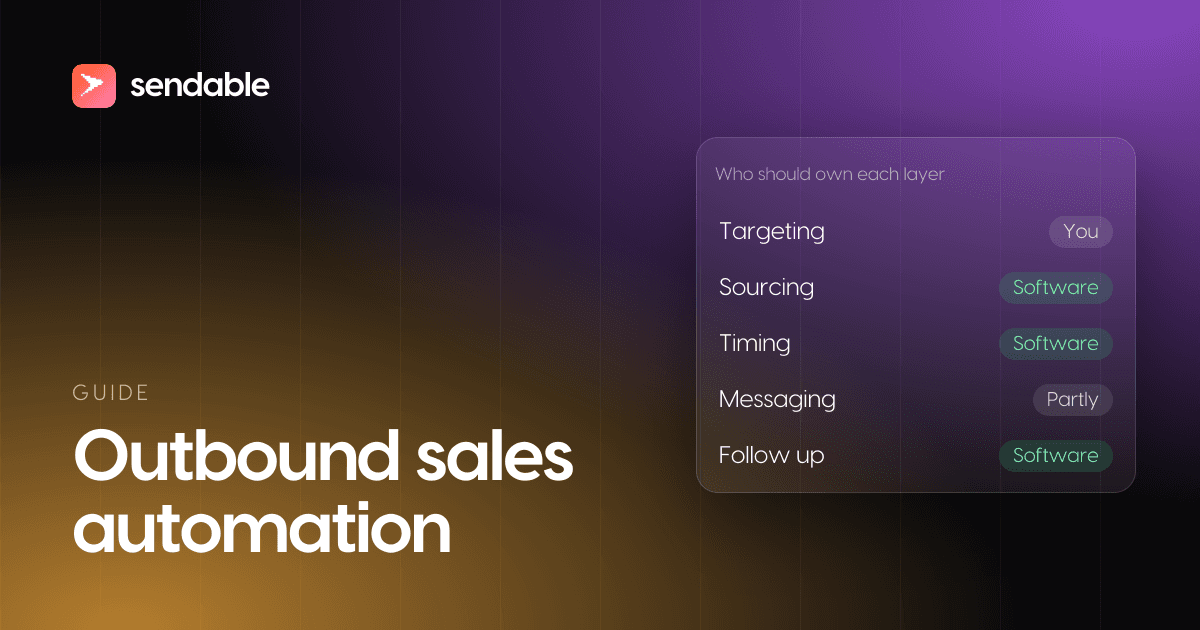
A good rule: automate research, timing and stop conditions from day one, review drafts and sends on every new segment, and keep the answers with a person. Our pillar on outbound sales automation goes through each layer and what it costs.
How should the software fit your CRM and your team?
The software should put every reply in front of the person who owns it, with enough context for a teammate to take over, and write what happened into your CRM. A reply that lands in one rep's personal inbox, or in the account of someone on holiday, is a lost conversation however well the sequence ran.
Test these before you sign, on your own CRM:
| Check |
A pass |
A fail |
| Sync direction |
You choose which fields the tool may create or update |
The tool overwrites what your reps corrected |
| Duplicates |
People are matched on email or LinkedIn URL before they enter a sequence |
The same person gets two sequences from two reps |
| Replies |
Every answer lands in one inbox and stops the sequence |
Replies sit in each rep's mailbox or LinkedIn account |
| Hand-offs |
A teammate sees the whole thread and the next action |
Only the sender can see what was said |
| Access |
Seats and permissions match who sends and who reads |
Everyone needs a paid seat to read a reply |
Team size changes what matters. A founder selling alone needs a tool simple enough to run in an hour a day. A team of three to ten needs one inbox, shared exclusions so two people never write to the same prospect, and CRM sync. An SDR team needs roles, reporting per rep and controls over who can launch what.
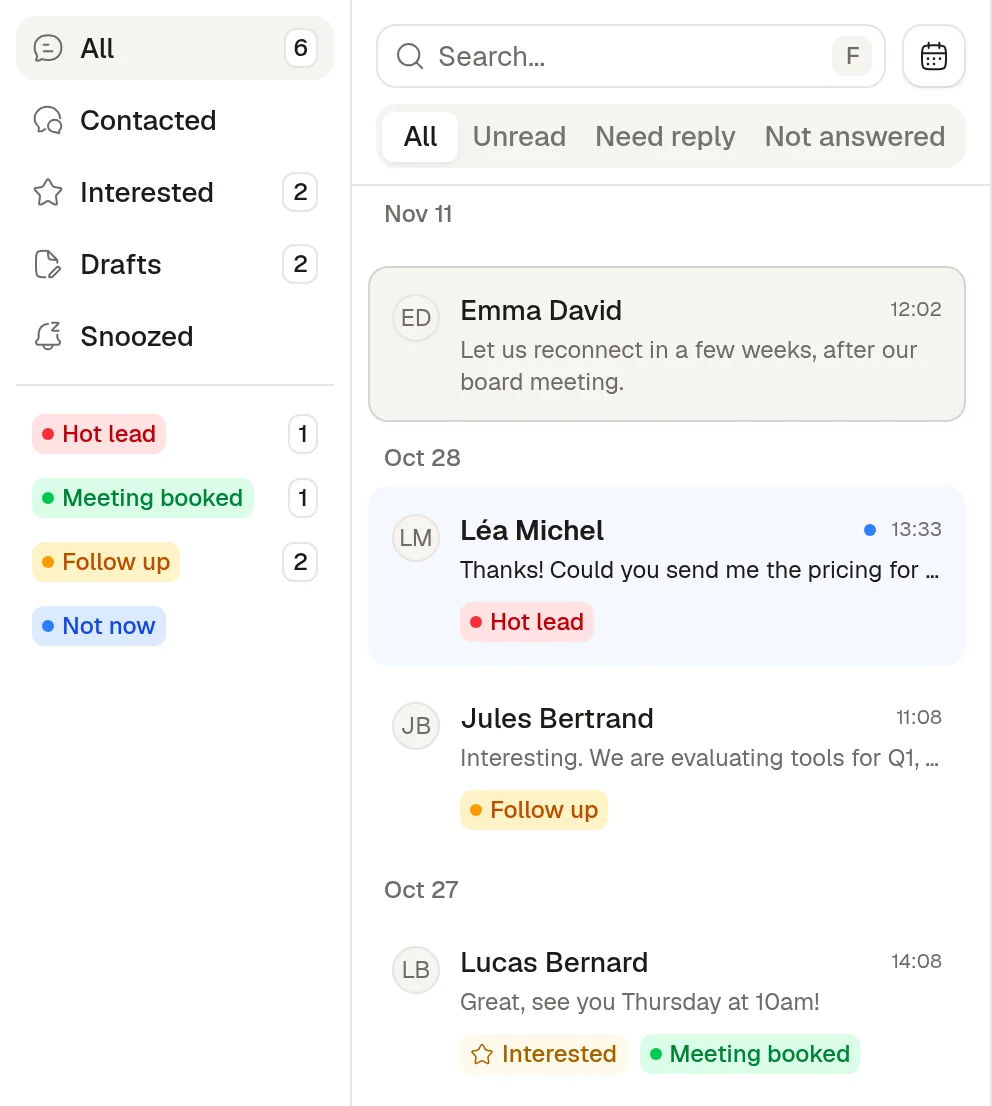
In Sendable, a reply stops that person's sequence, replies from all your accounts land in one shared inbox, and Sendable marks the interested ones; you add your own labels and filter by them. Leads sync to HubSpot and Attio, and to Pipedrive in beta.
What does outbound sales software really cost?
It costs the plan that runs your sequences, times the people or accounts that use it, plus what that plan leaves out: contact data, sending infrastructure, LinkedIn licenses, usage fees and onboarding. Price the plan you would really buy for your team, on the billing period you would really pick, not the entry price on the pricing page.
Here is what three reps who prospect on email and LinkedIn would pay per month at list price on monthly billing, from the pages read on November 26, 2026. Sendable comes first because I build it; the others go from the lowest bill to the highest.
| Tool and plan |
Monthly bill for 3 reps |
Email and LinkedIn |
Still extra |
| Sendable Pro, 3 LinkedIn accounts |
$207 before VAT, 500 credits per account |
LinkedIn sent by Sendable; no email sending |
An email tool if you also email; emails and phones on your own FullEnrich plan |
| Apollo.io Basic, 3 seats |
$195 |
Email sent by Apollo.io; LinkedIn by hand |
Dialer credits, more data credits |
| HubSpot Sales Hub Professional, 3 seats |
$300 on a one-year commitment, plus $1,500 once |
Email sent by HubSpot; LinkedIn by hand |
A Sales Navigator license per rep for LinkedIn tasks |
| lemlist Multichannel, 3 users |
$327 |
Both sent by lemlist |
SMS and WhatsApp add-ons |
| Reply.io Email Volume with LinkedIn, 3 users |
$384: $177 of seats and $207 of LinkedIn add-ons |
Both sent by Reply.io |
Calls and SMS at $29 per account |
The seat price is rarely the whole bill. Ask each vendor these before you compare totals:
| Ask |
Why it matters |
| What does one credit buy? |
An email, a phone number, an export or a qualified lead, depending on the tool |
| Is the channel you need in the plan or an add-on? |
LinkedIn costs $69 per account on top of Reply.io's Email Volume plan |
| Is there a commitment or a setup fee? |
HubSpot's monthly price commits you for a year and adds $1,500 of onboarding |
| What is billed by use? |
Close bills calls and SMS by use; Apollo.io's dialer uses credits |
| What does sending need besides the tool? |
Mailboxes and domains for email, a warmed-up account for LinkedIn |
Then add your team's time: setting up, reviewing lists and drafts, answering replies and keeping the CRM clean. A cheaper tool that adds two hours of list cleaning a week to each rep costs more than its invoice.
How do you test outbound sales software before you buy?
Run a 30-day test on one real segment with two tools at most, and set the pass marks before the first message goes out. A demo shows what the software can do; a test shows what it does for your buyers, with your data and your team's time.
- Pick one segment of 100 to 300 prospects you have never contacted, and split it in two if you compare two tools.
- Write the sequence once and run the same messages in both tools, so the tool is the only thing that changes.
- Log the time your team spends on lists, reviews, replies and CRM updates, each week.
- Score the results against the marks you wrote down on day one:
| Measure |
How to count it |
Example pass mark (set your own) |
| Usable prospects |
Prospects you would contact ÷ prospects the tool brought |
7 in 10 |
| Time to a ready list |
Hours from segment to first send |
Half your current time |
| Replies |
People who answered ÷ people contacted, on the same denominator |
Above your current rate |
| Replies handled in time |
Replies answered within one business day ÷ all replies |
9 in 10 |
| Records in the CRM |
Contacted people with the right activity in the CRM ÷ contacted |
10 in 10 |
| Incidents |
Bounces, restrictions, duplicate sends, complaints |
None you can't explain |
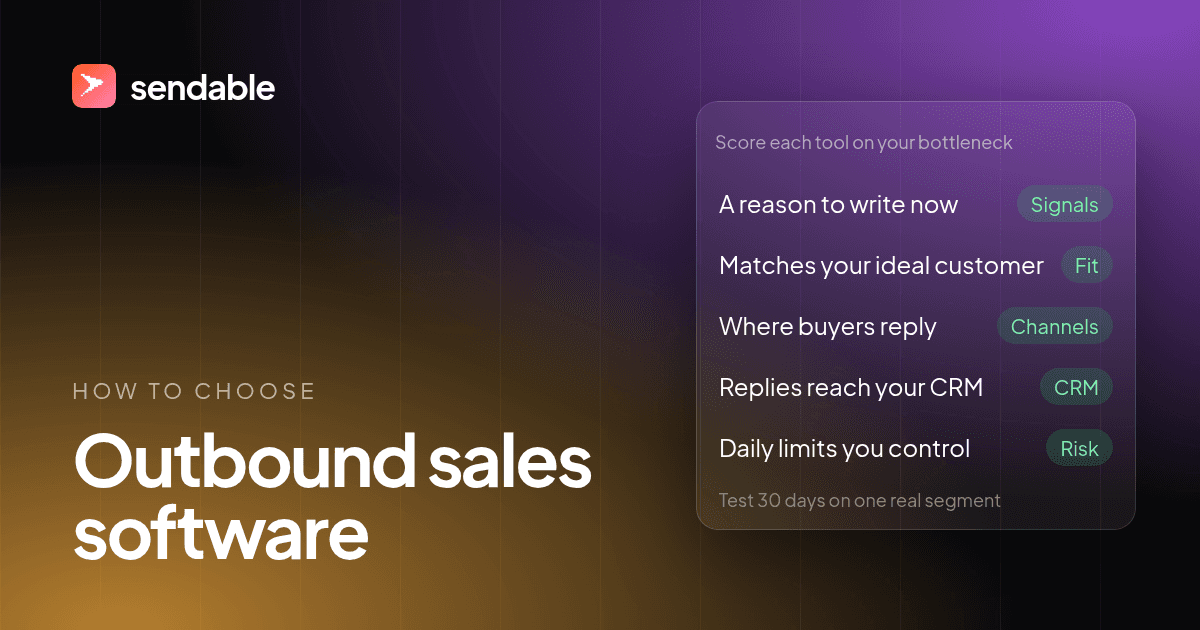
Then check the six things that decide whether the tool will still work in month six:
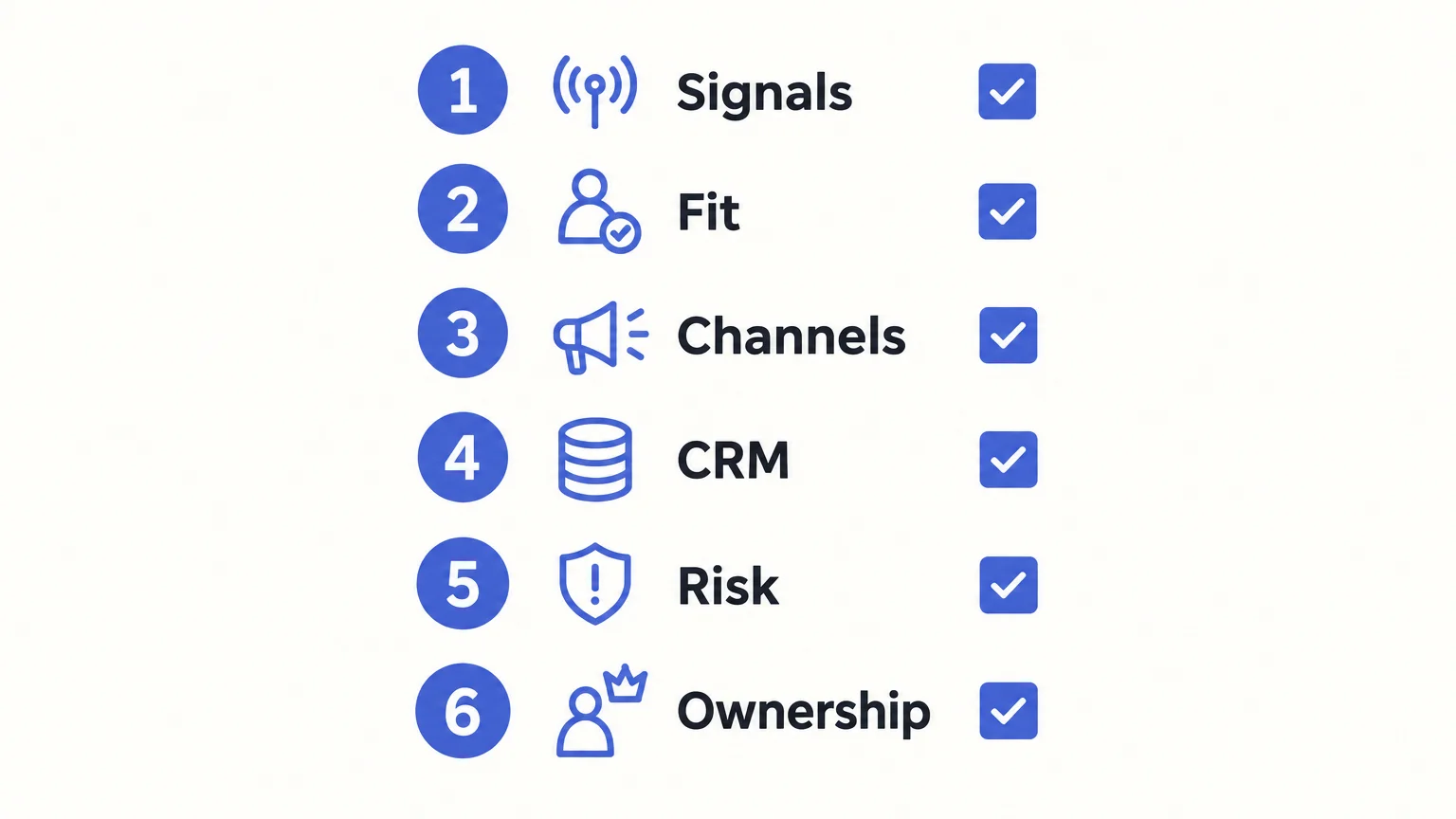
- Signals. Does the tool find a reason to write now, and show it to you with its date?
- Fit. Can you describe your ideal customer in it, and see why each person was kept or dropped?
- Channels. Does it run the channel your buyers answer, as real steps rather than reminders?
- CRM. Do people, activity and replies reach the right record without duplicates?
- Risk. Can you see and set the daily limits that protect your accounts and sending domains?
- Ownership. Will your team run it every day, or do you need a service that runs it for you?
Where does Sendable fit in an outbound stack?
Sendable covers four of the five jobs on one channel, LinkedIn: it finds people from 14 LinkedIn signals, checks each one against your ideal customer, runs your sequences there and puts every reply in one inbox. It does not send email or make calls, and it does not sell contact data. If your buyers answer email first, pair it with an email tool or pick one of the platforms above.
- Find and qualify. Each signal has its own ideal customer and exclusions (your blacklist, people in another active signal, people already contacted). AI reads each profile and keeps only the people who match.
- Reach out. The sequence you build: profile visit, invitation, messages with variables and up to 10 A/B variants, voice notes, likes, a condition on acceptance, and withdrawal of invitations nobody accepted. It sends within the days, hours and daily limits you set for each account.
- Replies. A reply stops that person's sequence and lands in one inbox for all your accounts, where Sendable marks the interested ones.
- Contact data and CRM. A step can look up a work email or a mobile with your own FullEnrich account, on your FullEnrich credits. Leads sync to HubSpot and Attio, and to Pipedrive in beta.
Pro costs $69 per LinkedIn account a month, or $690 a year, before VAT, a launch price ($99 normally). Each account brings 500 credits a month, one per lead the AI confirms; profiles it rejects cost nothing, and a team runs up to 5 signals at once. The 7-day trial needs a card, charges nothing before it ends, and includes 20 credits and 3 signals.
If you would rather not run outreach yourself, the Done for you plan has our team build your lead lists and run your LinkedIn outreach while you take the meetings, for $1,500 a month for the first LinkedIn account. It is sold on a strategy call, and four clients share their results.
Choose software that fits the way you sell
The right outbound sales software removes the step where your team loses the most time, on the channel where your buyers answer, without adding a tool nobody opens. Name your bottleneck, compare two tools on the jobs they really cover and the price of the plan you would really buy, then test them for 30 days on one real segment. If your buyers are on LinkedIn and timing matters, try Sendable's signals on that segment and compare the plans.
Sources
- Salesforce, State of Sales, 7th edition, an anonymous survey of 4,050 sales professionals in 22 countries, August to September 2025: reps overwhelmed by too many tools, tools per team, the share of teams on one platform and planning to consolidate, attitudes to cold outreach.
- Google, Email sender guidelines, Gmail Help, read on November 26, 2026: the 5,000-messages-a-day threshold, spam rate limits, authentication and one-click unsubscribe.
- LinkedIn, User Agreement, effective November 3, 2025, section 8.2.
- Pricing and help pages of Instantly, Reply.io, Apollo.io and its sequences overview, lemlist, HubSpot Sales Hub, Close, Outreach and Salesloft, read on November 26, 2026.
- Sendable product code, checked on November 26, 2026: signals, credits, campaign steps, sending limits and warm-up, inbox, CRM sync and FullEnrich.
FAQ
What does outbound sales software do?
It helps a sales team start conversations with people who did not come to it first: it finds prospects, filters them by fit and timing, sends a sequence of emails, LinkedIn steps or calls, and routes the replies. Products differ in which of these jobs they cover, so check what your team would still do by hand.
How is outbound sales software different from a CRM?
A CRM is the record of your accounts, contacts and deals; outbound sales software creates the first conversations and writes what happened back into the CRM. Some CRMs, such as HubSpot Sales Hub Professional and Close Growth, include sequences, and some outbound tools include a light CRM.
As few as your bottleneck requires: often a source of prospects, one sequencer on the channel your buyers answer, and your CRM. In Salesforce's 2025 survey, teams mixing standalone tools used eight on average, 42% of reps felt overwhelmed by too many tools, and 84% of teams without an all-in-one platform planned to consolidate.
Can outbound sales software work without an SDR team?
Yes, for the repetitive part: finding prospects, timing, sending and stopping sequences on reply. Someone still has to define the ideal customer, write the messages and answer the replies, so a founder or an account executive can run it alongside selling, or hand it to a managed service.
What should you check before automating LinkedIn outreach?
Read LinkedIn's User Agreement, which forbids bots that send messages or add contacts, then check the tool's daily limits per account, its schedule, its warm-up for new accounts and what it does when LinkedIn restricts an account. No provider can promise that automation won't get an account restricted.
Can Sendable run outreach for a team that wants to delegate it?
Yes. On the Done for you plan, Sendable's team builds your lead lists and runs your LinkedIn outreach while you take the meetings, for $1,500 a month for the first account. It is sold on a strategy call.