A LinkedIn MCP server lets Claude, ChatGPT or another AI assistant work on LinkedIn for you through the Model Context Protocol, which its maintainers call "a USB-C port for AI applications". The best one depends on the job. To post on your profile or Company Page, use one that goes through LinkedIn's official API: Zapier, Composio or Postiv. To read profiles, search people and send messages from a chat, stickerdaniel's open-source server is free and runs on your computer, and Linked API, gtm-api and LinkMCP do it hosted. To find leads and run a whole outreach campaign from Claude, use a prospecting platform with its own server: Sendable, lemlist, La Growth Machine or HeyReach.
Full disclosure: I build Sendable, one of the fifteen. It comes tenth, where the order announced before the list puts it. Every tool, price and connection method below comes from each vendor's own page or repository, opened on November 3, 2026; Sendable's tools come from its own code.
My verdict: ask how a server reaches LinkedIn before you ask what it can do. LinkedIn's open API lets an app post, comment and like for you and read your name and photo, nothing more. Every server that searches people, reads your inbox or sends invitations does it from your own LinkedIn session, and LinkedIn's User Agreement forbids that kind of automation, whoever sells it, Sendable included.
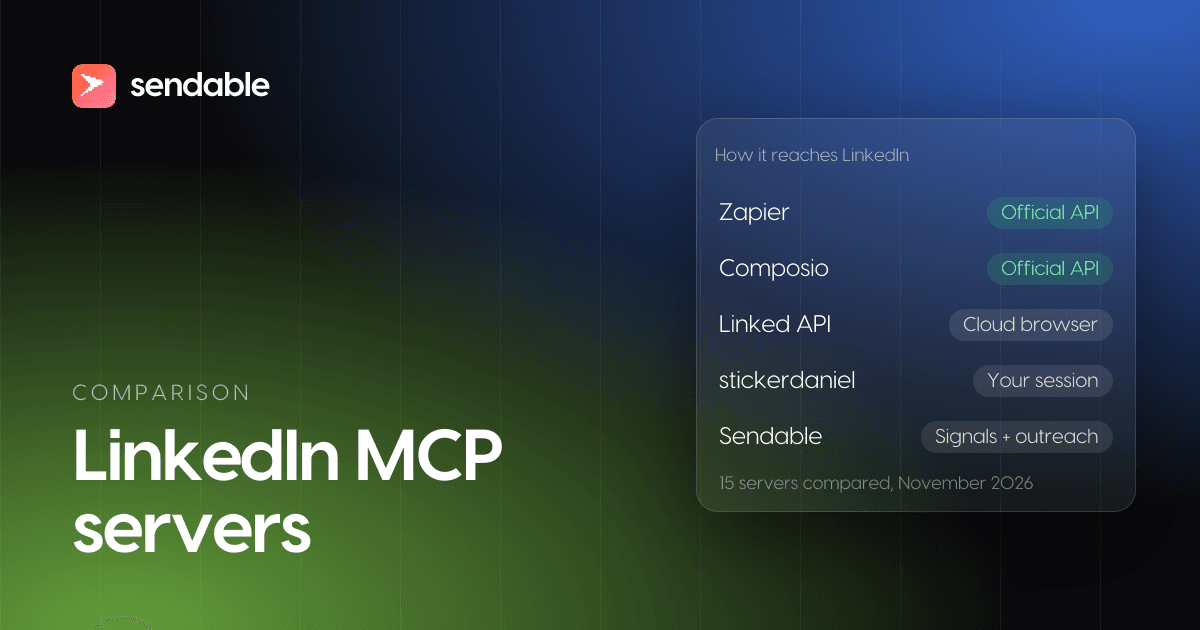
LinkedIn MCP server comparison at a glance
Prices checked on November 3, 2026, for one LinkedIn account on monthly billing, in the currency each vendor shows. At the European Central Bank rate of November 3, 2026 (1 EUR = 1.1179 USD), Sendable's €59 is about $66.
| # | Server | Best for | How it reaches LinkedIn | Within LinkedIn's rules | Entry price |
|---|---|---|---|---|---|
| 1 | Zapier MCP | Posting to your profile or Company Page | Official API, OAuth | Yes | Free, 100 tasks a month |
| 2 | Composio | Posts, comments and Page stats in a coding agent | Official API, OAuth | Yes | Free, 100,000 calls a month |
| 3 | Postiv | Writing, scheduling and measuring your posts | Official API, per Postiv | Yes, per Postiv | $49.50, billed yearly |
| 4 | Apify | Profile data in bulk, without your account | No LinkedIn account | Your account is not used | $19 plus $10 per 1,000 profiles |
| 5 | gtm-api | Many accounts, a confirm step before sends | An antidetect browser signed in as you | No | Free for 1 account, then $39 |
| 6 | LinkMCP | Strict daily caps set for you | Your LinkedIn email and password | No | $39 |
| 7 | Linked API | The longest tool list, Sales Navigator included | A cloud browser signed in as you | No | $69 |
| 8 | stickerdaniel | Reading and messaging from your own computer | Your browser session | No | Free, open source |
| 9 | Taplio | Content, comments and engagement | Its Chrome extension on your session | No | $39 |
| 10 | Sendable | Finding warm leads and running the outreach from a chat | Your password or its Chrome extension | No | €59 (about $66) |
| 11 | lemlist | Email and LinkedIn sequences built from a chat | Your browser session and its extension | No | $109 |
| 12 | La Growth Machine | Approval before every write, open-source server | Your credentials, in its cloud | No | €120 (about $134) |
| 13 | HeyReach | Agencies with many senders | Your cookies or your password | No | $79 |
| 14 | Expandi | Drafts only, a person sends | Your password, in its cloud | No | $99 |
| 15 | Waalaxy | Adding prospects to campaigns you already run | Your password and 2FA key, in its cloud | No | €99 (about $111) |
The numbers follow how each server reaches LinkedIn, not a quality score: the order is explained in how I picked these servers.
What is a LinkedIn MCP server?
A LinkedIn MCP server is a program that gives an AI assistant a set of LinkedIn tools it can call by itself, such as "search people", "send message" or "create post". You ask in plain words ("find the heads of sales who commented on this post and draft an invitation for each"), the assistant picks the tools, and the server turns each call into an action on LinkedIn.
The Model Context Protocol is the open standard behind it: one server works in Claude, ChatGPT, Cursor and any other client that speaks MCP, instead of one plugin per assistant. It spread fast. When Anthropic handed MCP to the Linux Foundation's new Agentic AI Foundation on December 9, 2025, it counted more than 10,000 active public MCP servers and 97M+ monthly SDK downloads.
What a LinkedIn server can actually do depends on one thing: how it reaches LinkedIn. There are four ways, and they set both the tools you get and the risk to your account.
| Access | What it can do | Servers |
|---|---|---|
| LinkedIn's official API, through OAuth | Post, comment and like as you; post as a Page you manage; read your own name and photo | Zapier, Composio, Postiv, LinkedIn Hiring Pro |
| No LinkedIn account: the vendor collects public pages | Read profiles in bulk | Apify, Bright Data |
| Your LinkedIn session, in a browser on your computer or in the cloud, used when you ask | Almost anything you can do by hand: search, read your inbox, send messages and invitations, post | gtm-api, LinkMCP, Linked API, stickerdaniel, Taplio |
| A prospecting platform, whose campaigns keep acting from the accounts you connected | Find leads, launch campaigns, work the inbox | Sendable, lemlist, La Growth Machine, HeyReach, Expandi, Waalaxy |
Does LinkedIn have an official MCP server?
Yes, one, and it only posts jobs. On October 21, 2026, LinkedIn announced that hirers can use Hiring Pro, its hiring product for small businesses, from Claude: "It's live in Claude today and coming soon to Copilot." The connector, LinkedIn Hiring Pro, is listed in Claude's connector directory as made by LinkedIn. It drafts and posts one free job, and "Nothing is posted until you select Agree and post." It "does not create paid or promoted jobs, edit or close existing jobs, or manage applicants", and it has nothing for profiles, search, messages or posts.
For anything other than a job post, every LinkedIn MCP server is third party. Several vendor pages, Taplio's and Postiv's among them, still say LinkedIn publishes no server of its own; that was true until October 21, 2026.
Which LinkedIn MCP servers break LinkedIn's rules?
Every server that searches people, reads your inbox, sends messages or sends invitations from your account goes against LinkedIn's User Agreement, because LinkedIn gives no third party an open API for those actions. Servers that only post through LinkedIn's API stay inside the rules.
The line comes from LinkedIn's own documents. Its developer documentation, Getting Access to LinkedIn APIs (updated June 3, 2026), lists three open permissions any app can request: your name, headline and photo, your email address, and "Post, comment and like posts on behalf of an authenticated member". Everything else, Sales Navigator data included, needs LinkedIn's approval as a partner. No open permission sends a message or searches people.
The User Agreement (effective November 3, 2025), section 8.2, then lists what members agree not to do, among them:
- "Develop, support or use software, devices, scripts, robots or any other means or processes (such as crawlers, browser plugins and add-ons or any other technology) to scrape or copy the Services, including profiles and other data from the Services;"
- "Use bots or other unauthorized automated methods to access the Services, add or download contacts, send or redirect messages, create, comment on, like, share, or re-share posts, or otherwise drive inauthentic engagement;"
Its help page on prohibited software adds that members who use such tools "risk having their accounts restricted or shut down." LinkedIn also enforces it in court: in January 2025 it sued Proxycurl "to enforce our User Agreement against data scraping and fake accounts", and announced in July 2025 that the case was resolved.
| Server | How it reaches LinkedIn, in the vendor's words | Within LinkedIn's rules? |
|---|---|---|
| LinkedIn Hiring Pro | LinkedIn's own connector | Yes |
| Zapier MCP | "LinkedIn uses OAuth to authenticate your account on Zapier." | Yes |
| Composio | "a managed OAuth app for Linkedin" | Yes |
| Postiv | "connects through LinkedIn's official API" | Yes, per Postiv |
| Apify | "without requiring LinkedIn cookies or authentication setup" | Your account is not used; the vendor does the scraping that section 8.2 forbids to members |
| gtm-api | "a dedicated antidetect browser" | No, and it says so: "LinkedIn's User Agreement does not allow third-party automation" |
| LinkMCP | "You type your LinkedIn email and password into LinkMCP's connection page." | No: "LinkedIn's User Agreement limits automated access" |
| Linked API | "a dedicated cloud browser on an account you own" | No: its terms say automation "may result in account restrictions, suspensions, or termination" |
| stickerdaniel | "through your own browser session" | No: its README says the User Agreement "prohibits automated access" |
| Taplio | "Taplio stays connected to LinkedIn through the Taplio Connect extension" | No, by the rule on browser extensions, although its MCP page says "no ban risk" |
| Sendable | Your LinkedIn email and password, so Sendable keeps its own session, or its Chrome extension | No: campaigns and messages are automated activity |
| lemlist | "LinkedIn actions in lemlist depend on the correct browser session (cookies + the Chrome extension)." | No |
| La Growth Machine | "Enter your credentials", then its cloud with a dedicated mobile proxy | No: "LinkedIn does explicitly forbid the use of tools that perform automated actions without human intervention" |
| HeyReach | "via cookies" or "LinkedIn credentials (email and password)" | No, although its help center says it adheres "to every LinkedIn rule to the letter" |
| Expandi | Its cloud, with your LinkedIn password | No: its blog answers "Yes" to whether automation is against LinkedIn's terms |
| Waalaxy | "your main LinkedIn email address and your password" | No: "Waalaxy does not comply with LinkedIn's Terms of Service" |
None of this means an account using one of them gets banned on the first day. It means the risk is yours, no vendor can remove it, and the ones that promise "zero risk" are the ones to doubt. What lowers it is the same for all: low daily volumes, an audience you checked, and messages a person would actually send. The guide to LinkedIn automation without getting banned goes through each cause.
How I picked and ordered these servers
A server made the list if it acts on LinkedIn through MCP, documents its tools and its LinkedIn connection on its own page or repository, and is maintained or sold on November 3, 2026. For each one I opened its own pages that day and recorded how it reaches LinkedIn, its tools, its safeguards and its price.
The list goes from the least risk to your LinkedIn account to the most, in four groups: the official API, a server that never touches your account, servers that act from your LinkedIn session when you ask, and prospecting platforms whose campaigns keep acting from your accounts after the chat ends. In the first three groups, a server comes first when it documents more of five LinkedIn jobs (read profiles, search people, send messages, send invitations, post), then when it costs less to start: a free plan first, then the lower first paid plan. Among the prospecting platforms, the jobs are the prospecting ones (find new people, launch a campaign, work the inbox), then the price for one LinkedIn account.
| Server | Read profiles | Search people | Messages | Invitations | Post |
|---|---|---|---|---|---|
| Zapier MCP | - | - | - | - | Yes |
| Composio | - | - | - | - | Yes |
| Postiv | - | - | - | - | Yes |
| Apify | Yes | - | - | - | - |
| gtm-api | Yes | Yes | Yes | Yes | Yes |
| LinkMCP | Yes | Yes | Yes | Yes | Yes |
| Linked API | Yes | Yes | Yes | Yes | Yes |
| stickerdaniel | Yes | Yes | Yes | Yes | - |
| Taplio | - | - | - | Yes | Yes |
| Platform | Finds new people | Launches a campaign | Works the inbox |
|---|---|---|---|
| Sendable | Yes, from LinkedIn signals | Yes | Reads, drafts, sends |
| lemlist | Yes, its database | Yes | Reads |
| La Growth Machine | Yes, from a LinkedIn or Sales Navigator URL | Yes, from a copy of a campaign | Reads, sends |
| HeyReach | - | Yes | Tags replies |
| Expandi | Yes | No, drafts only | Reads, drafts |
| Waalaxy | Yes, imports prospects | Adds them to an existing one | No |
"Yes" means the vendor's own page documents the job through its MCP server; a dash means it does not say. That puts Sendable tenth: first of the prospecting platforms, which come last because they act from your accounts all day, not only when you ask.
1. Zapier MCP
Zapier MCP gives your assistant Zapier's LinkedIn app, which connects through LinkedIn's own OAuth: "LinkedIn uses OAuth to authenticate your account on Zapier." It has three actions: Create Share Update (a post on your profile, with text, links and images), Create Company Update (a post on a Company Page you administer) and an advanced API Request in beta. "No triggers are available for LinkedIn" and "No search actions are available for LinkedIn." It works in Claude, ChatGPT, Cursor and VS Code, and the same server reaches the other apps of your Zapier account.
Price (checked November 2026): Zapier's free plan includes 100 tasks a month, and "One MCP tool call uses 2 tasks", so about 50 posts. Professional starts at $19.99 a month and Team at $69, both billed yearly.
Best for: posting what you wrote with Claude to your profile or your Company Page, inside LinkedIn's rules.
Limits: it only posts. No reading, no search, no messages, no comments.
2. Composio
Composio's LinkedIn toolkit is a hosted server with 25 tools, all on LinkedIn's official API: "Composio provides a managed OAuth app for Linkedin, so you sign in with your normal Linkedin account and approve access." The tools create text, article, image and video posts, comment, delete posts, read your own profile, read a Company Page's statistics and look up ad targeting and audience counts. It is built for developers first: it plugs into Claude Code, Cursor, Codex and 20+ agent frameworks, and into ChatGPT as a plugin.
Price (checked November 2026): the Hobby plan is free with 100,000 tool calls a month, up to 20,000 of them on Composio's managed apps; Pro costs $29 a month.
Best for: a developer or a marketing team that wants posts, comments and Page statistics inside an agent, within LinkedIn's rules.
Limits: its page promises to "Search profiles" and "manage messages", but none of the 25 tools it lists does either.
3. Postiv
Postiv is a LinkedIn content tool with a hosted server, and it says its server "connects through LinkedIn's official API, so there is no scraping and no shared password." Its documentation lists about 95 tools for drafting, scheduling and approving posts, reading their analytics, and comments and reactions. Claude and ChatGPT sign in through OAuth; Claude Code, Cursor and Codex use a Postiv API key. Postiv states what it leaves out: "Not included by design: direct messages, connection requests, job search, and profile lookups."
Price (checked November 2026): Creator Pro at $49.50 a month billed yearly ($594 a year), Team at $159 a month billed yearly. 7-day trial, no free plan. The page shows no monthly price.
Best for: a founder or a ghostwriter who plans, schedules and measures LinkedIn posts from Claude.
Limits: content only, and the LinkedIn permissions it uses are not listed.
4. Apify
Apify's LinkedIn MCP server runs one tool from its store, a community-maintained profile scraper, "without requiring LinkedIn cookies or authentication setup". You give it LinkedIn profile URLs and it returns the profile, work history and company, and tries to find an email address; paying users also get a mobile number lookup. Your LinkedIn account plays no part. It connects with Apify OAuth or an Apify token, and its page names Claude for Desktop and VS Code.
Price (checked November 2026): the scraper costs $10 per 1,000 profiles. Its free tier is "UI only (cannot run via API or CLI)" with 10 profiles per run, so an assistant needs a paid Apify plan, from $19 a month plus usage.
Best for: enriching a list of LinkedIn URLs you already have, in bulk, without exposing your account.
Limits: profiles only, no search, no messages. The User Agreement also asks members not to use information "obtained from the Services, whether directly or through third parties (such as search tools or data aggregators or brokers)" without the owner's consent.
5. gtm-api
gtm-api is a hosted server where "the account owner signs in to LinkedIn inside a dedicated antidetect browser", behind a managed residential proxy. Its MCP surface is three tools that load a large catalog on demand (160+ to 290+ actions, depending on which of its pages you read): profiles, search, messages, InMail, invitations, posts, comments, and Sales Navigator and Recruiter searches. Every outward action returns a preview and needs "an explicit confirmation step before anything reaches LinkedIn", under per-action daily budgets. The assistant signs in with OAuth; Claude, ChatGPT, Cursor, VS Code and Codex are documented.
Price (checked November 2026): a free plan for 1 account with capped daily volume, then $39 per account a month for 1 to 4 accounts, down to $10 from 300 accounts. A 5G proxy add-on, on by default at checkout, costs $15 per account a month.
Best for: an agency or a team running many accounts that wants a confirm step on every send.
Limits: the vendor says it plainly: "LinkedIn's User Agreement does not allow third-party automation". Scraping and enrichment prices are "not yet published".
6. LinkMCP
LinkMCP is a hosted server with 36 tools: profiles, companies, posts and their reactions, messages, invitations, people and job search, Sales Navigator search, posting, comments, and email and phone lookups. To connect, "You type your LinkedIn email and password into LinkMCP's connection page"; the password goes once to an unnamed "session management layer" and is not stored. Its default Cautious tier caps you at "20 connection requests per day, 25 messages, and 125 total actions", and a new account starts lower. Claude, ChatGPT, Cursor, Codex and 25+ other clients are documented, with OAuth sign-in.
Price (checked November 2026): Starter at $39 a month, Pro $49 with higher limits, Max $199. The 7-day trial needs no card but cannot connect a LinkedIn account.
Best for: someone who wants a hosted server with conservative caps set for them.
Limits: your LinkedIn password passes through a third party it does not name, and "Session-based access is not an official LinkedIn API".
7. Linked API
Linked API is "an unofficial LinkedIn MCP server" with the longest named tool list here: 67 tools, from search, profiles and companies to messages, invitations, posts, comments, reactions, endorsements, profile viewers and nine Sales Navigator tools. It "runs LinkedIn actions through a dedicated cloud browser on an account you own": you sign in to LinkedIn yourself in that browser, and Linked API "never stores your password". It works in Claude, ChatGPT, Claude Code, Cursor, Codex, VS Code and Windsurf, through a server URL that carries your two tokens. You set daily, weekly and monthly caps for each action.
Price (checked November 2026): per LinkedIn account, Core at $69 a month and Plus at $99 with Sales Navigator actions, or $49 and $74 a month billed yearly. 7-day free trial. The page runs a price test, so you may see other numbers.
Best for: a power user or a small team who wants nearly every LinkedIn action, Sales Navigator included, in one assistant.
Limits: it documents no approval step before a message goes, the tokens sit in the URL, and its terms put the risk on you: automation "may result in account restrictions, suspensions, or termination. You accept this risk".
8. stickerdaniel/linkedin-mcp-server
stickerdaniel/linkedin-mcp-server is the most-starred LinkedIn MCP server on GitHub: 4,104 stars, Apache 2.0 license, last release on October 31, 2026. It runs on your computer and gives your assistant "access to LinkedIn through your own browser session": it reuses the LinkedIn login of a local browser, or opens a login window, then drives a real Chromium. Its 25 tools read profiles and company pages, search people, companies, jobs and posts, read the feed and the inbox, send messages and send invitations. It installs in Claude Desktop, Claude Code, Cursor and Codex.
Price (checked November 2026): free, open source.
Best for: a technical user who wants Claude to research people and companies and draft messages, from their own machine, for nothing.
Limits: it posts nothing. Sending needs a confirm_send flag, invitations are flagged so the assistant asks first, and tool calls run one at a time, but no daily cap is set for you. Its README is plain: "LinkedIn's User Agreement prohibits automated access, and accounts using automated tools can be restricted or banned. Use at your own risk".
9. Taplio
Taplio's MCP server is a content tool's server with a listing in Claude's connector directory, "Anthropic verified". It lists 32 tools: write, schedule and publish posts, read analytics, comment, like, and send connection requests "without a note". Its MCP page says "No browser automation, no ban risk", but its help center says "Taplio stays connected to LinkedIn through the Taplio Connect extension", a Chrome extension tied to your LinkedIn session, and no Taplio page mentions LinkedIn's API. It also works in ChatGPT, Cursor and VS Code.
Price (checked November 2026): Starter at $39 a month, Growth $69, Pro $199, or $32, $49 and $149 a month billed yearly. A new account gets 50 free MCP calls; comments need Growth or above.
Best for: a creator who already runs their LinkedIn content in Taplio and wants to drive it from Claude.
Limits: no profile reading or people search, and LinkedIn's help page names browser extensions that "automate activity" among the tools it does not permit.
10. Sendable
From here on, the server is the front door of a prospecting platform: what the assistant launches keeps running from your LinkedIn accounts after the chat ends. This one is the product I am building. Read this entry with that in mind, and judge it with a trial rather than on my word.
Sendable is LinkedIn prospecting software, and its MCP server is the whole product in tool form: 58 tools across the five parts of the app, listed here from the server's code. The assistant signs in with your own Sendable login through OAuth, picks one team, and works on that team only. You connect each LinkedIn account to Sendable with its email and password, so Sendable keeps its own session, or through its Chrome extension.
| Area | Tools | What the assistant can do |
|---|---|---|
| Team | 2 | get_context names the team, its credits, LinkedIn accounts and custom fields; switch_team moves to another team you belong to |
| Signals | 19 | Create, configure, launch, pause, resume, duplicate, archive and delete signals; list the people a signal found and approve or reject them, with a reason the signal learns; import a CSV; edit the signal blacklist |
| Campaigns | 14 | Create and edit the LinkedIn sequence (visits, invitations, messages, waits, conditions), add or remove leads, link a signal, launch, pause, pick an A/B winner |
| Leads | 10 | Search, import, update and delete leads; manage custom fields and the team blacklist |
| Inbox | 13 | List and read conversations, write a draft reply, send, edit or delete a message, react, label, archive, snooze, mark a lead Interested |
What sets it apart from the other platforms is the step before the message: a signal finds people from what they just did on LinkedIn (a new job, a comment on a competitor's post, a hiring post, a keyword in a post), AI checks each one against the ideal customer you describe and writes down why, and only the people who match reach the campaign. Every signal source can be set up from the chat except poll voters, newsletter subscribers and company followers, which need the app.
The guardrails sit in the server, not in your prompt. set_conversation_draft leaves a reply in the Drafts view of the inbox for you to send, and the server tells the assistant to call send_message only when you asked to send. A sent message waits 15 to 30 seconds after the previous one from the same account, counts toward that account's daily limit shared with campaigns, and is refused while LinkedIn limits the account. launch_signal spends credits, so the server tells the assistant to call it only once you agreed to a summary of the setup. Sendable does not log what the assistant sends or receives, only the tool name, outcome and duration (privacy policy).
Price (checked November 3, 2026): the MCP server comes with the plan, trial included: €59 per LinkedIn account a month (about $66), or €590 a year. Each account includes 500 credits a month, one per person who matches your ideal customer. The 7-day trial needs a card and charges nothing before it ends; it includes 20 credits, one LinkedIn account and 3 signals. Details on the pricing page.
Best for: founders and small B2B teams who want to ask Claude or ChatGPT for warm LinkedIn leads and the follow-up, with a reviewed draft between the assistant and the send button.
Limits: LinkedIn only, no email. The assistant cannot post on your feed, comment, or send attachments and voice notes, and it has no free-form people search: people come in through a signal, a CSV or LinkedIn URLs you import. And its campaigns automate your account, which LinkedIn's rule covers like every other entry from number 5 on.